Question about system images

I only want to periodically make images of my entire system including everything i would need to restore from a bad malware infection.


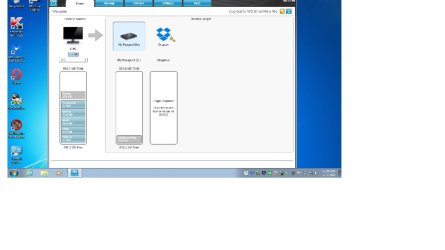
Here are more screenshots
 

Attachments

  • Untitled.jpg
    Untitled.jpg
    48.1 KB · Views: 3
  • Untitled.png
    Untitled.png
    55.1 KB · Views: 3

My Computer

Computer type
Laptop
Computer Manufacturer/Model Number
Asus laptop U56E
OS
Microsoft Windows 7 Home Premium 64-bit 7601 Multiprocessor Free Service Pack 1
CPU
Intel(R) Core(TM) i5-2430M CPU @ 2.40GHz
Motherboard
ASUSTeK Computer Inc. U56E
Memory
6.00 GB
Graphics Card(s)
Intel(R) HD Graphics 3000
Sound Card
(1) High Definition Audio Device (2) High Definition Audio
Screen Resolution
1366 x 768 x 32 bits (4294967296 colors) @ 60 Hz
Hard Drives
WDC WD6400BPVT-80HXZT3
You certainly don't need any of it for imaging purposes.

You'd need only Macrium and a bootable recovery disk.

Just save your images directly on that external. Don't divide the external into multiple partitions--no need for that. Just keep track of your various images by use of a folder structure. Such as put an image you make today in a folder called 051714 signifying today's date. Whatever makes sense to you.

You might be able to find out the purpose of those programs on the WD web site, but I certainly don't see why you need them. I'd guess they are all related to supposedly helping you with backup, but you've already got that covered.

Don't forget to make an image of that small "system reserved" partition if you have one, along with C.
 

My Computer

Computer type
PC/Desktop
Computer Manufacturer/Model Number
Ignatz Special; 4 speed manual gearbox; factory air conditioning; one of one
OS
Windows 7 Home Premium SP1, 64-bit
CPU
Intel Skylake i5-6600K, not overclocked
Motherboard
AsRock Z170M Extreme 4, micro ATX
Memory
8 GB HyperX DDR4-2666 (2 x 4 GB)
Graphics Card(s)
none; graphics are integrated on CPU
Sound Card
onboard: Realtek ALC1150; external: USB Behringer UF0-202
Monitor(s) Displays
Dell S2340M 23 inch IPS
Screen Resolution
1600 x 900
Hard Drives
System: Crucial MX100 series SSD, 128 GB;
Data: Samsung Spinpoint 103SJ, 1 TB;
Backup: WD Caviar Green WD30EZRX-00D8PB0, 3 TB
PSU
Rosewill SilentNight 500 watt fanless, semi-modular
Case
Antec Solo II
Cooling
Noctua NH-U12S; Noctua F12 intake, Noctua S12A exhaust
Keyboard
Microsoft 200 6JH-00001 USB
Mouse
Dell or Microsoft optical wired; USB
Antivirus
Microsoft Security Essentials and Malwarebytes Premium
Browser
Pale Moon
Other Info
All fans PWM; speeds at idle: CPU circa 500 rpm; intake circa 600 rpm; exhaust circa 600 rpm; CPU temps 27 idle and 47 C load in a warm room (27 C/81 F) when running Intel Extreme Tuning Utility stress test.
I just want to use the version for idiots , where even a cave man can do it . I am still learning but if i have a system image on the passport why do i need a recovery disc?

I am also the only person who will ever have access to it , i see this comes with a lot of security features but i am unsure of the kind needed to protect malware from accessing the drive . I don't need security for other people attempting to use it.
 

My Computer

Computer type
Laptop
Computer Manufacturer/Model Number
Asus laptop U56E
OS
Microsoft Windows 7 Home Premium 64-bit 7601 Multiprocessor Free Service Pack 1
CPU
Intel(R) Core(TM) i5-2430M CPU @ 2.40GHz
Motherboard
ASUSTeK Computer Inc. U56E
Memory
6.00 GB
Graphics Card(s)
Intel(R) HD Graphics 3000
Sound Card
(1) High Definition Audio Device (2) High Definition Audio
Screen Resolution
1366 x 768 x 32 bits (4294967296 colors) @ 60 Hz
Hard Drives
WDC WD6400BPVT-80HXZT3
If you want to make your life easy, just make full images of all partitions from time to time. I recommend you use free Macrium because that is easy to use, reliable and has never failed me.

I keep my user data in a seperate partition and image the OS (including the 100MB system partition) and the data partition whenever some significant changes were made to those partitions. Sometimes once per week, other times in longer periods - it all depends on the changes that occured.

The backup programs that come with the external disks I would not trust. I know that some do not work and others have restrictions. It is better to rely on a proven program like Macrium. But if you happen to have Acronis or Paragon, those are good too. Just a bit more complicated to use. AOMEI Backupper is another easy to use program. It works well in 64 bit but I could not make it to work on my 32bit system.

Btw: It is true that I use 12 disks for images - external and internal disks (in case of the desktops). But that is for 7 PCs that are in 3 different locations thousands of miles apart. If all those PCs were in the same location, I would have consolidated the amount of disks for images. The fastest disks I use are 1TB SSHDs attached via USB3 and, of course, the internal HDDs. And the external disks are usually disconnected when not in use.
 

My Computer

Computer Manufacturer/Model Number
HP, Dell, Gateway, Toshiba - 4 laptops and 2 desktops
OS
Vista, Windows7, Mint Mate, Zorin, Windows 8
CPU
from 1.6GHz Duo to i7
Monitor(s) Displays
2x HP w2207
Hard Drives
5x HDD, 7x SSD, 12x Externals
Keyboard
with trackball - no mices
Mouse
Trackball mice
Internet Speed
DSL 6000
if i have a system image on the passport why do i need a recovery disc?

You appear to misunderstand what you have on the passport.

If you are using Macrium for backup, you would have one file on the passport. It would have an mrimg extension. It's a large file, measured in gigabytes.

It is NOT repeat NOT I say NOT a working replica of your current system partition. You can't boot from it. It's not even on an internal drive.

If you poke it with the mouse, it will open up and you could browse around among the files in it to recover pictures of your cat or some other file that is on the partition you imaged. In that sense, it is a "backup".

But it's not going to boot your PC. For that to happen, you MUST restore that image file in its entirety. At that point and only at that point do you have a working restored system. Restoration requires that you use a recovery disk full stop period. You make the recovery disk in Macrium by burning a CD. There are 2 types of recovery disks: Linux based and WinPE based. WinPE is much preferred. You choose between the two from a Macrium menu.

After you've burned the recovery disk, test it to be sure it will boot your PC. If it won't, you CAN'T restore. In which case you troubleshoot why it won't boot your PC and make another disk until you succeed in burning a bootable disk.

I suspect this misunderstanding is why you said you previously failed in a Macrium restoration attempt.

Macrium is the closest thing you are going to find that is Cro-Magnon-certified. It's up to you to get it working with our help.

 

My Computer

Computer type
PC/Desktop
Computer Manufacturer/Model Number
Ignatz Special; 4 speed manual gearbox; factory air conditioning; one of one
OS
Windows 7 Home Premium SP1, 64-bit
CPU
Intel Skylake i5-6600K, not overclocked
Motherboard
AsRock Z170M Extreme 4, micro ATX
Memory
8 GB HyperX DDR4-2666 (2 x 4 GB)
Graphics Card(s)
none; graphics are integrated on CPU
Sound Card
onboard: Realtek ALC1150; external: USB Behringer UF0-202
Monitor(s) Displays
Dell S2340M 23 inch IPS
Screen Resolution
1600 x 900
Hard Drives
System: Crucial MX100 series SSD, 128 GB;
Data: Samsung Spinpoint 103SJ, 1 TB;
Backup: WD Caviar Green WD30EZRX-00D8PB0, 3 TB
PSU
Rosewill SilentNight 500 watt fanless, semi-modular
Case
Antec Solo II
Cooling
Noctua NH-U12S; Noctua F12 intake, Noctua S12A exhaust
Keyboard
Microsoft 200 6JH-00001 USB
Mouse
Dell or Microsoft optical wired; USB
Antivirus
Microsoft Security Essentials and Malwarebytes Premium
Browser
Pale Moon
Other Info
All fans PWM; speeds at idle: CPU circa 500 rpm; intake circa 600 rpm; exhaust circa 600 rpm; CPU temps 27 idle and 47 C load in a warm room (27 C/81 F) when running Intel Extreme Tuning Utility stress test.

My Computer

Computer Manufacturer/Model Number
HP, Dell, Gateway, Toshiba - 4 laptops and 2 desktops
OS
Vista, Windows7, Mint Mate, Zorin, Windows 8
CPU
from 1.6GHz Duo to i7
Monitor(s) Displays
2x HP w2207
Hard Drives
5x HDD, 7x SSD, 12x Externals
Keyboard
with trackball - no mices
Mouse
Trackball mice
Internet Speed
DSL 6000
This is getting more confusing as we go along lol, should I keep any of these programs on the passport is the first question , secondly, in this very thread I was told I needed to buy an external drive for backups and that my dvd drive wasn't something that would be recommended for burning images for backups .

Every time I have tried to restore with Macrium it has failed , don't know why but the only thing that has worked is windows image backup. It requires a total of TWO dvds while Macrium requires SEVEN.

Thank you for your time
 

My Computer

Computer type
Laptop
Computer Manufacturer/Model Number
Asus laptop U56E
OS
Microsoft Windows 7 Home Premium 64-bit 7601 Multiprocessor Free Service Pack 1
CPU
Intel(R) Core(TM) i5-2430M CPU @ 2.40GHz
Motherboard
ASUSTeK Computer Inc. U56E
Memory
6.00 GB
Graphics Card(s)
Intel(R) HD Graphics 3000
Sound Card
(1) High Definition Audio Device (2) High Definition Audio
Screen Resolution
1366 x 768 x 32 bits (4294967296 colors) @ 60 Hz
Hard Drives
WDC WD6400BPVT-80HXZT3
You store the images on the external drive.

I think your confusion about the DVD drive was, it is not recommended to create and store images on DVD's.

You do need to have a rescue disc that will use your DVD drive to boot from.

Images are just the backup files you create of your system, you store those on the external drive.

The rescue disc is what you use to boot from outside of windows, once booted to the rescue disc you can choose an image file on your external drive to restore windows with.
 

My Computer

Computer type
PC/Desktop
Computer Manufacturer/Model Number
Self Built
OS
Win 10 Pro x64
CPU
Intel I5-2500K @3.3GHz
Motherboard
Asrock P67 Extreme4
Memory
16GB G.Skill Ripjaws X (4x4GB)
Graphics Card(s)
EVGA GeForce 750 Ti SC 2GB
Sound Card
ASUS Xonar DG 5.1 Channels 24-bit 96KHz PCI Interface Sound
Monitor(s) Displays
auria eq2367
Screen Resolution
1920 x 1080
Hard Drives
250GB Samsung 850 EVO SSD
1TB WD Blue
1TB Hitachi
PSU
SeaSonic X 650W 80 Plus Gold
Case
Corsair Obsidian 750D
Cooling
Corsair H60, Three 140mm case fans
Keyboard
Logitech Wireless Keyboard K520
Mouse
Logitech Wireless Mouse M310
Internet Speed
Wave Broadband ~ 100 dn 5 up
Antivirus
Windows Defender, Malwarebytes Premium
Browser
Edge, IE11, Chrome
Other Info
Laptop specs: HP g7-1365dx /
CPU: AMD A6-3420M APU with Radeon(tm) HD Graphics /
RAM: Crucial 8Gb (2x4Gb) /
SSD: Crucial M4-CT128M4SSD2 ATA Device/ FW 000F /
GFX: AMD Radeon HD 6520G /
OS: Windows 10 Pro x64
see comments in bold

should I keep any of these programs on the passport is the first question

Probably not. They are not needed to create an image file and later restore it, which is why you say you bought the Passport. They would not be needed for any other general purpose for an external drive that I can think of.

, secondly, in this very thread I was told I needed to buy an external drive for backups and that my dvd drive wasn't something that would be recommended for burning images for backups .

You were told correctly.

You don't burn an image file.

You make the image file with Macrium and store it on the external drive, NOT ON DVDs. Just as you would make a Word document about how to make spaghetti sauce. You make it and you save it somewhere. The somewhere is the external drive. NOT DVDs.

You do use your DVD drive and a blank disk to BURN A RECOVERY DISK IN MACRIUM. You need exactly one disk to do that. The only reason you'd ever need more than one disk is if the first burned disk will not boot your PC. In which case, trouble shoot that and burn another till you get one that will boot the PC.


Every time I have tried to restore with Macrium it has failed , don't know why but the only thing that has worked is windows image backup. It requires a total of TWO dvds while Macrium requires SEVEN.

Who knows what you are doing with 7 DVDs and Macrium. Quit doing that, whatever it is. The image file goes on the Passport hard drive, not on DVD or CD disks.

The file on the Passport and the recovery disk are two distinct things. Both are necessary. You use the latter to boot the PC and restore the former to your internal hard drive.
 

My Computer

Computer type
PC/Desktop
Computer Manufacturer/Model Number
Ignatz Special; 4 speed manual gearbox; factory air conditioning; one of one
OS
Windows 7 Home Premium SP1, 64-bit
CPU
Intel Skylake i5-6600K, not overclocked
Motherboard
AsRock Z170M Extreme 4, micro ATX
Memory
8 GB HyperX DDR4-2666 (2 x 4 GB)
Graphics Card(s)
none; graphics are integrated on CPU
Sound Card
onboard: Realtek ALC1150; external: USB Behringer UF0-202
Monitor(s) Displays
Dell S2340M 23 inch IPS
Screen Resolution
1600 x 900
Hard Drives
System: Crucial MX100 series SSD, 128 GB;
Data: Samsung Spinpoint 103SJ, 1 TB;
Backup: WD Caviar Green WD30EZRX-00D8PB0, 3 TB
PSU
Rosewill SilentNight 500 watt fanless, semi-modular
Case
Antec Solo II
Cooling
Noctua NH-U12S; Noctua F12 intake, Noctua S12A exhaust
Keyboard
Microsoft 200 6JH-00001 USB
Mouse
Dell or Microsoft optical wired; USB
Antivirus
Microsoft Security Essentials and Malwarebytes Premium
Browser
Pale Moon
Other Info
All fans PWM; speeds at idle: CPU circa 500 rpm; intake circa 600 rpm; exhaust circa 600 rpm; CPU temps 27 idle and 47 C load in a warm room (27 C/81 F) when running Intel Extreme Tuning Utility stress test.
I am puzzled by your statement that the windows image fit on 2 DVDs. They have a capacity of less than 10GB and all the images I ever made were bigger than that. Are you sure those were real images or just backups of the user data.

An image is on average 65% of all the data on the C partition (or the partition you image). If the image is less than 10% that would mean that your C partition has only a total of appr. 15GB of data (OS, userdata - everything together).
 

My Computer

Computer Manufacturer/Model Number
HP, Dell, Gateway, Toshiba - 4 laptops and 2 desktops
OS
Vista, Windows7, Mint Mate, Zorin, Windows 8
CPU
from 1.6GHz Duo to i7
Monitor(s) Displays
2x HP w2207
Hard Drives
5x HDD, 7x SSD, 12x Externals
Keyboard
with trackball - no mices
Mouse
Trackball mice
Internet Speed
DSL 6000
2-3 DVDs sounds more like a factory restore backup (ie a backup of an OEM recovery partition). Are you running an OEM PC (eg Acer, HP etc).
Also, I'd generally avoid HDD manufacturers backup utilities.
 

My Computer

Computer type
PC/Desktop
Computer Manufacturer/Model Number
Own build
OS
Windows 7x64 Home Premium SP1
CPU
Intel i7 2600k
Motherboard
ASUS P8Z68 Deluxe
Memory
G.Skill Ripjaws (DDR3-1600) 2x4GB
Graphics Card(s)
Nvidia GeForce GTS 450; Intel HD Graphics 3000(GT2+)
Monitor(s) Displays
Dell Ultrasharp IPS panel U2311H, Samsung SyncMaster P2350
Screen Resolution
1920x1080
Hard Drives
Samsung 850 Pro SSD 256GB, Samsung SSD 840 120GB, Seagates 1TB Barracuda ST31000528AS x2
PSU
Seasonic M12II 520W
Case
Lian Li Lancool PC-K60
Cooling
Case: 1x120mm, 3x140mm CPU: Hyper 212+
Keyboard
Logitech MK520 (wireless)
Mouse
Logitech MK520
Internet Speed
6-7 Mbps
Antivirus
Norton Security Premium, Malwarebytes on 2 (MSE on 3rd PC)
Browser
FireFox
Other Info
Audio: Logitech Z523 2.1
Maybe thats why it only took two dvds , (my hard drive is more than 75% empty) i click on the" make a system image " in the Windows recovery screen, i set the bios to boot from the dvd , it says Windows is loading files and takes me to the Windows installation screen , i click on custom and format and delete both partitions (computer only has two) .

After that , instead of clicking next i hit the X in the top right corner which takes me back to the "repair your computer options screen" and click on system image , i eject the Win 7 iso and put in my system image discs to restore and it works.
 

My Computer

Computer type
Laptop
Computer Manufacturer/Model Number
Asus laptop U56E
OS
Microsoft Windows 7 Home Premium 64-bit 7601 Multiprocessor Free Service Pack 1
CPU
Intel(R) Core(TM) i5-2430M CPU @ 2.40GHz
Motherboard
ASUSTeK Computer Inc. U56E
Memory
6.00 GB
Graphics Card(s)
Intel(R) HD Graphics 3000
Sound Card
(1) High Definition Audio Device (2) High Definition Audio
Screen Resolution
1366 x 768 x 32 bits (4294967296 colors) @ 60 Hz
Hard Drives
WDC WD6400BPVT-80HXZT3
I take it you have given up on Macrium?
 

My Computer

Computer type
PC/Desktop
Computer Manufacturer/Model Number
Ignatz Special; 4 speed manual gearbox; factory air conditioning; one of one
OS
Windows 7 Home Premium SP1, 64-bit
CPU
Intel Skylake i5-6600K, not overclocked
Motherboard
AsRock Z170M Extreme 4, micro ATX
Memory
8 GB HyperX DDR4-2666 (2 x 4 GB)
Graphics Card(s)
none; graphics are integrated on CPU
Sound Card
onboard: Realtek ALC1150; external: USB Behringer UF0-202
Monitor(s) Displays
Dell S2340M 23 inch IPS
Screen Resolution
1600 x 900
Hard Drives
System: Crucial MX100 series SSD, 128 GB;
Data: Samsung Spinpoint 103SJ, 1 TB;
Backup: WD Caviar Green WD30EZRX-00D8PB0, 3 TB
PSU
Rosewill SilentNight 500 watt fanless, semi-modular
Case
Antec Solo II
Cooling
Noctua NH-U12S; Noctua F12 intake, Noctua S12A exhaust
Keyboard
Microsoft 200 6JH-00001 USB
Mouse
Dell or Microsoft optical wired; USB
Antivirus
Microsoft Security Essentials and Malwarebytes Premium
Browser
Pale Moon
Other Info
All fans PWM; speeds at idle: CPU circa 500 rpm; intake circa 600 rpm; exhaust circa 600 rpm; CPU temps 27 idle and 47 C load in a warm room (27 C/81 F) when running Intel Extreme Tuning Utility stress test.
What you created is an installation/recovery disk - not an image. With those DVDs you can reinstall the system as it came out of the box. But you would lose all your data, programs, setups, etc. - you start from square 1.

That is not the idea of an image. If you restore an image, your system will be exactly like it was when the image was taken. If it was taken yesterday, the recovered system will look like it looked yesterday.

Reinstalling a system, performing all the updates, reinstalling all the programs, redo all the setups takes several days as to my experience. Plus you may lose all your data unless you first recover it with e.g. a live Linux CD. Restoring an image takes 20 to 30 minutes and that includes your data..
 

My Computer

Computer Manufacturer/Model Number
HP, Dell, Gateway, Toshiba - 4 laptops and 2 desktops
OS
Vista, Windows7, Mint Mate, Zorin, Windows 8
CPU
from 1.6GHz Duo to i7
Monitor(s) Displays
2x HP w2207
Hard Drives
5x HDD, 7x SSD, 12x Externals
Keyboard
with trackball - no mices
Mouse
Trackball mice
Internet Speed
DSL 6000
I found a similar example of what happened to me with Macrium:


I did a complete system image copy with Macrium Reflect Free Edition of my W7 laptop about 18 months ago,

I tend to do a complete fresh install every 18 months or so. This week I wanted to do a complete factory restore of my laptop, But alas somehow my manufacturers recovery partition (Press F 11 and select restore to factory) has become corrupted.

Never mind I said, I got the option now to go down the Macrium Reflect route, I put in the 18 month previously created rescue disc and..........NOTHING.....ERROR MESSAGE DISC WONT LOAD.

The BKU files(BKU = Back Up)are safe and stored and I believe correctly copied on my external HDD, but I have no way of installing this snapshot out of the box 18 month ago clean fresh BKU including all partitions at the time.

Don't worry I am not asking for help, I have contacted my manufacturer, and they are going to post out some Factory Restore W7 Rescue Discs. (Basically what the recovery participation would of done).

The moral of the story....... if the rescue disc does not work when you want to restore a image then you are in big TROUBLE.

Irony of all Irony while I am waiting for the postman/postwoman I decided to experiment with other programs, The in-built W7 Create a system image and create a rescue disc..... WORKS

Paragon Backup & Recovery 2013 Free Create a rescue disc.....WORKS

PLEASE NOTE...In my tests I didn't actually restore anything and by...WORKS...I mean the Rescue Discs I created are recognised when I try to boot from the discs, and on both occasions when I removed my HDD (Imagine If I Am Installing A Copy To A New Drive) I can follow the instructions up to..........which image would you like to restore.

I get none of this with Macrium Reflect........Including after also RECENTLY burning a new rescue disc......with both options offered Linux and Windows PE 3.1

That's My Experience.....
The below is worth noting: My Macrium rescue disk did not work either and i know i followed the instructions correctly because it said burned successfully but still didn't work even when bios was set to boot off the cd drive first.


Login or register to post comments
by kenjzur on 14. December 2013 - 20:43 (112947)
I HAD the same problems; could not boot on bootable image DVD/CD's and flash drive. Yet, they booted fine on my other older machine. Yet it wouldn't boot on the very machine that created them. The solution - AHCI BIOS option. If this option is on, (which many OS's support) then these cd/dvd, flash bootable images will not work/boot. Check your bios, turn off AHCI (normally associated with SATA/IDE functions) and reboot your restore dvd/cd or flash. It should now work. Also, changing the bios allowed me to boot on flash drive.

ps 1. Don't forget to turn on the AHCI when your done restoring. If your system had it on at time of install, it needs it to run!

ps 2. Don't forget to turn off AHCI when doing off-line image backup as well.

Hope this works for you
 

My Computer

Computer type
Laptop
Computer Manufacturer/Model Number
Asus laptop U56E
OS
Microsoft Windows 7 Home Premium 64-bit 7601 Multiprocessor Free Service Pack 1
CPU
Intel(R) Core(TM) i5-2430M CPU @ 2.40GHz
Motherboard
ASUSTeK Computer Inc. U56E
Memory
6.00 GB
Graphics Card(s)
Intel(R) HD Graphics 3000
Sound Card
(1) High Definition Audio Device (2) High Definition Audio
Screen Resolution
1366 x 768 x 32 bits (4294967296 colors) @ 60 Hz
Hard Drives
WDC WD6400BPVT-80HXZT3
Burned successfully means nothing. The test is whether or not the recovery disk will boot the PC. The guy you quote apparently never tested that. I have no idea what he means by BKU files. Macrium creates MRIMG files. Just one for each image.

All imaging programs are useless for restoring the C drive unless you have a way of booting other than the C drive.

The last I heard, you made a series of 7 DVDs with Macrium. That surely is NOT a recovery disk.
 

My Computer

Computer type
PC/Desktop
Computer Manufacturer/Model Number
Ignatz Special; 4 speed manual gearbox; factory air conditioning; one of one
OS
Windows 7 Home Premium SP1, 64-bit
CPU
Intel Skylake i5-6600K, not overclocked
Motherboard
AsRock Z170M Extreme 4, micro ATX
Memory
8 GB HyperX DDR4-2666 (2 x 4 GB)
Graphics Card(s)
none; graphics are integrated on CPU
Sound Card
onboard: Realtek ALC1150; external: USB Behringer UF0-202
Monitor(s) Displays
Dell S2340M 23 inch IPS
Screen Resolution
1600 x 900
Hard Drives
System: Crucial MX100 series SSD, 128 GB;
Data: Samsung Spinpoint 103SJ, 1 TB;
Backup: WD Caviar Green WD30EZRX-00D8PB0, 3 TB
PSU
Rosewill SilentNight 500 watt fanless, semi-modular
Case
Antec Solo II
Cooling
Noctua NH-U12S; Noctua F12 intake, Noctua S12A exhaust
Keyboard
Microsoft 200 6JH-00001 USB
Mouse
Dell or Microsoft optical wired; USB
Antivirus
Microsoft Security Essentials and Malwarebytes Premium
Browser
Pale Moon
Other Info
All fans PWM; speeds at idle: CPU circa 500 rpm; intake circa 600 rpm; exhaust circa 600 rpm; CPU temps 27 idle and 47 C load in a warm room (27 C/81 F) when running Intel Extreme Tuning Utility stress test.
Back
Top