Are you really sure?

I thought I was... but the best laid plans of mice and men...
Apparently not quite out of the woods yet. I had another freeze (on both machines) this afternoon, or at least so I thought was this afternoon. And by the way
there is now yet another one of these "mysterious freeze" threads posted here, by yet another person going crazy from this symptom. I have an extended reply to him, on that thread, so I'll try and be briefer here.
Having had a "lucky run" of stability, when I got around to it earlier this afternoon I decided to check things out on the ASUS machine which by now should have been up for more than two days without a freeze. So I went upstairs and powered-on the monitor (I confess I had powered it off last night, rather than just leaving it always on), the desktop reappeared and I saw that the clock shows 1:38PM (which was correct) and it seemed to be running all normally. And I also powered on the mouse (I confess that I had powered it off as well last night), but remember that the wireless Logitech receiver is plugged into a USB port on the other monitor (which I hadn't powered back on) and which is independent of the power on/off state of the screen. The USB ports on monitors are always available as long as wall power is present, having nothing to do with whether the screen itself is on or off.
Anyway, when I powered the mouse back on and jiggled the mouse I didn't see any cursor movement on screen. It appeared frozen. And in fact, now the whole screen was truly frozen and my PERFMON ("EKG" for the CPU) window was now also frozen. Couldn't believe it! But it happened when I powered on the USB-involved mouse and jiggled it, not when I powered on the monitor (which no longer had any USB connectivity) and looked at it.
I then went downstairs to see if I'd just frozen the M910t as well. Again, I powered on the main monitor (which again, naively I had powered off last night) but nothing from the Windows desktop appeared... suggesting it was seriously frozen. I powered on the other monitor, and nothing there either. I powered on the mouse (which again, foolishly I had powered off last night) and still no response to a jiggle. Clearly this machine had also frozen, either right now or sometime during the night, either on its own or non-coincidentally "in sympathy" for some reason with the ASUS machine. I hard powered-off here so that I could go back to the ASUS machine and do whatever diagnosis I could.
So back at the ASUS machine I got it up and running again, but noticed that my normal nightly (4:45AM) scheduled Macrium Reflect backup kicked off. It will do that if it detects that its previous scheduled backup has been missed for some reason (i.e. other than my canceling it manually). I looked at the logs, and sure enough it had NOT run last night at 4:45AM as scheduled. It hadn't run and failed (because say the external USB 3.0 backup drive was somehow not available), it hadn't run at all. So the automatic scheduled task (kicked off by Windows) hadn't started at all at 4:45AM, as if Windows was frozen.
I then saw that my NovaBACKUP nightly scheduled job had also just completed, from its own "catch up" run when it, too, discovers its last scheduled run (normally done at 1:30AM) has not occurred for some reason. And once again, looking at the logs I saw that it's 1:30AM run had also not occurred. Again, no entry for "device not available" but it simply had for some reason not even started or gotten far enough along to create a log entry for a "failure". This meant that whatever freeze was likely in effect was happening as early as 1:30AM.
Perhaps it was the spun-down state of my external USB 3.0 Verbatim backup drive (which gets spun-down after 10 minutes of inactivity by the Green Button software from Verbatim) that failed to properly come back to life. Maybe the signal to spin-up the idle drive failed to make it over the USB interface, so that the drive never became ready and/or Windows froze or timed out awaiting proper state indication for the drive that NovaBACKUP now needed (assuming the backup task actually did kick off at 1:30AM, with the program asking for my V-drive to be available for use).
And so this freeze state appears to have happened much earlier in the night, no later than 1:30AM when NovaBACKUP perhaps started but failed to successfully see or not see the V-drive... which again is a USB-connected device. It was still in effect at 4:45AM when Macrium Reflect failed to start/run. I first saw its symptoms at 1:38PM when my Logitech mouse jiggle failed to be handled properly and the onscreen interface now froze solid even though up until that instant apparently the onscreen clock was progressing normally as it showed the correct 1:38PM when the monitor got powered on.
I will (for now anyway) leave all monitors powered on always, even though I don't really want to. I want to be able to see everything, and every clue. I'd previously turned off both screen saver and set power-save mode to NEVER.
I will also leave all wireless mice powered on, even when re-charging.
I have now disconnected the remaining USB cable to one monitor (into which I'd placed the Logitech receiver) so that there are now NO USB connections to any monitor. That receiver which was in the Eizo monitor has now been moved to a front USB port on the PC.
Really hard to believe my external 2TB USB 3.0 Verbatim backup drive is flaky, but for now I will leave that untouched, with the same scheduled nightly NovaBACKUP (at 1:30AM) and Macrium Reflect (at 4:45AM) running as usual.
The M910t machine has its own Verbatim backup drive and nightly schedule for both NovaBACKUP and Macrium Reflect. Looking at the logs on that machine both the 1:00AM NovaBACKUP job atnd 5:00AM Macrium Reflect job ran properly last night. This implies the M910t was not impacted overnight by whatever was going on with the ASUS machine as early as 1:30AM. But it obviously WAS for sure impacted by something that happened at 1:38PM on the ASUS machine when it froze hard and required a reboot after my mouse jiggle.
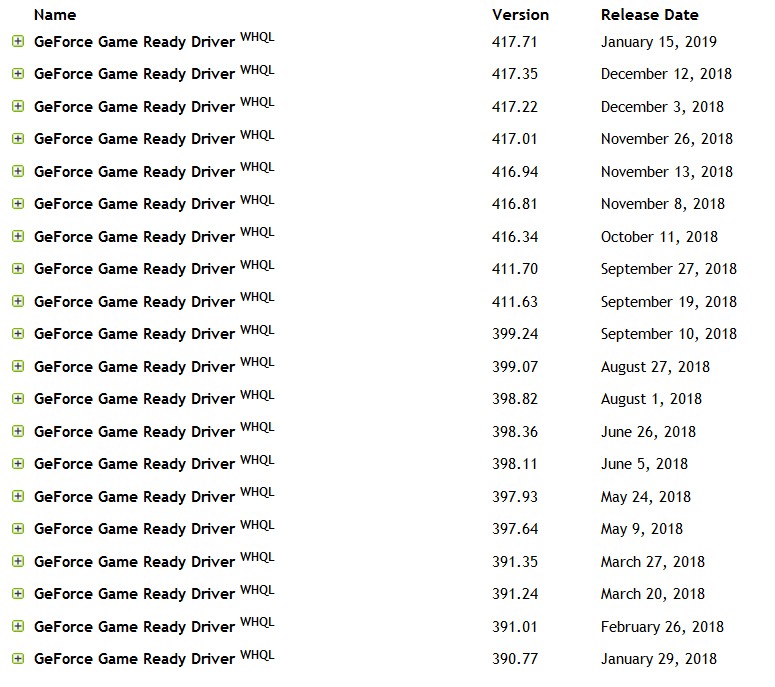
So... I'm still hunting this down. With the Nvidia driver kind of eliminated by virtue of my disabling screen saver and power-save mode on the monitors, could it really be a flaky USB interface in my Z170 motherboard, occasionally impacting the external Verbatim drive availability? I suppose I really could finally go forward with the painful replacing of the Z170 motherboard with the brand new one I bought for this purpose, rather than the more extreme complete machine replacement with the second brand new M910t I bought.
I could replace both wireless USB Logitech mice/receivers with a pair of Lenovo wired USB mice, at least to see if that makes any difference. I don't want to suppress the nightly backups to the external USB 3.0 Verbatim drives on both machines.
This sure seems USB related. Let's see if pulling that remaining USB cable to the final Eizo monitor makes any difference. That now makes the ASUS machine down two 2-port USB hubs (and an active Logitech mouse/receiver connection through one of the four USB ports) from where it was a few days ago.
Tearing my hear out. Shoot me!