I have a laptop running Windows 7 32bit. It has 500GB HD. It has a recovery partition, system partition and data partition. I accidently dropped the latop. It fails to boot. There were clicking noises from the heads not a good sign. Upon putting the drive in external enclosure and running it off my desktop, a drive letter was assigned to this HD under computer management and in My Computer.
This drive has over 5 years of data with very important work files on it. When I clicked on the drive with the assigned drive letter, it asked me do I want to initialize it using MBR or GPI. I don't know if I could explore the drive at this stage so I clicked on MBR. After that the hardisk was no longer seen by Windows as an assigned letter drive. Instead it became unallocated RAW. I ran WD smart diagnostics . It came back as passing, no errors. The drive no longer makes a clicking sound. I believe their may be bad sectors on it since this is a samsung HD and I was using WD diagnostics so there may be errors
I do have windows backup on this drive both VHD and imagebackup folder that is different without the VHD images just a bunch of files with letterandnumbers. Windows does not recognize any of these backups which I have quite a few unless I need to back up to a 500GB HD using the same laptop.
I ran minitools test disk but not sure if I am seeing just files in recovery partition only. I also ran eraseus recovery which the free verision allows to recover 1 GB. I have over 400GB of data. I also understand that it recovers files and folders without the partition structure so that the files and folder names are lost. I would not want to look at over 400GB of data files to rename each one.
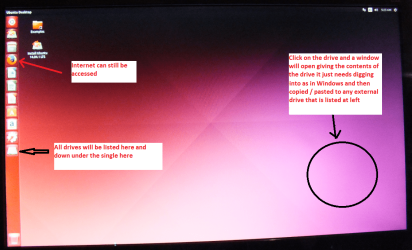
Best solution is to recover from the backup images. The next best thing would be to rebuild the partition table. I also tried booting with Linux disk as I heard you may recover that way. But with so many versions of Linux out there I did not know which one to use. I tried knoppnix linux but it did not see my drive or I was doing it all wrong not knowing Linux. I believe the HD has a backup mbr on it but it is probably in RAW if that is possible.
Any help would be appreciated!
This drive has over 5 years of data with very important work files on it. When I clicked on the drive with the assigned drive letter, it asked me do I want to initialize it using MBR or GPI. I don't know if I could explore the drive at this stage so I clicked on MBR. After that the hardisk was no longer seen by Windows as an assigned letter drive. Instead it became unallocated RAW. I ran WD smart diagnostics . It came back as passing, no errors. The drive no longer makes a clicking sound. I believe their may be bad sectors on it since this is a samsung HD and I was using WD diagnostics so there may be errors
I do have windows backup on this drive both VHD and imagebackup folder that is different without the VHD images just a bunch of files with letterandnumbers. Windows does not recognize any of these backups which I have quite a few unless I need to back up to a 500GB HD using the same laptop.
I ran minitools test disk but not sure if I am seeing just files in recovery partition only. I also ran eraseus recovery which the free verision allows to recover 1 GB. I have over 400GB of data. I also understand that it recovers files and folders without the partition structure so that the files and folder names are lost. I would not want to look at over 400GB of data files to rename each one.
Best solution is to recover from the backup images. The next best thing would be to rebuild the partition table. I also tried booting with Linux disk as I heard you may recover that way. But with so many versions of Linux out there I did not know which one to use. I tried knoppnix linux but it did not see my drive or I was doing it all wrong not knowing Linux. I believe the HD has a backup mbr on it but it is probably in RAW if that is possible.
Any help would be appreciated!
My Computer
At a glance
Windws 7 32bit
- Computer type
- Laptop
- OS
- Windws 7 32bit