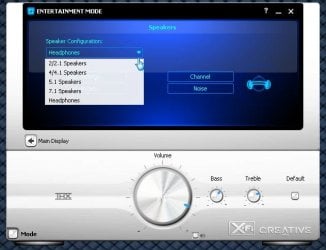
I recently installed a new motherboard Asus Sabertooth 990FX. It has an on-board sound card "Realtek® ALC 892 8-Channel High Definition Audio CODEC". I'm using 5.1 surround speakers from creative. Speaker fill with windows update driver, or Realteks driver from Asus' website, has the same outcome.
The problem is that the back speakers, when playing music, sound like an mp3 playing at 24kbps or something of the sort. This is not the first time this has happened, and ever since windows vista, this problem has occurred in every on-board sound card i have dealt with. I have heard different reasons such as DirectSound3D Hal in Windows Vista being removed, on-board sound cards just sucking, drivers sucking, etc.
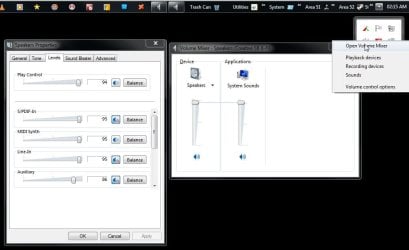
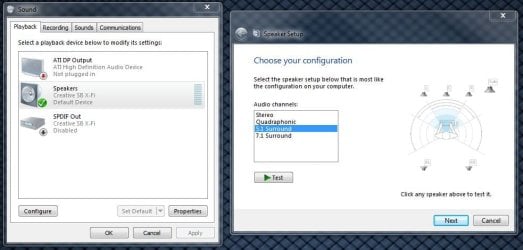
The only time the rear speakers sound right, is when i test the speakers with windows, with the software from Realtek, Or using some media player that i cant remember the name of anymore that had an option to fix this problem only for music played in that media player. But I just want all sound to play through them right. I don't watch movies on this computer and usually don't play any games, so i don't really care about the surround affect. I just want all the speakers putting out sound in stereo.
At this point I really don't care if i need a third party software to fix this issue and just for the record, no I do not have room in my system for an internal sound card, and I really don't want to deal with an external one either. I'd rather just never fix the issue and use only two front speakers for music and such.
I am using windows 7 64bit on this system.
The problem is that the back speakers, when playing music, sound like an mp3 playing at 24kbps or something of the sort. This is not the first time this has happened, and ever since windows vista, this problem has occurred in every on-board sound card i have dealt with. I have heard different reasons such as DirectSound3D Hal in Windows Vista being removed, on-board sound cards just sucking, drivers sucking, etc.
The only time the rear speakers sound right, is when i test the speakers with windows, with the software from Realtek, Or using some media player that i cant remember the name of anymore that had an option to fix this problem only for music played in that media player. But I just want all sound to play through them right. I don't watch movies on this computer and usually don't play any games, so i don't really care about the surround affect. I just want all the speakers putting out sound in stereo.
At this point I really don't care if i need a third party software to fix this issue and just for the record, no I do not have room in my system for an internal sound card, and I really don't want to deal with an external one either. I'd rather just never fix the issue and use only two front speakers for music and such.
I am using windows 7 64bit on this system.
My Computer
At a glance
Windows 7 x64 / Windows Server 2008 / Linux (...AMD FX 8150 Eight-Core Processor 4.23 Ghz OCG.SKILL Ripjaws X Series 32GB (4 x 8GB) DDR3 ...2X Radeon HD 4870 CrossFire X
- Computer type
- PC/Desktop
- Computer Manufacturer/Model Number
- Pandora (computer name)
- OS
- Windows 7 x64 / Windows Server 2008 / Linux (Redhat & Deb distros) / OS X / More
- CPU
- AMD FX 8150 Eight-Core Processor 4.23 Ghz OC
- Motherboard
- ASUS SaberTooth 990FX
- Memory
- G.SKILL Ripjaws X Series 32GB (4 x 8GB) DDR3 SDRAM 1333
- Graphics Card(s)
- 2X Radeon HD 4870 CrossFire X
- Sound Card
- Onboard and loving it
- Monitor(s) Displays
- 2x HP w2480 Wide LCD
- Screen Resolution
- 1920x1200 each
- Hard Drives
- RAID (6x0 Seagate Barracuda 7200 rpm 32 MB cache 500Gb SATA)
- PSU
- Antec 850 Watt
- Case
- Antec 900
- Cooling
- Lots of fans
- Keyboard
- Logitech
- Mouse
- Rat 9
- Internet Speed
- 40 Mbps Down 5 Mbps Up
- Antivirus
- AVG
- Browser
- Chrome, Firefox, IE
- Other Info
- My main desktop


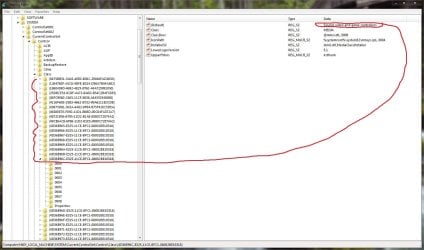
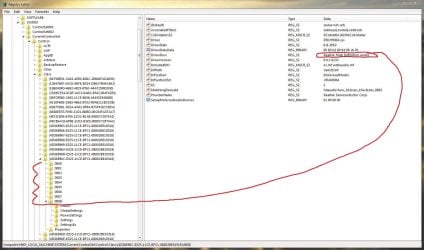
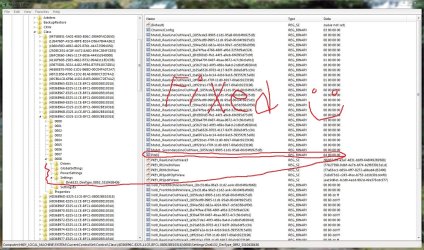
 From what I can tell, the binary value is always the same, but the pin # may be different for different systems.