JavaScript is disabled. For a better experience, please enable JavaScript in your browser before proceeding.
You are using an out of date browser. It may not display this or other websites correctly.
You should upgrade or use an
alternative browser .
Solved Recycle Bin won't empty.
Recently I did a total nuke on my HD and switched back to Win7 from Win10. The reason is the software on an old game that I have played online for 25 years won't open on Win10. You do what you have to do.
Some how, a file called 'windows old' was added to my C: drive, and every time my virus protection does a scan, it is prolonged by the scanning of that file, which is essentially the same files it has just scanned. The switch was made over 3 months ago.
I've tried several times to delete the file, and it is so large, the deletion process is forever. Yesterday, I tried to delete it, and the system said the file was too large to go in the recycle bin, do I want to permanently delete it? I clicked yes, and just let it run. This morning I got up and most of the file was gone except for two folders, which I was able to delete to the recycle bin. Now when I open it and click on 'empty recycle bin' nothing happens.
Any thoughts and suggestions would be appreciated.
TRS
Computer type PC/Desktop Computer Manufacturer/Model Number custom build OS Win 7 Home Premium 64 CPU Intel Core i5 3570K @ 3.40GHZ 3.80 GHZ Motherboard Gigabyte GA-B75M-HD3 Memory 16GB Graphics Card(s) EVGA Nvidia GeForce GTX 750Ti Sound Card Creative Sound Blaster Audigy FX Monitor(s) Displays Dell 2407WFP-HC Screen Resolution 1920 x 1200 Hard Drives 1TB Toshiba DT01ACA100 ATA Device PSU Inland Silver Series ILS 500R2 Case Thermaltake V3 Black Cooling some fans that are inside :) Keyboard ONN wireless Mouse Logitech wireless laser Internet Speed 4.89 avg dl speed 3.67 avg ul speed Antivirus Microsoft Security Essentials Browser Mozilla
Administrator
Staff member
Hello TRS,
If you haven't already, refresh (F5) the Recycle Bin to see if it that may help if it's just a refresh issue.
If the files are not being deleted, then you might see if the method in the tutorial below may be able to fix it.
:ar:
Fix Corrupted Recycle Bin in Windows Windows 10 Tutorials
Computer type PC/Desktop Computer Manufacturer/Model Number Self built custom OS 64-bit Windows 11 Pro for Workstations CPU Intel i7-8700K OC'd to 5 GHz Motherboard ASUS ROG Maximus XI Formula Z390 Memory 64 GB (4x16GB) G.SKILL TridentZ RGB DDR4 3600 MHz Graphics Card(s) ASUS ROG-STRIX-GTX1080TI-O11G-GAMING Sound Card Integrated Monitor(s) Displays 2 x Samsung Odyssey G7 27" Screen Resolution 2560x1440 Hard Drives 1TB Samsung 990 PRO M.2,
4TB Samsung 990 PRO PRO M.2,
TerraMaster F8 SSD Plus NAS PSU Seasonic Prime Titanium 850W Case Thermaltake Core P3 Cooling Corsair Hydro H115i Keyboard Logitech wireless K800 Mouse Logitech MX Master 4 Internet Speed 2 Gb/s Download and 100 Mb/s Upload Antivirus Malwarebyte Anti-Malware Premium Browser Google Chrome Other Info Logitech Z625 speaker system,
Logitech BRIO 4K Pro webcam,
HP Color LaserJet Pro MFP M477fdn,
APC SMART-UPS RT 1000 XL - SURT1000XLI,
Galaxy S23 Plus phone
New member
Member
Thread Starter
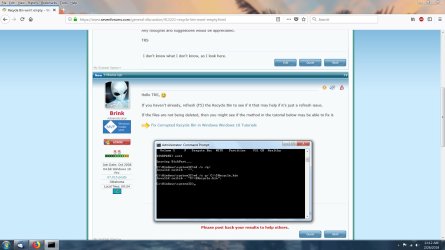
You gave me a Win10 tutorial for Win7 issue. However, I did as instructed and got an error message:
Invalid Switch..see picture. Now what?
Command Prompt.jpg
281.7 KB
· Views: 6
Computer type PC/Desktop Computer Manufacturer/Model Number custom build OS Win 7 Home Premium 64 CPU Intel Core i5 3570K @ 3.40GHZ 3.80 GHZ Motherboard Gigabyte GA-B75M-HD3 Memory 16GB Graphics Card(s) EVGA Nvidia GeForce GTX 750Ti Sound Card Creative Sound Blaster Audigy FX Monitor(s) Displays Dell 2407WFP-HC Screen Resolution 1920 x 1200 Hard Drives 1TB Toshiba DT01ACA100 ATA Device PSU Inland Silver Series ILS 500R2 Case Thermaltake V3 Black Cooling some fans that are inside :) Keyboard ONN wireless Mouse Logitech wireless laser Internet Speed 4.89 avg dl speed 3.67 avg ul speed Antivirus Microsoft Security Essentials Browser Mozilla
Administrator
Staff member
You have typed it wrong, look at /q you have q/
it should be rd /s /q C:\$Recycle.bin
Computer type PC/Desktop OS Windows 11
New member
Member
Thread Starter
Thank you BRINK, and z3r010. After overcoming my dyslexia, it worked.
Super appreciation to both of you!
Computer type PC/Desktop Computer Manufacturer/Model Number custom build OS Win 7 Home Premium 64 CPU Intel Core i5 3570K @ 3.40GHZ 3.80 GHZ Motherboard Gigabyte GA-B75M-HD3 Memory 16GB Graphics Card(s) EVGA Nvidia GeForce GTX 750Ti Sound Card Creative Sound Blaster Audigy FX Monitor(s) Displays Dell 2407WFP-HC Screen Resolution 1920 x 1200 Hard Drives 1TB Toshiba DT01ACA100 ATA Device PSU Inland Silver Series ILS 500R2 Case Thermaltake V3 Black Cooling some fans that are inside :) Keyboard ONN wireless Mouse Logitech wireless laser Internet Speed 4.89 avg dl speed 3.67 avg ul speed Antivirus Microsoft Security Essentials Browser Mozilla
Administrator
Staff member
Computer type PC/Desktop Computer Manufacturer/Model Number Self built custom OS 64-bit Windows 11 Pro for Workstations CPU Intel i7-8700K OC'd to 5 GHz Motherboard ASUS ROG Maximus XI Formula Z390 Memory 64 GB (4x16GB) G.SKILL TridentZ RGB DDR4 3600 MHz Graphics Card(s) ASUS ROG-STRIX-GTX1080TI-O11G-GAMING Sound Card Integrated Monitor(s) Displays 2 x Samsung Odyssey G7 27" Screen Resolution 2560x1440 Hard Drives 1TB Samsung 990 PRO M.2,
4TB Samsung 990 PRO PRO M.2,
TerraMaster F8 SSD Plus NAS PSU Seasonic Prime Titanium 850W Case Thermaltake Core P3 Cooling Corsair Hydro H115i Keyboard Logitech wireless K800 Mouse Logitech MX Master 4 Internet Speed 2 Gb/s Download and 100 Mb/s Upload Antivirus Malwarebyte Anti-Malware Premium Browser Google Chrome Other Info Logitech Z625 speaker system,
Logitech BRIO 4K Pro webcam,
HP Color LaserJet Pro MFP M477fdn,
APC SMART-UPS RT 1000 XL - SURT1000XLI,
Galaxy S23 Plus phone