Regarding my local c drive.

GradeAbra

New member
Member
VIP
Local time
8:12 AM
Messages
223
Well my emachine:C(or c drive) has 280gb, is there anyway to split this into 2 parts with 140gb on each?
 

My Computer

Computer Manufacturer/Model Number
Acer eMachines EL1850
OS
Windows 7 Home Premium 64bit
CPU
Pentium(R) Dual-Core CPU E5800 @ 3.20GHz
Motherboard
eMachines EL1850
Memory
4.00 GB
Graphics Card(s)
Intel(R) G41 Express Chipset
Sound Card
Realtek High Definition Audio
Monitor(s) Displays
Intel(R) G41 Express Chipset
Screen Resolution
1600 x 900 x 32 bits (4294967296 colors) @ 59 Hz
Hard Drives
(1) Hitachi HDS721032CLA362 ATA Device (2) Generic- Compact Flash USB Device (3) Multiple Flash Reader USB Device

My Computer

Computer Manufacturer/Model Number
Acer Aspire TimelineX AS4820T-6645
OS
Windows 7 Home Premium 64bit
CPU
Intel Core i3 380M(2.53GHz)
Memory
4GB DDR3 1066
Graphics Card(s)
Intel HD Graphics 128MB VRAM
Screen Resolution
1366x768
Hard Drives
640GB 5400RPM SATA
thanks is there any better one?
 

My Computer

Computer Manufacturer/Model Number
Acer eMachines EL1850
OS
Windows 7 Home Premium 64bit
CPU
Pentium(R) Dual-Core CPU E5800 @ 3.20GHz
Motherboard
eMachines EL1850
Memory
4.00 GB
Graphics Card(s)
Intel(R) G41 Express Chipset
Sound Card
Realtek High Definition Audio
Monitor(s) Displays
Intel(R) G41 Express Chipset
Screen Resolution
1600 x 900 x 32 bits (4294967296 colors) @ 59 Hz
Hard Drives
(1) Hitachi HDS721032CLA362 ATA Device (2) Generic- Compact Flash USB Device (3) Multiple Flash Reader USB Device

Attachments

  • Region.png
    Region.png
    29.1 KB · Views: 6

My Computer

Computer type
Laptop
Computer Manufacturer/Model Number
Sager NP9170
OS
Win 7 Pro x64 / Win 10 Pro
CPU
Intel(R) Core(TM) i7-3630QM CPU @ 2.40GHz
Motherboard
CLEVO P170EM
Memory
12 GB
Graphics Card(s)
(1) Intel(R) HD Graphics 4000 (2) NVIDIA GeForce GTX 675M
Sound Card
(1) Realtek High Definition Audio (2) Intel(R) Display Aud
Monitor(s) Displays
17.3
Screen Resolution
1920x1080
Hard Drives
(1) Samsung 860 EVO 500GB(OS) (1) Samsung 860 EVO 500GB(Data)
Keyboard
Backlite
Antivirus
MSE, Malwarebytes Pro
Browser
Firefox
Other Info
DESKTOP: Custom-built.
OS: Win 10 Pro x64.
CASE: Rosewill R5.
CPU: Intel I5 4670K CPU @ 3.40GHz.
CPU COOLER: Cool Master Hyper 212 EVO.
MOTHERBOARD: Asus Z87-A.
MEMORY: Kingston HyperX 2x4 GB.
GPU: Nvidia Geforce 650 TI.
PSU: Corsair TX750.
DRIVES: (1) Samsung 840 120 GB SSD (2) Western Digital blue 500 GB 7200 RPM.
Always ALWAYS back up your data first...just in case.
 

My Computer

OS
Windows 7 Ultimate x64 SP1
CPU
Intel Core i7-2600
Motherboard
Gigabyte GA-P67A-UD3P-B3
Memory
12 GB Patriot Extreme DDR3-1333
Graphics Card(s)
Nvidia GTX 470
Monitor(s) Displays
Dell UltraSharp 2209WA
Hard Drives
OCZ Agility3 240 GB, WD5001AALS, WD7501AALS
PSU
OCZ ModStream 700W
Case
CoolerMaster HAF 912 Advanced
Cooling
CoolerMaster Hyper 212 Plus
Well my emachine:C(or c drive) has 280gb, is there anyway to split this into 2 parts with 140gb on each?
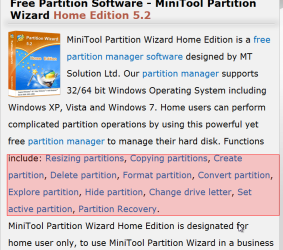
I'd suggest you download and install Paritition Wizard (free) Home Edition v5.2 along with its standalone boot CD which you can burn by downloading this ISO file. The program itself runs under Win7, so you can see drive letters.

The standalone boot CD is for emergencies, disaster/recovery, and for partition-related operations that cannot be performed while the Win7 operating system is active but must be run while standalone booted.

In the case of wanting to subdivide your one-and-only hard drive which today contains a one-and-only C-drive into more than one partition, you first have to shrink C. This frees up space at the high-end of the drive. C is what's referred to as "primary" partition type, but that's just a technical description for HOW it is allocated.

A standard hard drive can support up to four PRIMARY partitions. In a one-OS environment, one of those four allowed primary partitions is the 100MB "system reserved" partition which contains the Win7 boot manager files. Then the second primary partition (which in your case takes the entire rest of the drive) is typically C, and C only.

So by freeing up free space from a shrunken C, we now have the option of allocating additional primary partition(s) in the newly available free space, but if you choose "primary" partition type there is that maximum limit of FOUR total primary partitions on the drive to contend with.

More recommended, for its flexibility and lack of limitation, is to use that newly available free space to create one or more "logical" partitions (as opposed to "primary" partitions). You can have any number of "logical" partitions in that free space... you're not limited to a total of four on the drive, as would be the case if these new parititions were of the "primary" type.

Anyway, when you install Partition Wizard and run it under Win7 you specify an operation for it to perform which is to "resize" the C partition. This cannot be done while Win7 is actually booted, so it will tell you that you need to close the program and restart... and then Partition Wizard will kick in at boot time (before Win7 gets booted) when the shrinking of C will now occur. Alternatively, you can boot to the standalone PW CD and do the operation right then and there... since you're not running under Win7.

Anyway, once C is resized via either of the two above methods, Win7 is then booted... and you now have this freespace at the high end of the drive. You can then use Partition Wizard running under Win7, to allocate one or more partitions from within this free space. Again my recommendation is to define it/them as "logical" partition types, not "primary".

Partition Wizard can also assign Windows drive letters to these new partition(s), and you may need to re-boot to complete the process.

Very easy... but the first step is to shrink C, which does require either a re-boot (to finish the 2nd-half of what Partition Wizard needs to do) or just boot to the PW standalone CD and do the function directly from its standalone GUI interface.

Questions?

(good idea is to back up your data before doing this kind of thing)

 

My Computer

Computer type
PC/Desktop
Computer Manufacturer/Model Number
Home-built, two systems (1) and (2)
OS
Windows 7 Pro x64 (1), Win7 Pro X64 (2)
CPU
i5-3350p 3.1Ghz/6MB-cache (1); E8400 3.0Ghz/6MB-cache (2)
Motherboard
ASUS P8Z77-V Pro (1); ASUS P5Q3 (2)
Memory
8GB PC3-12800 DDR3 (1); 4GB PC3-10600 DDR3 (2)
Graphics Card(s)
ATI HD7750 (1), (see TV cards); ATI R7 250 (2)
Sound Card
Realtek ALC892 HD Audio (1); Realtek ALC1200 HD Audio (2)
Monitor(s) Displays
Eizo HD2441W LCD, Eizo S2433W (1); Eizo 24" S2433W (2)
Screen Resolution
1920x1200, 1920x1200 (1); 1920x1200 (2)
Hard Drives
(1) 1TB SATA-II (7200RPM), 2x2TB SATA-III (7200RPM), 250GB SATA-III (10000RPM) for OS; 2x2TB external USB 3.0

(2) 320GB SATA-II (7200RPM), 750GB SATA-II (7200RPM), 150GB SATA-II (10000RPM) for OS; 2TB external USB 3.0
PSU
Nesteq ECS-6001 600W (1); Nesteq ECS-5001 500W (2)
Case
Acousti-Case 360 (1) and (2)
Cooling
Noctua NH-U12P SE2 for CPU, 2x120mm case fans (1) and (2)
Keyboard
IBM PS/2 (1) and (2)
Mouse
Logitech MX Revolution wireless (1); Microsoft wired (2)
Internet Speed
100mbps down / 10mbps up
Antivirus
Microsoft Security Essentials; Malwarebyte Anti-Malware Pro
Browser
Firefox
Other Info
Ceton InfiniTV 4-tuner cablecard-enabled TV card as well as Hauppauge HVR-2250 OTA/ATSC 2-tuner TV card in (1), running under Win7 WMC
Back
Top