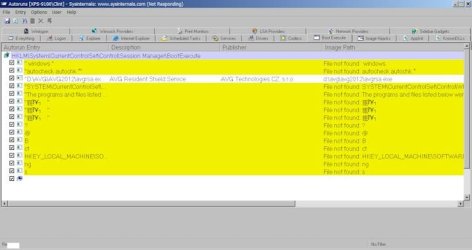
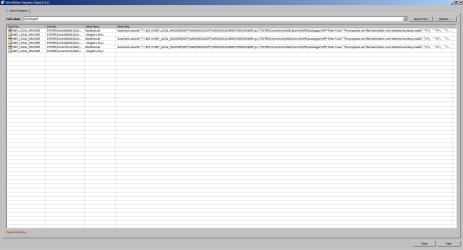
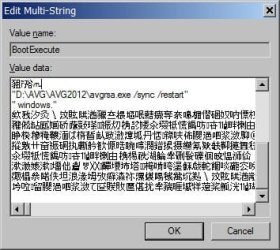
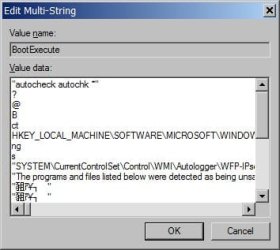
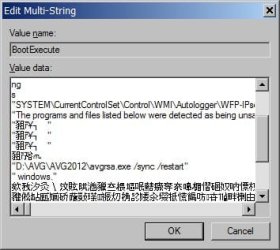
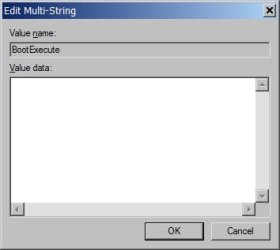
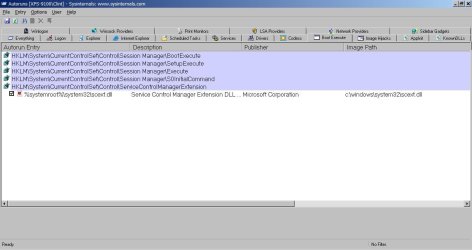
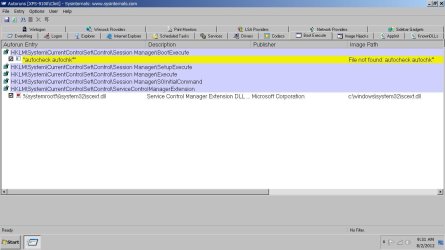
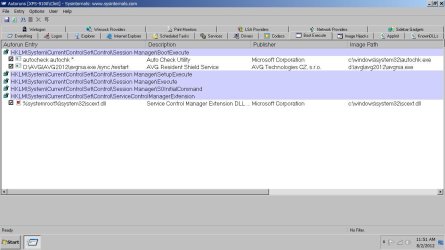
I don't now have The autocheck and AVG line in the Boot Execute key like yours. Is that a problem?
"I think both of those entries are required. Does AVG appear to be running? Correctly and with all features available?"
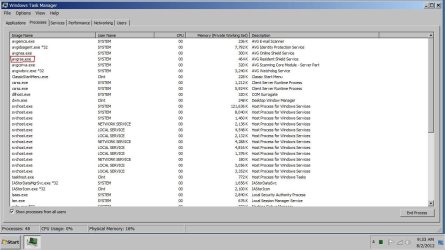
All of AVG is working. Looking in Task Manager it is there.
"Try this again: open an elevated command prompt, type
chkdsk /f <enter>, type
Y to schedule at reboot,
but before rebooting check to see what appears in the Session Manager regkey. Is the autochk entry there?"
No the autochk is not there and it's not there after reboot.
"Then reboot and make sure it does another chkdsk. As the last chkdsk reported problems it's best to run it again anyway to ensure repairs were properly completed."
I found this about "autochk". From what I read, It's not there unless you don't shut down correctly. I have not added it yet.
The BootExecute subkey is located in the HKEY_LOCAL_MACHINE hive under the SYSTEM, CurrentControlSet, Control and Session Manager keys and subkeys. It contains a default REG_MULTI_SZ value of Autocheck Autochk *. The benefit of BootExcecute is that it allows you to remove certain applications, services and commands from startup, which in turn can greatly enhance your computer's boot speed.
The Autocheck Autochk * value in the BootExecute subkey tells the operating system to run Autochk* every time the system launches. This tool verifies the logical integrity of the filesystem. It cannot be accessed directly in any other way, though you can indirectly access it through the Chkdsk tool. The benefit of allowing it to run automatically is that it is able to lock the entire disk volume and thus function more effectively.
Autochk bootup routine and the "dirty bit" (also called the "chkdsk flag")
When the system is shut down improperly or stops responding, Autochk runs against any volumes that are marked as being "dirty". At least, I know this is done with NTFS, and I think it is also done with FAT32. Autochk will not initiate a check of any partitions if none of them are flagged !! Autochk is set to run during bootup because of the registry entry:
HKEY_LOCAL_MACHINE\SYSTEM\CurrentControlSet\Control\Session Manager . . . BootExecute
The BootExecute entry tells Windows what to run upon bootup. By default, its value is "autocheck autochk *" - this tells Windows to run Autochk on any drive whose dirty bit is set
You can cancel Autochk within the first few seconds by hitting an key. However, each time you stop chkdsk, the system "remembers" that it still needs to run Autochk due to the flagged partition and will try to run it the next time you reboot. This continues forever, each time you reboot, until you allow Autochk to run and to complete.