Remove Taskbar 100%


Source?[/QUOTE]

I always keep the program sources I code to myself. :)
 

My Computer

Computer type
PC/Desktop
Computer Manufacturer/Model Number
Custom built
OS
Windows 8 Pro 64-bit
CPU
Intel Core i7 950 @4.4GHz
Motherboard
EVGA 131-GT-E767
Memory
12GB DDR3 1333MHz @1400 (9-9-9-24)
Graphics Card(s)
2x AMD Radeon HD 6770
Sound Card
Sound Blaster Audigy
Monitor(s) Displays
Acer S231HL + Acer E19T5W
Screen Resolution
1920x1080 + 1440x900
Hard Drives
128GB Samsung 840 Pro
1TB Seagate Barracuda 7200RPM 64mb
500GB Seagate Barracuda 7200RPM 16mb
PSU
Corsair GS800
Case
Custom-made
Cooling
CM Hyper212+, lots of fans
Keyboard
NMB RT8255C+
Mouse
Func MS-3
Internet Speed
30/1.5
Antivirus
Microsoft Security Essentials/Spybot SD/Malwarebytes
Browser
Google Chrome
Other Info
Onkyo TX-27 receiver & two Realistic Optimus T100s.

My Computer

Computer type
PC/Desktop
Computer Manufacturer/Model Number
Custom built
OS
Windows 8 Pro 64-bit
CPU
Intel Core i7 950 @4.4GHz
Motherboard
EVGA 131-GT-E767
Memory
12GB DDR3 1333MHz @1400 (9-9-9-24)
Graphics Card(s)
2x AMD Radeon HD 6770
Sound Card
Sound Blaster Audigy
Monitor(s) Displays
Acer S231HL + Acer E19T5W
Screen Resolution
1920x1080 + 1440x900
Hard Drives
128GB Samsung 840 Pro
1TB Seagate Barracuda 7200RPM 64mb
500GB Seagate Barracuda 7200RPM 16mb
PSU
Corsair GS800
Case
Custom-made
Cooling
CM Hyper212+, lots of fans
Keyboard
NMB RT8255C+
Mouse
Func MS-3
Internet Speed
30/1.5
Antivirus
Microsoft Security Essentials/Spybot SD/Malwarebytes
Browser
Google Chrome
Other Info
Onkyo TX-27 receiver & two Realistic Optimus T100s.
Hi Prisoner, Taskbar Hider is great but is there any way to make windows/programs use the extra desktop height that is gained by not having a taskbar? Unless it's a problem with my pc, windows aren't taking up the extra space at the bottom of the desktop where my taskbar used to be.
 

My Computer

Computer Manufacturer/Model Number
Acer Aspire 5741
OS
windows 7 Home Premium
CPU
Intel Core i5 @ 2.27GHz 32nm Technology
Motherboard
Acer Aspire 5741 (CPU)
Memory
DDR3 4.0GB
Graphics Card(s)
Intel(R) Graphics Media Accelerator HD
Sound Card
Realtek High Definition Audio Intel(R) Display Audio
Monitor(s) Displays
Generic PnP Monitor on Intel Graphics Media Accelerator HD
Screen Resolution
1366x768
Hard Drives
Seagate 2.5" SATA 500GB
Keyboard
Synaptics PS/2 Port TouchPad
Mouse
Microsoft Comfort Mouse 4500 (IntelliPoint)
Hi Prisoner, Taskbar Hider is great but is there any way to make windows/programs use the extra desktop height that is gained by not having a taskbar? Unless it's a problem with my pc, windows aren't taking up the extra space at the bottom of the desktop where my taskbar used to be.

Ditto to the above. Also, how can this be uninstalled?
 

My Computer

OS
Windows 7
As for the extra space from the taskbar, my program sadly can't do that.
As for uninstalling, just delete the .exe file.
 

My Computer

Computer type
PC/Desktop
Computer Manufacturer/Model Number
Custom built
OS
Windows 8 Pro 64-bit
CPU
Intel Core i7 950 @4.4GHz
Motherboard
EVGA 131-GT-E767
Memory
12GB DDR3 1333MHz @1400 (9-9-9-24)
Graphics Card(s)
2x AMD Radeon HD 6770
Sound Card
Sound Blaster Audigy
Monitor(s) Displays
Acer S231HL + Acer E19T5W
Screen Resolution
1920x1080 + 1440x900
Hard Drives
128GB Samsung 840 Pro
1TB Seagate Barracuda 7200RPM 64mb
500GB Seagate Barracuda 7200RPM 16mb
PSU
Corsair GS800
Case
Custom-made
Cooling
CM Hyper212+, lots of fans
Keyboard
NMB RT8255C+
Mouse
Func MS-3
Internet Speed
30/1.5
Antivirus
Microsoft Security Essentials/Spybot SD/Malwarebytes
Browser
Google Chrome
Other Info
Onkyo TX-27 receiver & two Realistic Optimus T100s.
Thanks Prisoner, That's a shame. What I would like to be able to do is auto-hide the taskbar but have it unhide only when I 'click' at the screen edge not when the mouse 'nears/touches' the screen edge. Then it will unhide only when I want it to. I get it popping up all the time when I'm trying to click things in program windows and happen to get a little close to the screen edge - it's a pain in the butt.
 

My Computer

Computer Manufacturer/Model Number
Acer Aspire 5741
OS
windows 7 Home Premium
CPU
Intel Core i5 @ 2.27GHz 32nm Technology
Motherboard
Acer Aspire 5741 (CPU)
Memory
DDR3 4.0GB
Graphics Card(s)
Intel(R) Graphics Media Accelerator HD
Sound Card
Realtek High Definition Audio Intel(R) Display Audio
Monitor(s) Displays
Generic PnP Monitor on Intel Graphics Media Accelerator HD
Screen Resolution
1366x768
Hard Drives
Seagate 2.5" SATA 500GB
Keyboard
Synaptics PS/2 Port TouchPad
Mouse
Microsoft Comfort Mouse 4500 (IntelliPoint)
sorry to push this thread back up, but my post is directly related to this discussion. Prisoner, your program works. If you can't share the code to us, can you just do a small edit to the program and set it to automatically disable the taskbar when opened? (so we don't have to click win+spacebar everytime) and also remove the alert box... just a like a "quiet mode" of removing the taskbar.

thank you...
 

My Computer

OS
Windows 7 Ultimate 32bit
Hi Prisoner!
Good utility, exactly what I wanted...
I always see posts on why someone would want to do that. I am doing a internet station box, and want to slim down the desktop as much as possible with only links for people to click on for usable apps.
This works perfectly.
BUT... is there a switch I can use with it to silently as a start up item where no popup happens, and the taskbar is hidden then automatically on bootup.
Alternatively, I guess I could try to ResourceHacker it to do this, but I thought I would ask first.
Thanks for a speedy reply, I really need this :)
you can email me directly at digiguy1-atat-hotmail-dotdot-com

lg

Kirk
 

My Computer

OS
Windows
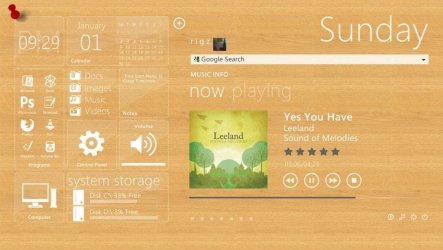
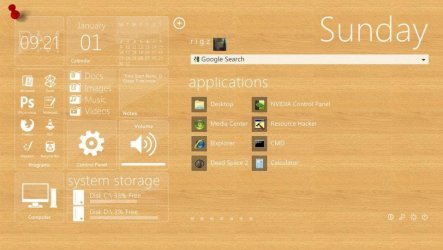
Hey! We have the same problem before :) and i want you to take a look in my desktop this was snipped before.
The taskbar was not eliminated but made invisible 100 % with no fine lines :D Use this: Transparent Taskbar
 

Attachments

  • 393691_302500506460768_100001024637891_914078_1877251162_n.jpg
    393691_302500506460768_100001024637891_914078_1877251162_n.jpg
    76.7 KB · Views: 568
  • 408647_302500549794097_100001024637891_914079_1256496313_n.jpg
    408647_302500549794097_100001024637891_914079_1256496313_n.jpg
    74.1 KB · Views: 456

My Computer

OS
windows 7 32 bit build 7600
Motherboard
emx mcp61m2 icafe
Graphics Card(s)
NVIDIA GEforce 8400GS super
Monitor(s) Displays
Samsung LD190
hey

great desktop! looks cool!
i will check that out. Anything to make it "go away" is fine :)
 

My Computer

OS
Windows
ya i looked at your suggested link. Not what I need. Prisoners app works fine. I just need to run it as a startup item with a switch to do it automatically. I am still looking into other fixes for missing taskbar, and then make it do the reverse :)
 

My Computer

OS
Windows
I noticed it said Solved in the title... but couldn't help posting this. It's my own personal app for hiding the taskbar. It hides it completely, except for the start button. But that can be hidden by using a start orb with full transparency (and it doesn't register when you click in that area when you use this if you are using such a start orb).

View attachment 73033

Prisoner - I use this utility and like it very much, thanks for making it available. How do I set the start orb to "full transparency"? I see there are add-ons for changing it, can it be done inside the OS? Also, is there a way to not get the window which initially appears when taskbar hider starts, telling you to press space/window key to hide the taskbar? I have the utility run on startup, and I really don't need this reminder each time.

Thanks again!

Dan
 

My Computer

OS
Win7 64 bit Home "Premium"
Hi Prisoner, Taskbar Hider is great but is there any way to make windows/programs use the extra desktop height that is gained by not having a taskbar? Unless it's a problem with my pc, windows aren't taking up the extra space at the bottom of the desktop where my taskbar used to be.

i found some stupid solution for this

  1. unlock your taskbar
  2. make it autohide
  3. run Taskbar Hider
that would done it somehow, but the "extra space" showed up again when i press the "windows" button. Hope this would help a bit. :)
 

My Computer

Computer Manufacturer/Model Number
Dell N4050
OS
Windows 7 Ultimate x86
CPU
intel(R) core(TM) i3-2350M CPU @ 2.30Ghz
Motherboard
Dell Inc. 0GGRV5
Memory
4,00 GB Single-Channel DDR3 @ 665MHz
Graphics Card(s)
AMD Radeon HD 6470M 1 GB
Sound Card
IDT High Definition Audio CODEC
Monitor(s) Displays
Generic PnP Monitor on Intel HD Graphics Family
Hard Drives
625GB TOSHIBA TOSHIBA MK6475GSX ATA Device (SATA)
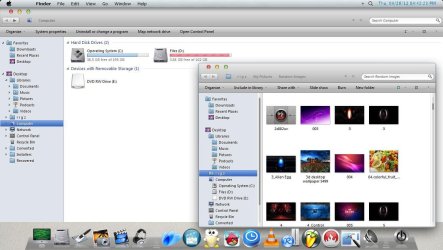
Hey Prisoner are you talking about Desktop Coral? its a freeware and a great tool,i use this in my Apple imitation theme :) take a look: (the space below is using a Desktop Coral so i can use and place in my rocket dock, even maximized)
 

Attachments

  • 476067_377589152285236_867969796_o.jpg
    476067_377589152285236_867969796_o.jpg
    125.8 KB · Views: 187

My Computer

OS
windows 7 32 bit build 7600
Motherboard
emx mcp61m2 icafe
Graphics Card(s)
NVIDIA GEforce 8400GS super
Monitor(s) Displays
Samsung LD190
GENERATOR,

I love this app! This is exactly what I have been looking for, everything else has all these small problems and none simply get rid of the TB completely. Also the Windows button functionality is great! Easy and quick.
I do have a question however. When I load the app at startup it takes a second for the taskbar to disappear. This is not a big deal and I understand why it does this as it's executing the app once the desktop loads but is there any way for the app to be loaded before the desktop loads up? This way the only taskbar you see at all on startup is your custom dock. If this is possible please let me know!
 

My Computer

OS
Windows 7 X86
I can remove your taskbar 100% but you will still be able to open the Start Menu with the Windows key on your keyboard if that's any good to you. :)

I found the C# source code here but it came as code for a small application with two buttons (one to hide the Taskbar and Start Button and one to show them again). I've modified the code to automatically do what you want upon running it and then it exits, it uses the Windows API so there isn't any dirty hacks involved either.

To make life easier I made it into two exe's, one does the hiding and the other one shows it again.

Simply extract the exe's to your Windows folder and create a shortcut to the 'HideTaskbar.exe' in the Start Menus 'Startup' folder to make it happen upon each bootup.

View attachment 68549
(Requires Dot.Net 2.0 or higher)

EDIT: Works for Vista too btw!

I love this app! This is exactly what I have been looking for, everything else has all these small problems and none simply get rid of the TB completely. Also the Windows button functionality is great! Easy and quick.
I do have a question however. When I load the app at startup it takes a second for the taskbar to disappear. This is not a big deal and I understand why it does this as it's executing the app once the desktop loads but is there any way for the app to be loaded before the desktop loads up? This way the only taskbar you see at all on startup is your custom dock. If this is possible please let me know! (sorry about 2 posts, wasn't sure how to work this at first)
 

My Computer

OS
Windows 7 X86
Hello, sorry if I'm bumping this thread and causing trouble but I'ld like to say thanks to prisoner for the taskbar hider,

also a question out of curiousity: Is there a way to hide the task bar so it is hidden, leaving nothing but the icons of the programs i have in my taskbar?

Thanks, you guys are great!
 

My Computer

Computer type
PC/Desktop
OS
Windows 7 Home Premium 64bit
CPU
Intel i5-4690k
Motherboard
ASRock Z97 Extreme4
Graphics Card(s)
PowerColor AMD Radeon HD 7850
Sound Card
FiiO E10
Monitor(s) Displays
Benq GL2450 & GL2460HM
Screen Resolution
1080x1920 per screen
Hard Drives
Western Digital 1TB WD10EZEX
Samsung 840 EVO 120GB
PSU
Seasonic S12II-620 Bronze
Case
NZXT Phantom 410 Gold
Cooling
H100i w/ Noctua NF-F12
Keyboard
Cherry MX-Board 3.0
Mouse
Zowie EC1 EVO
Antivirus
MSE + MBAM
Browser
Chrome
As I mentioned, you'll probably need to find a shell program that disables the taskbar.

If the other option doesn't work for you, try SharpE:

SharpEnviro - Browse Files at SourceForge.net

You can also try:
Aston: Aston Desktop. Windows Shell Replacement, Virtual Desktop Manager, Desktop Programs, Animated 3d Wallpaper Themes, Skins, Visual Styles
LiteStep: LiteStep
BB4Win: News - BB4Win
Talisman: Lighttek Software. Programs for desktop management, shell replacement. 32bit icons, themes, skins, visual styles, interfaces for Windows
bblean: bblean


If you really really want a registry hack:

http://www.kellys-korner-xp.com/regs_edits/taskbarremove.reg


I have no idea if that will work with windows 7 or not but good luck.
Is there a way to reverse that? The registry hack
 

My Computer

Computer type
PC/Desktop
Computer Manufacturer/Model Number
Custom build
OS
Windows 7 Ultimate x64
CPU
Intel Pentium G630 2.7 GhZ(2CPU)
Motherboard
Asus P8H61-M LE R2.0
Memory
KingMax 8GB DDR3 1333MHz
Graphics Card(s)
Sapphire Radeon HD7750 1GB DDR5 128-bit
Hard Drives
Seagate 500GB SATA-III 7200 rpm 16MB Barracuda
Browser
Chrome
Back
Top