trh01
New member
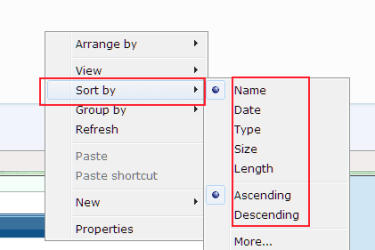
In Win 7 explorer, I note that whatever settings I use for file/folder sorting - it all appears to get over-ridden by an initial sort into a) folders and b) files. Even if a file and a folder have the same name (bar the extension) I cannot get the files and folders to intermingle as I expect.
What I get is a list of folders separately from the list of files. This is the same whether I choose List, Details, Content, etc views. I have attached a pic of a test folder I just put together to illustrate what I mean. The files and folders stubbornly insist on staying within their own groups - even though the "Group By" is set to "none".
Can this behaviour be over-ridden by some means?
Richard
What I get is a list of folders separately from the list of files. This is the same whether I choose List, Details, Content, etc views. I have attached a pic of a test folder I just put together to illustrate what I mean. The files and folders stubbornly insist on staying within their own groups - even though the "Group By" is set to "none".
Can this behaviour be over-ridden by some means?
Richard
Attachments

My Computer
At a glance
Windows 7 Home Premium x64Intel Core i3-370M4GB
- Computer Manufacturer/Model Number
- Acer 5742
- OS
- Windows 7 Home Premium x64
- CPU
- Intel Core i3-370M
- Memory
- 4GB