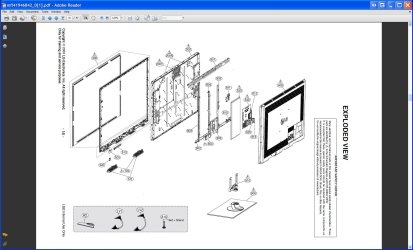
I was throwing some trash in my apartment complex dumpster and saw a very large LCD TV. I couldn't pass up the chance I could fix it and quickly noticed the only physical damage I could see was the outer glass was cracked and not really to bad even though the cracks run the screen no spider web.
Got it inside and cleaned it up and plugged it in, the LCD screen is perfect!
Now I have a less then a year old LG 47" 1080p HD 240Hz true motion LCD TV/Monitor.
So far minus the cracks which while watching with the TV a little higher then it should be looks great.
So my question is would anyone have any ideas on how I could remove the protective outer glass without damaging the LCD (there is a 1/8th gap between the glass and LCD surface) I have thought about taking the whole thing apart and then remove the glass from the frame or just being really careful and remove the glass and then just buy a sheet of plexiglass or regular glass and epoxy it in place.
If anyone has ideas on how best to remove it? or what to use to replace it? Or just remove it and leave it off?
I will provide pictures if that will help both with image and without to best show the damage and that the LCD is perfect from what I have seen, guess I should run it though a test screen video since I can hook up a USB HDD to it and watch movies I could use a large test pattern to check for dead pixels.
the model is a 47SL80 if anyone want to see what it is.
All I know is even at a repair shop its going to be cheaper then what the very nice large LCD is worth. I would like to keep it under 100 though as I need to replace the remote and get a real stand or wall hanger for it.
Can't wait to get the cable for my laptop and plug this computer up to a 47 in. screen gaming will have a whole new feel.
Got it inside and cleaned it up and plugged it in, the LCD screen is perfect!
Now I have a less then a year old LG 47" 1080p HD 240Hz true motion LCD TV/Monitor.
So far minus the cracks which while watching with the TV a little higher then it should be looks great.
So my question is would anyone have any ideas on how I could remove the protective outer glass without damaging the LCD (there is a 1/8th gap between the glass and LCD surface) I have thought about taking the whole thing apart and then remove the glass from the frame or just being really careful and remove the glass and then just buy a sheet of plexiglass or regular glass and epoxy it in place.
If anyone has ideas on how best to remove it? or what to use to replace it? Or just remove it and leave it off?
I will provide pictures if that will help both with image and without to best show the damage and that the LCD is perfect from what I have seen, guess I should run it though a test screen video since I can hook up a USB HDD to it and watch movies I could use a large test pattern to check for dead pixels.
the model is a 47SL80 if anyone want to see what it is.
All I know is even at a repair shop its going to be cheaper then what the very nice large LCD is worth. I would like to keep it under 100 though as I need to replace the remote and get a real stand or wall hanger for it.
Can't wait to get the cable for my laptop and plug this computer up to a 47 in. screen gaming will have a whole new feel.
My Computer
At a glance
Windows 7 Ultimate x64Intel Core i7 2670QM 2.2GHz 3.3GHz Turbo Mode12GB Dual Channel DDR3 at 1333MHz2GB GDDR5 AMD Radeon 6990M
- Computer Manufacturer/Model Number
- Alienware M17x R3
- OS
- Windows 7 Ultimate x64
- CPU
- Intel Core i7 2670QM 2.2GHz 3.3GHz Turbo Mode
- Memory
- 12GB Dual Channel DDR3 at 1333MHz
- Graphics Card(s)
- 2GB GDDR5 AMD Radeon 6990M
- Sound Card
- Audio Powered by Klipsch
- Monitor(s) Displays
- 17.3-inch WideFHD 1920 x 1080 60Hz WLED
- Screen Resolution
- 1920x1080
- Hard Drives
- 120GB SSD slot 1
1TB HDD slot 2
- Case
- alienware laptop case
- Cooling
- Dual heatsink and fans
- Keyboard
- Alienware multi color keyboard
- Mouse
- logitech G300 gaming mouse
- Other Info
- Intel® Centrino Advanced-N 6230 2x2 agn+ Bluetooth
finally got it!!!