pyrgopolynices
New member
- Local time
- 4:20 PM
- Messages
- 2
Samsung ML-1510 Driver – Printer Not Responding
Hi all,
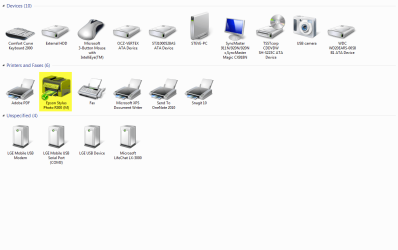
I have a Samsung ML-1510 printer, and even though I installed the Universal Print Driver (for "Win 2000/XP/2003/Vista/2008/Win 7 (32,64bit)") from Samsung and my printer is detected and listed, it does not respond to any print job. Print jobs do turn up in the Windows (7) print queue, but vanish without further ado. According to an older thread in this forum, it is possible to use XP drivers to make the printer work. I have, however, not been successful, however, and would be very thankful for step-by-step instructions to help me achieve this.
I downloaded the drivers from this page on SAMSUNG United States - Main.
Thanks a bunch for your help, and a general question: Why oh why do you always have to download an entire printing suite just so you can use the tiny little driver file that's hidden in it? I don't need annoying diagnostic status bloatware to find out that my computer has a little cough (when it's clearly coughing next to me)!
Hi all,
I have a Samsung ML-1510 printer, and even though I installed the Universal Print Driver (for "Win 2000/XP/2003/Vista/2008/Win 7 (32,64bit)") from Samsung and my printer is detected and listed, it does not respond to any print job. Print jobs do turn up in the Windows (7) print queue, but vanish without further ado. According to an older thread in this forum, it is possible to use XP drivers to make the printer work. I have, however, not been successful, however, and would be very thankful for step-by-step instructions to help me achieve this.
I downloaded the drivers from this page on SAMSUNG United States - Main.
Thanks a bunch for your help, and a general question: Why oh why do you always have to download an entire printing suite just so you can use the tiny little driver file that's hidden in it? I don't need annoying diagnostic status bloatware to find out that my computer has a little cough (when it's clearly coughing next to me)!
My Computer
- OS
- Windows 7