- Local time
- 8:02 AM
- Messages
- 306
my screen has been flickering/glitching for a few weeks not, not sure whats up. it only happens once every so often but multiple times a day, it lasts for a half a second maybe, it doesnt do it when i'm gaming just usually when i'm at or around the desktop/browsing the web. i did a bit of searching and found this site:Troubleshoot monitor and video card problems
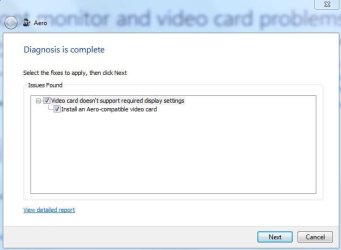
i ran the troubleshooter and it said my video card doesnt support Aero....??? i've been using this card since i got it this summer with no trouble. the only thing i've changed in my windows personalize theme is the background image recently.
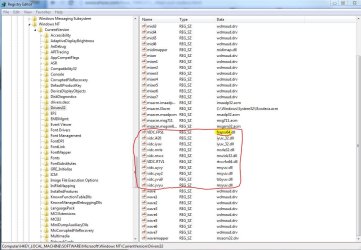
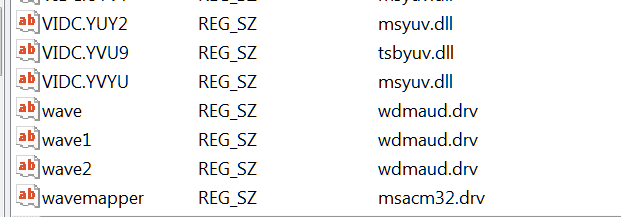
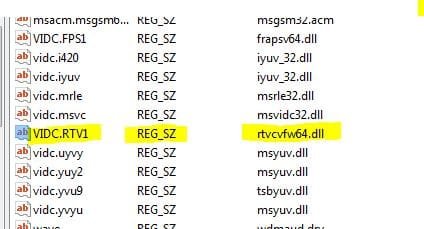
about a week or 2 ago i was installing a couple different codecs one at a time because i had connected a second monitor that was an HDTV and when i played a video on that screen the video was stuttering badly, unless i opened AMD catalyst control center. did a bit of digging, couldnt find much, but seems i needed to try codecs? they didnt work. i've since removed all those codecs, unplugged the HDTV from the computer and given up on that.
two days ago i completely uninstalled all graphics drivers (driver sweeper found Nvidia display, physx and 1 other thing on my computer. i've never had an Nvidia card in this machine. i do remember seeing those in the uninstall programs list a few months ago,...i uninstalled them), all amd display drivers, ran driver sweeper, and installed the latest 5catalyst 13-12 driver, rebooting after each step. the problem still happens.
any advice is appreciated!
thanks
system specs are up to date
i added the result report files from the Aero troubleshooter
i ran the troubleshooter and it said my video card doesnt support Aero....??? i've been using this card since i got it this summer with no trouble. the only thing i've changed in my windows personalize theme is the background image recently.
about a week or 2 ago i was installing a couple different codecs one at a time because i had connected a second monitor that was an HDTV and when i played a video on that screen the video was stuttering badly, unless i opened AMD catalyst control center. did a bit of digging, couldnt find much, but seems i needed to try codecs? they didnt work. i've since removed all those codecs, unplugged the HDTV from the computer and given up on that.
two days ago i completely uninstalled all graphics drivers (driver sweeper found Nvidia display, physx and 1 other thing on my computer. i've never had an Nvidia card in this machine. i do remember seeing those in the uninstall programs list a few months ago,...i uninstalled them), all amd display drivers, ran driver sweeper, and installed the latest 5catalyst 13-12 driver, rebooting after each step. the problem still happens.
any advice is appreciated!
thanks
system specs are up to date
i added the result report files from the Aero troubleshooter
Attachments
My Computer
- Computer type
- PC/Desktop
- Computer Manufacturer/Model Number
- Custom Build and MSI GE60 0ND laptop
- OS
- windows 7 64bit on both
- CPU
- AMD FX-8350 @4.6GHz/Intel Core i7-3610QM @2.3GHz
- Motherboard
- ASUS M5A99X EVO R2.0/MS-16GA
- Memory
- 16GB G.Skill 1866MHz/8GB dual channel 1600MHz
- Graphics Card(s)
- two Sapphire HD7970 OC 3Gb in crossfire/GTX660M 2Gb
- Sound Card
- Realtek HD Audio/Realtek HD Audio with THX TruStudio Pro
- Monitor(s) Displays
- Hanns-G 27" 1080p /Generic PnP Monitor
- Screen Resolution
- both 1920x1080p 60Hz
- Hard Drives
- 250GB Samsung 840 EVO SSD,
1TB WD Blue
3x2TB WD Greens
/Samsung 840 EVO mSATA
- PSU
- Corsair HX750/laptop psu
- Case
- NZXT Source 530
- Cooling
- CoolerMaster Hyper 212 Evo
- Keyboard
- Logitech G710+/laptop keyboard by steelseries
- Mouse
- Logitec G500s/Logitec G500
- Internet Speed
- 50Mbps down/1-3 Mbps up
- Other Info
- Scythe Kaze Master Pro 5.25 fan controller; APC Back-UPS XS 1500