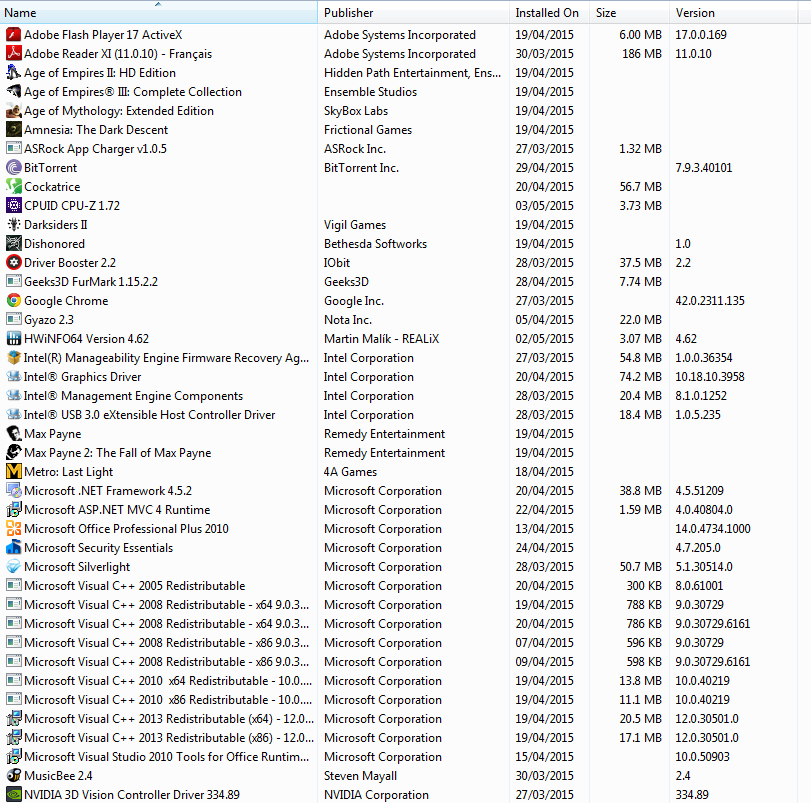
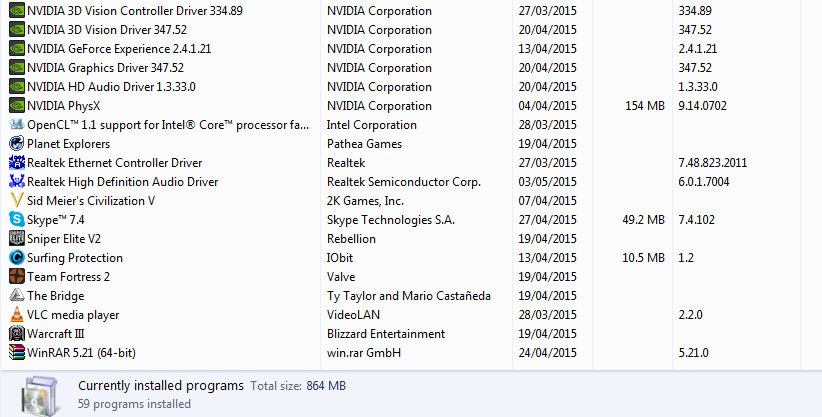
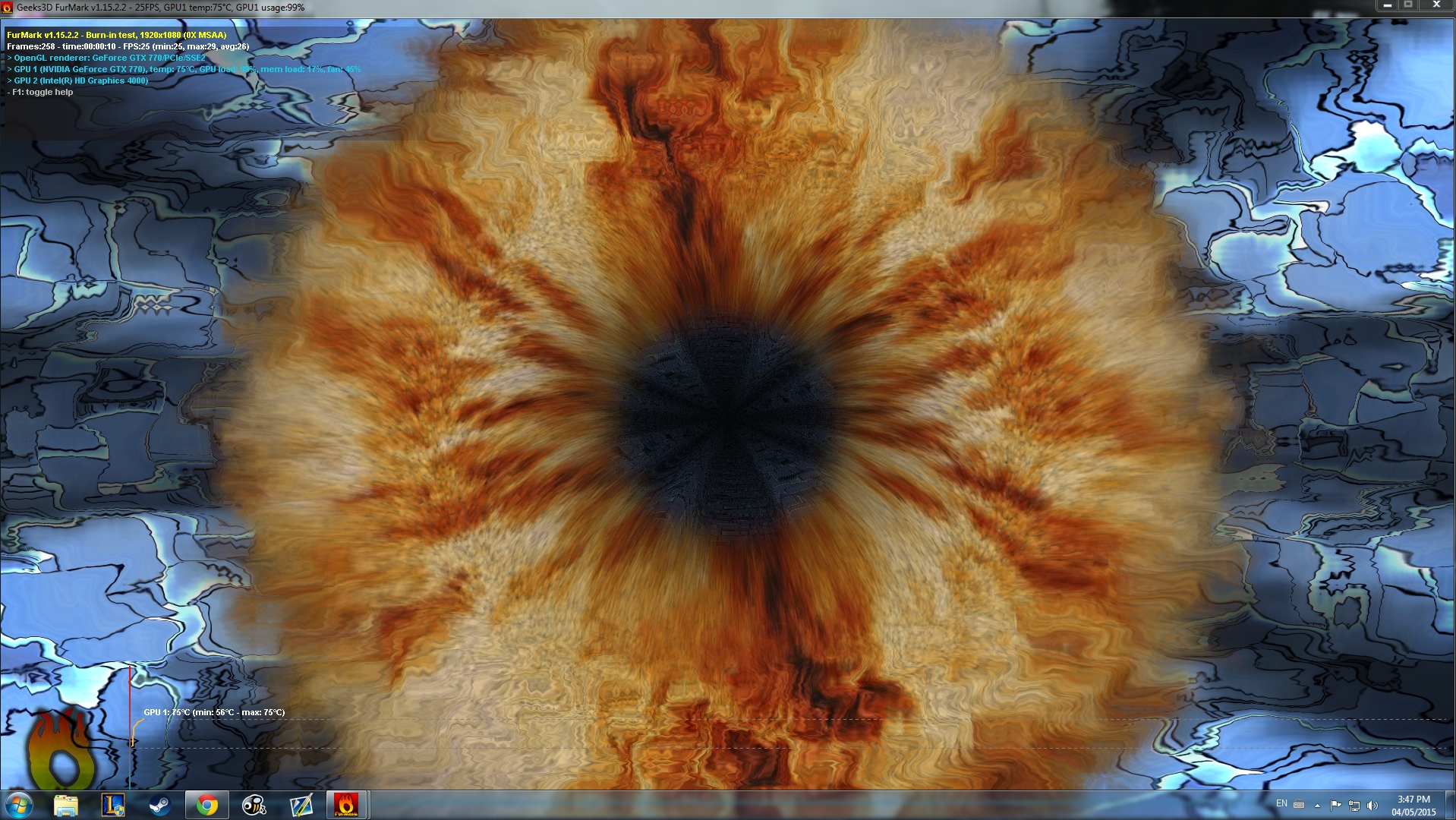
The screenshots look OK to me.
You are still showing Dameon Tools Lite as being installed. Please uninstall it as Arc showed
Daemon Tools, Alcohol 120% and Power Archiver Pro uses SCSI Pass Through Direct (SPTD), which is a well known cause of BSOD's.
1. Uninstall Daemon Tools.
2. Download the SPTD standalone installer and follow these steps:
- Double click the executable to open it
- Click the button shown below

If the button it is grayed out, as shown in the image, there is no more SPTD installation on your system, and you can just close the window.
Also please go to Control Panel, Category View and Uninstall a program. I would like to see what software you have installed. Please post a screenshot. If it takes 2 or 3 screens, that's fine.
You are still showing Dameon Tools Lite as being installed. Please uninstall it as Arc showed
Code:
dtlitescsibu DAEMON Tools Lite Virt DAEMON Tools LiteDaemon Tools, Alcohol 120% and Power Archiver Pro uses SCSI Pass Through Direct (SPTD), which is a well known cause of BSOD's.
1. Uninstall Daemon Tools.
2. Download the SPTD standalone installer and follow these steps:
- Double click the executable to open it
- Click the button shown below
If the button it is grayed out, as shown in the image, there is no more SPTD installation on your system, and you can just close the window.
Also please go to Control Panel, Category View and Uninstall a program. I would like to see what software you have installed. Please post a screenshot. If it takes 2 or 3 screens, that's fine.
My Computers
-
At a glance
Windows 11 ProRyzen 9 5900X32GB G Skill DDR4-3600EVGA RTX 3080 FTW 3 Ultra- Computer type
- PC/Desktop
- Computer Manufacturer/Model Number
- ALWAYS UNDER CONSTRUCTION
- OS
- Windows 11 Pro
- CPU
- Ryzen 9 5900X
- Motherboard
- Asus X570 Crosshair Viii Hero
- Memory
- 32GB G Skill DDR4-3600
- Graphics Card(s)
- EVGA RTX 3080 FTW 3 Ultra
- Sound Card
- On Board/Sennheiser PC37X Headset
- Monitor(s) Displays
- 3 X Asus 27"
- Screen Resolution
- 2560x1440
- Hard Drives
- 2 X 1 TB NVME drives
- PSU
- EVGA 850
- Case
- Phanteks Eclipse P400A
- Cooling
- EVGA 280 AIO
- Keyboard
- Logitech G510s/ Logitech G13
- Mouse
- Logitech G502
- Internet Speed
- 24/1
- Antivirus
- ESET/MBAM Pro/SAS Pro
- Browser
- Chrome/ Firefox/ Edge
-
At a glance
Windows 11 ProIntel Ultra 9 288V32 GB LPDDR5X 8533- Computer type
- Laptop
- System Manufacturer/Model Number
- Dell 16 Plus
- OS
- Windows 11 Pro
- CPU
- Intel Ultra 9 288V
- Memory
- 32 GB LPDDR5X 8533
- Monitor(s) Displays
- 16" Mini-LED HDR600 Touch 90 Hz
- Screen Resolution
- 2560X1600
- Hard Drives
- 1 TB NVME