

Secunia has a new Beta out with some changed features. If you install it, it will ask require any older version be uninstalled, and will do it for you. Make note of this new feature available during installation:

These settings can also be changed in the programs settings screen:
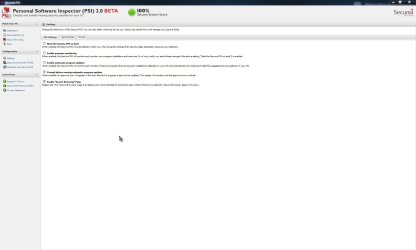
Here is the new interface:
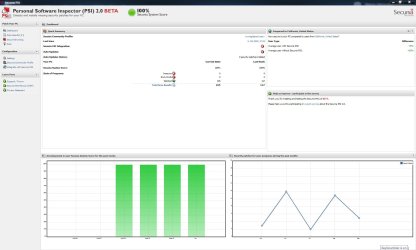
And the expanded Secure Browsing display:
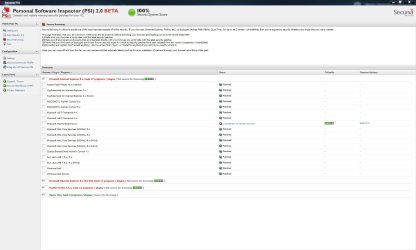
If you are familiar/already use PSI, you will like this new version. It's working great on my Home Premuim x64. If you are unfamiliar with PSI it is a great program to scan and inform you of insecure, or end of life programs. It can be set to run at startup and constantly monitor programs (and now even auto update same). Or you can choose to run it manually and manually update, as I do. Insecure programs will usually list a direct download link for the new, secure version. there will also be links to the Secunia bulletin on the insecure program, and link to PSI community discussions on that program.
I highly recommend this free program to everyone. I have been using it since it was just a web based program. I consider it a must have program on my system.
The homepage:
PSI - Consumer - Products
Direct download of the Beta:
http://secunia.com/PSI2SetupBeta.exe
Blog post:
Auto Update your Programs - Secunia PSI 2.0 Public Beta - Blog - Blog & News - Company
A Guy
These settings can also be changed in the programs settings screen:
Here is the new interface:
And the expanded Secure Browsing display:
If you are familiar/already use PSI, you will like this new version. It's working great on my Home Premuim x64. If you are unfamiliar with PSI it is a great program to scan and inform you of insecure, or end of life programs. It can be set to run at startup and constantly monitor programs (and now even auto update same). Or you can choose to run it manually and manually update, as I do. Insecure programs will usually list a direct download link for the new, secure version. there will also be links to the Secunia bulletin on the insecure program, and link to PSI community discussions on that program.
I highly recommend this free program to everyone. I have been using it since it was just a web based program. I consider it a must have program on my system.
The homepage:
PSI - Consumer - Products
Direct download of the Beta:
http://secunia.com/PSI2SetupBeta.exe
Blog post:
Auto Update your Programs - Secunia PSI 2.0 Public Beta - Blog - Blog & News - Company
A Guy
My Computer
At a glance
Windows 10 Home x64INTEL Core i5-750 Quad-Core 3.37GHzHyperX Fury Black Series 8GB (2 x 4GB) 1866MhzEVGA GeForce GTX 750 Superclocked 1GB 128-Bit...
- Computer type
- PC/Desktop
- OS
- Windows 10 Home x64
- CPU
- INTEL Core i5-750 Quad-Core 3.37GHz
- Motherboard
- ASUS P7P55D
- Memory
- HyperX Fury Black Series 8GB (2 x 4GB) 1866Mhz
- Graphics Card(s)
- EVGA GeForce GTX 750 Superclocked 1GB 128-Bit GDDR5
- Monitor(s) Displays
- LG 32MA68HY 32" IPS
- Screen Resolution
- 1920 x 1080
- Hard Drives
- Samsung 840 Evo 120GB, SEAGATE 500GB Barracuda® 7200.12, SATA 3 Gb/s, 7200 RPM, 16MB cache
- PSU
- ANTEC TruePower New TP-550, 80 PLUS, 550W
- Case
- ANTEC Three Hundred Illusion
- Cooling
- COOLER MASTER Hyper 212 Plus, 4 x 120mm 1 x 140mm Noctua's
- Internet Speed
- 85 + Mbps
- Antivirus
- Avast
- Browser
- Vivaldi


