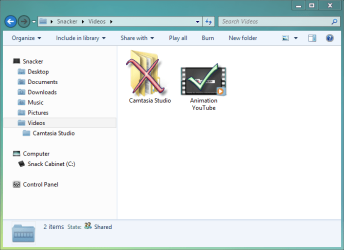
I would like to know if it is possible to set thumbnails for files themselves but not the folders? Thanks.
Attachments
Thumbnails.png
26.6 KB
· Views: 6
My Computer
At a glance
Microsoft Windows 7 Home Premium 64-bit SP1AMD K10 (45nm Technology)4.00 GB Dual-Channel DDR3 @ 536MHz (7-7-7-20)ATI Mobility Radeon HD 4200 Series (Acer Inco...
Computer Manufacturer/Model Number
Acer / PEW76(B)
OS
Microsoft Windows 7 Home Premium 64-bit SP1
CPU
AMD K10 (45nm Technology)
Motherboard
Acer JE51_DN (Socket S1G4)
Memory
4.00 GB Dual-Channel DDR3 @ 536MHz (7-7-7-20)
Graphics Card(s)
ATI Mobility Radeon HD 4200 Series (Acer Incorporated [ALI])
Sound Card
AMD High Definition Audio Device
Monitor(s) Displays
Generic PnP Monitor on ATI Mobility Radeon HD 4200 Series
Thumbnail previews is a global setting for all or none.
However, as a workaround, you could use the tutorial below to change the default folder icon to have all of them be an open folder to essentially do that.