Conflicts with Shadow Copies during Defragmentation
The operating systems Windows 7, Windows Vista, Windows XP64, Windows Server 2003 and 2008 offer users the ability to create "Shadow Copies" for protecting their data. This new feature automatically creates copies of files currently in use at regular time intervals. Since Windows only captures changes in the files, not a lot of additional space is normally needed. Accidentally deleted files and folders or previous versions of documents can be easily restored using a convenient command accessible through the context menu. Simply right-click the object you want to restore and click "Restore Previous Versions".
At the moment of installation Windows Vista (or newer) the shadow copy mechanism is set as default. With Windows XP64 and Windows Server 2003/2008 systems it is deactivated by default.
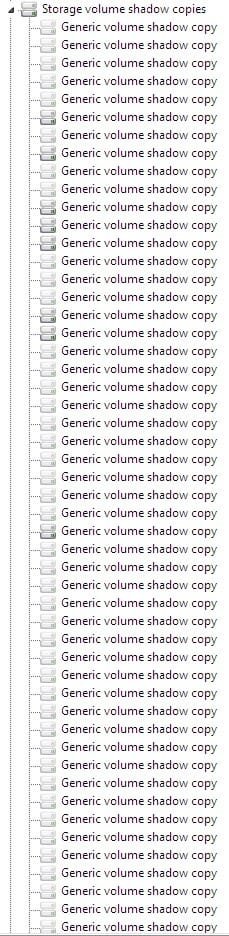
During defragmentation, files on a volume get moved. Vista perceives this as a deletion and creates a new Shadow Copy for the moved file. Because defragmentation requires the moving of multiple files, many Shadow Copies are created, which in turn leads to the higher demand on disk space. This behaviour may overwrite older shadow copies with newer ones. Unfortunately, this can also lead to the deletion of the system recovery points! These consequences are most frequent when using the COMPLETE method.
Shadow copies are filed in the folder “System Volume Information” and cannot be defragmented. This can end up having a negative influence on the result of the defragmentation. There is, on the other hand, almost hardly any loss in performance caused by fragmented shadow copies. Although these files will be displayed as fragmented, they still have only a minimal influence on the operating speed of your system.
You could disable the shadow copies to achieve improved defragmentation results but you would then wind up losing the operating system’s built-in backup functionality. That’s why we recommend your leaving the shadow copies enabled.
Microsoft is already aware of this problem, as this issue also occurs in the Windows native defragmentation software. More details may be found in this article from Microsoft:
Shadow copies may be lost when you defragment a volume
In Windows XP64 and Windows 2003 Server, this problem will not occur as long as storage volumes have been formatted with a cluster size of 16KB or larger. If this cannot be changed or Windows Vista is in use, this issue can be avoided by first performing a STEALTH defragmentation followed by a SPACE defragmentation.
Notes about background defragmentation enabled by default:
The background defragmentation packs all fragmented files quickly and effectively together. It is, however, designed to use the least amount of resources so that the system is only minimally burdened and the user can continue working undisturbed. It is, therefore, not possible for the background defragmentation, as a result of restructuring, to recreate the operating system’s prescribed optimal order of files on the hard disk. To guarantee optimal performance, we recommend that you also run a regular (for example, monthly) SPACE or complete method defragmentation.
Please note that under Windows Vista, Windows 2003 Server and Windows Server 2008, a complete restructuring defragmentation of drives backed-up through shadow copies might lead to the loss of older savesets. This is a problem known to Microsoft, and these drives are marked accordingly in O&O Defrag user interface. We therefore recommend letting only O&O Defrag background monitoring function run on these drives.