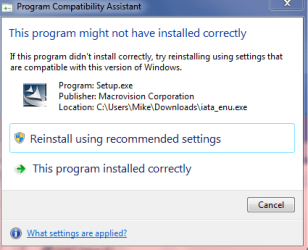
What I found at Intel. Now all I have to do is figure out what IRST is.


Unable to run Secure Erase on Intel® SSD Toolbox 2.0
Knowledgebase Article
The
Intel® SSD Toolbox 2.0 User's Guide states that when running Secure Erase after replugging the SSD's data cable and clicking Refresh, the Secure Erase can be launched. However, even if the system BIOS is set to AHCI, the following error may occur; "ATA Security is enabled. Secure Erase cannot run until security is disabled."
To resolve the issue, ensure that Intel® Rapid Storage Technology is installed in the system. Secure Erase may not launch even if it is set to AHCI.
1. Install
Intel® Rapid Storage Technology.
2. On windows 7*, Click Start select Run then launch Services by typing services.msc and hitting on the Enter button.
3. Change Intel® Rapid Storage Technology settings from Automatic(delay) to Automatic.
4. Reboot the system.
5. You should be able to run Secure Erase on the Intel SSD Toolbox now, and even have a faster refresh rate when replugging the SSD.
Intel RST drivers (iaStor) are required to pass the Trim command for SSDs, the MS driver will also pass the Trim command, (msachi).
They are both ACHI drivers, RAID falls under ACHI.
For the Intel RST drivers, they are RAID drivers but you do not have to have anything in RAID to use them, the drives will be listed as non-RAID drives. They do enable all the ACHI benefits.
These drivers are for all motherboards that use an Intel Chipset, have read that they will work on other chipsets but haven't tried it.
This includes OEMs and Gigabyte, Asus, etc.
I have used the Intel RST drivers in Dell's, Acer's, built systems, laptops and desktops. All with no drives setup in RAID.
The Intel RST drivers have supported the Trim command since Version:9.6.0.1014.
The current
Intel official Version: 10.1.0.1008. (I'm using the
10.1.2.1004 10.5.0.1027 version, sshhh...)
The File name:iata_enu.exe is the english version, the other one is multi language, so larger file.
Download it, run as Admin and it will install.
I've used these drivers since they first came out, so I could hot swap my eSATA external HDDs, and now to enable Trim on my SSD.
The early versions listed all drives for 'Safely Remove Hardware' but I don't see my internal HDDs listed anymore.
essenbe, I think the 25% CPU usage you were getting might have been the indexing running, it should return to normal after 'A while'.
These are the chipsets for the version
10.1.0.1008 driver:
It also provides AHCI support on:
>select Intel® 5 Series, 4 Series, 3 Series, 965, 975X, 955X, 945, 925 and 915 chipset-based platforms, as well as on Mobile Intel® 915/910 chipset-based platforms.
Note: Intel® RAID Technology requires the Intel® ICH9R/ICH9M-E/ICH10R/PCH-PCH-M SATA RAID controller hub, Intel® 82801HR I/O controller hub (ICH8R), Intel® 631xESB/632xESB I/O controller hub, Intel® 82801GR/GH I/O controller hub (ICH7R/DH), Intel® 82801FR I/O controller hub (ICH6R).
These drivers will work for your X58 and P55 chipsets.
Chipset and ACHI/RAID drivers are different drivers.
Intel® Rapid Storage Technology
Official latest driver from the Intel Site
Version:10.1.0.1008
Official and WHQL Intel RST drivers.
10.5.0.1027
6 May 2011
Intel Rapid Storage Technology Version 10.5.0.1027 WHQL - Production Version Release Notes
Download
intel drivers pour Raid/Sata/Ata/Ahci
Run as admin.
I have used the drivers from this site with no problems, got the original link from pg 76 of this thread.
WHQL version: 9.2.0.1030
Release Date: April 21st 2011
Edit: Just checked my motherboard driver list at Gigabyte and it lists Intel SATA RAID Driver 10.5.0.1027.
So it is an official driver.



 I installed the driver when I loaded Windows. As for iastore, I never gave a second thought to not running it as it's recommended by Intel... at least that's how it went down when I went to Intel to update my drivers. I don't have a cpu hit, I even forget it's there, I just take Intel at their word they know which software packages of theirs work best on their chipsets.