Slow Browser or Internet Connection?

jonnyboss

New member
Local time
12:46 PM
Messages
19
Hi guys,

I have a problem with accessing the internet. I have a 4MBit/s broadband connection, which I have tested and it is exactly 4 MBit/s. When I open up any browser (Opera, IE or Winfox/Firefox) it takes about 5 seconds for the google homepage to appear. This seems too slow to me, but maybe you know better? Other pages take much longer..20 seconds for a normal webpage.

Hope you can help

Cheers,

Jonny
 

My Computer

Computer Manufacturer/Model Number
N/A
OS
Windows 7
CPU
AMD Athlon II X4 620
Motherboard
ECS GF8200M-M3
Memory
4x2048 DDR2-SDRAM
Graphics Card(s)
NVIDIA GeForce 8200
Hard Drives
Hitachi HDP725050GLA360
Hi guys,

I have a problem with accessing the internet. I have a 4MBit/s broadband connection, which I have tested and it is exactly 4 MBit/s. When I open up any browser (Opera, IE or Winfox/Firefox) it takes about 5 seconds for the google homepage to appear. This seems too slow to me, but maybe you know better? Other pages take much longer..20 seconds for a normal webpage.

Hope you can help

Cheers,

Jonny


Johnny You have 4mb down but probably only 500K up. You can go to anyofthe commercial services and have that checked. I use speedtest.net. They will tell you actual. I suspect the delay may have more to do with your system than the connection

Ken
 

My Computer

Computer Manufacturer/Model Number
HP Pavillion dv-7 1005 Tx
OS
Win 8 Release candidate 8400
CPU
[email protected]
Memory
4 gigs
Graphics Card(s)
Nvidia 9600M
Sound Card
HD built-in
Monitor(s) Displays
17" Wxga
Screen Resolution
1440x900
Cooling
none
Internet Speed
45Mb down 5Mb up
Run an antivirus scan. and try internet


Run malwarebytes. try internet
http://www.malwarebytes.org/mbam.php

Turn off the Antivirus. try internet.


Try each of these steps. If none work. We can look further.
 

My Computer

Computer type
PC/Desktop
Computer Manufacturer/Model Number
Dell XPS 420
OS
Windows 10, Home Clean Install
CPU
Intel Core2 processsor Q8200(2.33Ghz 1333FSB) Quad Core Tech
Motherboard
Dell
Memory
6 gb
Graphics Card(s)
ATI Radeon 256MB HD3650
Sound Card
Intergrated 7.1 Channel Audio
Monitor(s) Displays
Dell SP2009W 20"
Hard Drives
640 GB Serial ATA Hard drive
Cooling
Fan
Keyboard
Dell USB Keyboard
Mouse
Dell Premium Optical USB
Internet Speed
DSL 2.85
Hi guys,

the maleware thing didn't work unfortunately.

Using the test I have: Download: 3.61Mb/s and Upload: 0.04 MB/s and Ping: 1310ms.

How are those values?

Cheers

Jonny
 

My Computer

Computer Manufacturer/Model Number
N/A
OS
Windows 7
CPU
AMD Athlon II X4 620
Motherboard
ECS GF8200M-M3
Memory
4x2048 DDR2-SDRAM
Graphics Card(s)
NVIDIA GeForce 8200
Hard Drives
Hitachi HDP725050GLA360
Hi guys,

the maleware thing didn't work unfortunately.

Using the test I have: Download: 3.61Mb/s and Upload: 0.04 MB/s and Ping: 1310ms.

How are those values?

Cheers

Jonny


JB

Its the ping tiime that is killing you. 3,61 down is enough. Are you using homegroup for your networking? Are there any other machines running a different OS?

Ken
 

My Computer

Computer Manufacturer/Model Number
HP Pavillion dv-7 1005 Tx
OS
Win 8 Release candidate 8400
CPU
[email protected]
Memory
4 gigs
Graphics Card(s)
Nvidia 9600M
Sound Card
HD built-in
Monitor(s) Displays
17" Wxga
Screen Resolution
1440x900
Cooling
none
Internet Speed
45Mb down 5Mb up
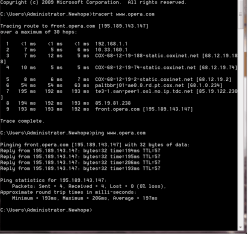
If that ping time came from speedtest.net, try using a different server and run the test again, to rule out the possibility of a bad server downstream. You should also run a tracert from Command Prompt to another location on the web, so that you might be able to see where the bottleneck is. If you are unfamiliar, the screenshot should help:
 

Attachments

  • tracert.png
    tracert.png
    18.5 KB · Views: 78

My Computer

Computer Manufacturer/Model Number
DIY
OS
W7x64 Pro, SuSe 12.1/** W7 x64 Pro, XP MCE
CPU
Phenom II 1090T w/Noctua NH-D14 /**4400+ X2 w/CM Hyper TX 3
Motherboard
ASRock 890FX Deluxe 4/**A8N-SLI
Memory
2 x 2GB Patriot PGS34g1600LLKA/**4x1GB Corsair VS
Graphics Card(s)
EVGA GTX460 SC/**EVGA 8800GTS
Sound Card
Asus Xonar D2X/**Xonar D1
Monitor(s) Displays
Acer X233H, Dell E152FPc /**LG M237-WD
Screen Resolution
1920x1080 & 1024x768/**1980x1080
Hard Drives
WDC 2TB, 1.5TB, 1TB, 500GB,Seagate 500GB , Maxtor 80GB /**500GB Seagate & WDC 1TB Black
PSU
CM RS600 w/ APC BX1000G/**Antec 500 TP w/ APC BX1000
Case
HAF922/**Antec 1040IIB
Cooling
3x200mm, 1x140 and 1x120mm/**5x80mm fans
Keyboard
Logitech Media USB/**Saitek Eclipse
Mouse
Cordless Trackman Wheel/**Ditto
Internet Speed
3.3Mbps
Other Info
SB 560 5.1 w/ Sennheiser RS140/**Creative T20 speakers, Dvico FusionHDTV7 Gold RT, Cisco E3000, HP 5510V AIO, Linksys E3000, Belkin F5U237 hub and **F5D8055 adapter
(** = 2nd rig)
If that ping time came from speedtest.net, try using a different server and run the test again, to rule out the possibility of a bad server downstream. You should also run a tracert from Command Prompt to another location on the web, so that you might be able to see where the bottleneck is. If you are unfamiliar, the screenshot should help:


Hi Seekermeister,

I did like you said and here is the result:

Tracing route to front.opera.com [195.189.143.147] over a maximum of 30 hops
1 3 ms 3 ms 3 ms 192.168.1.1
2 1758 ms 1447 ms 2362 ms rdsl-dsdf-de01.nw.mediaways.net [213.20.58.193]
3 2461 ms 1687 ms 2066 ms xmwc-dsdf-de02-chan-18.nw.mediaways.net [195.71.
242.118]
4 1820 ms 1829 ms 1857 ms ge7-0-0.ffm2nxg1.de.ip.tdc.net [80.81.192.16]
5 1830 ms 2280 ms 1693 ms 85.19.122.230
6 1778 ms 1682 ms 2290 ms 85.19.81.238
7 2438 ms 1986 ms 2067 ms front.opera.com [195.189.143.147]
Trace complete.


This doesn't look too healthy does it? Do you know anything that I can do about this?


Cheers


Jonny
 

My Computer

Computer Manufacturer/Model Number
N/A
OS
Windows 7
CPU
AMD Athlon II X4 620
Motherboard
ECS GF8200M-M3
Memory
4x2048 DDR2-SDRAM
Graphics Card(s)
NVIDIA GeForce 8200
Hard Drives
Hitachi HDP725050GLA360
Your pings are so high.

Hard reset on your modem and router.
 

My Computer

Computer type
PC/Desktop
Computer Manufacturer/Model Number
DELL VOSTRO 3650
OS
Windows 8.1 PRO
CPU
3rd Generation Intel Core i7‐3612QM CPU @ 2.10GHZ
Memory
8GB DDR3
Graphics Card(s)
NVIDIA GeForce GT 525M (128 bit), 1GB Grpahics
Screen Resolution
1920X1080
Hard Drives
750GB 5400RPM
Hi guys,

the maleware thing didn't work unfortunately.

Using the test I have: Download: 3.61Mb/s and Upload: 0.04 MB/s and Ping: 1310ms.

How are those values?

Cheers

Jonny


JB

Its the ping tiime that is killing you. 3,61 down is enough. Are you using homegroup for your networking? Are there any other machines running a different OS?

Ken


Hi Ken,

no this is the only computer on the network. Strange, eh!

Cheers

Jonny
 

My Computer

Computer Manufacturer/Model Number
N/A
OS
Windows 7
CPU
AMD Athlon II X4 620
Motherboard
ECS GF8200M-M3
Memory
4x2048 DDR2-SDRAM
Graphics Card(s)
NVIDIA GeForce 8200
Hard Drives
Hitachi HDP725050GLA360
I think that TGSoldier is correct, because the ping bottlenecks immediately between your machine and your ISP. In addition to resetting the router, do the same with the modem (I've never had DSL, but I assume that requires a modem like cable also). If resetting these don't help, I would call the ISP tech support, because it seems that either your router, or their modem is the problem (assuming that you don't own the modem).
 

My Computer

Computer Manufacturer/Model Number
DIY
OS
W7x64 Pro, SuSe 12.1/** W7 x64 Pro, XP MCE
CPU
Phenom II 1090T w/Noctua NH-D14 /**4400+ X2 w/CM Hyper TX 3
Motherboard
ASRock 890FX Deluxe 4/**A8N-SLI
Memory
2 x 2GB Patriot PGS34g1600LLKA/**4x1GB Corsair VS
Graphics Card(s)
EVGA GTX460 SC/**EVGA 8800GTS
Sound Card
Asus Xonar D2X/**Xonar D1
Monitor(s) Displays
Acer X233H, Dell E152FPc /**LG M237-WD
Screen Resolution
1920x1080 & 1024x768/**1980x1080
Hard Drives
WDC 2TB, 1.5TB, 1TB, 500GB,Seagate 500GB , Maxtor 80GB /**500GB Seagate & WDC 1TB Black
PSU
CM RS600 w/ APC BX1000G/**Antec 500 TP w/ APC BX1000
Case
HAF922/**Antec 1040IIB
Cooling
3x200mm, 1x140 and 1x120mm/**5x80mm fans
Keyboard
Logitech Media USB/**Saitek Eclipse
Mouse
Cordless Trackman Wheel/**Ditto
Internet Speed
3.3Mbps
Other Info
SB 560 5.1 w/ Sennheiser RS140/**Creative T20 speakers, Dvico FusionHDTV7 Gold RT, Cisco E3000, HP 5510V AIO, Linksys E3000, Belkin F5U237 hub and **F5D8055 adapter
(** = 2nd rig)
Your pings are so high.

Hard reset on your modem and router.


Hi TGSoldier,

I turned off the modem (didn't reset) and here are the values I got from the tracert. What do you think?

1 6 ms 3 ms 3 ms 192.168.1.1
2 26 ms 40 ms 27 ms rdsl-dsdf-de01.nw.mediaways.net [213.20.58.193]
3 25 ms 28 ms 28 ms xmwc-dsdf-de01-chan-18.nw.mediaways.net [195.71.
242.114]
4 28 ms 36 ms 30 ms ge7-0-0.ffm2nxg1.de.ip.tdc.net [80.81.192.16]
5 66 ms 72 ms 72 ms 85.19.122.230
6 402 ms 368 ms 664 ms 85.19.81.238
7 1182 ms 1790 ms 1454 ms front.opera.com [195.189.143.147]


Cheers


Jonny
 

My Computer

Computer Manufacturer/Model Number
N/A
OS
Windows 7
CPU
AMD Athlon II X4 620
Motherboard
ECS GF8200M-M3
Memory
4x2048 DDR2-SDRAM
Graphics Card(s)
NVIDIA GeForce 8200
Hard Drives
Hitachi HDP725050GLA360
Bit confused by what you did there. You make it sound like you did not put back on the modem but this can't be right because of your response from tracert.

Your pings seems to have dropped except for @ front.opera.com

open a blank cmd box and type

ping front.opera.com

What are your results?

Btw. By reset, I meant to unplug it and pull out he battery ( if you can ), for 30 seconds and put it back on.
 

My Computer

Computer type
PC/Desktop
Computer Manufacturer/Model Number
DELL VOSTRO 3650
OS
Windows 8.1 PRO
CPU
3rd Generation Intel Core i7‐3612QM CPU @ 2.10GHZ
Memory
8GB DDR3
Graphics Card(s)
NVIDIA GeForce GT 525M (128 bit), 1GB Grpahics
Screen Resolution
1920X1080
Hard Drives
750GB 5400RPM
Definite improvement, except hop 7, but that could be due to a bad server at Opera. Try a different destination and see what happens. As it stands, it appears that the modem is the problem, but I don't understand that, because I would think that a modem would be required for an internet connection or to run a tracert. Did you mean modem or router?
 

My Computer

Computer Manufacturer/Model Number
DIY
OS
W7x64 Pro, SuSe 12.1/** W7 x64 Pro, XP MCE
CPU
Phenom II 1090T w/Noctua NH-D14 /**4400+ X2 w/CM Hyper TX 3
Motherboard
ASRock 890FX Deluxe 4/**A8N-SLI
Memory
2 x 2GB Patriot PGS34g1600LLKA/**4x1GB Corsair VS
Graphics Card(s)
EVGA GTX460 SC/**EVGA 8800GTS
Sound Card
Asus Xonar D2X/**Xonar D1
Monitor(s) Displays
Acer X233H, Dell E152FPc /**LG M237-WD
Screen Resolution
1920x1080 & 1024x768/**1980x1080
Hard Drives
WDC 2TB, 1.5TB, 1TB, 500GB,Seagate 500GB , Maxtor 80GB /**500GB Seagate & WDC 1TB Black
PSU
CM RS600 w/ APC BX1000G/**Antec 500 TP w/ APC BX1000
Case
HAF922/**Antec 1040IIB
Cooling
3x200mm, 1x140 and 1x120mm/**5x80mm fans
Keyboard
Logitech Media USB/**Saitek Eclipse
Mouse
Cordless Trackman Wheel/**Ditto
Internet Speed
3.3Mbps
Other Info
SB 560 5.1 w/ Sennheiser RS140/**Creative T20 speakers, Dvico FusionHDTV7 Gold RT, Cisco E3000, HP 5510V AIO, Linksys E3000, Belkin F5U237 hub and **F5D8055 adapter
(** = 2nd rig)
TGSoldier,

Btw. By reset, I meant to unplug it and pull out he battery ( if you can ), for 30 seconds and put it back on.
I have no idea if it applies to a DSL modem, but my cable modem has a reset feature accessible through a "pin hole" at the back with the other connections.
 

My Computer

Computer Manufacturer/Model Number
DIY
OS
W7x64 Pro, SuSe 12.1/** W7 x64 Pro, XP MCE
CPU
Phenom II 1090T w/Noctua NH-D14 /**4400+ X2 w/CM Hyper TX 3
Motherboard
ASRock 890FX Deluxe 4/**A8N-SLI
Memory
2 x 2GB Patriot PGS34g1600LLKA/**4x1GB Corsair VS
Graphics Card(s)
EVGA GTX460 SC/**EVGA 8800GTS
Sound Card
Asus Xonar D2X/**Xonar D1
Monitor(s) Displays
Acer X233H, Dell E152FPc /**LG M237-WD
Screen Resolution
1920x1080 & 1024x768/**1980x1080
Hard Drives
WDC 2TB, 1.5TB, 1TB, 500GB,Seagate 500GB , Maxtor 80GB /**500GB Seagate & WDC 1TB Black
PSU
CM RS600 w/ APC BX1000G/**Antec 500 TP w/ APC BX1000
Case
HAF922/**Antec 1040IIB
Cooling
3x200mm, 1x140 and 1x120mm/**5x80mm fans
Keyboard
Logitech Media USB/**Saitek Eclipse
Mouse
Cordless Trackman Wheel/**Ditto
Internet Speed
3.3Mbps
Other Info
SB 560 5.1 w/ Sennheiser RS140/**Creative T20 speakers, Dvico FusionHDTV7 Gold RT, Cisco E3000, HP 5510V AIO, Linksys E3000, Belkin F5U237 hub and **F5D8055 adapter
(** = 2nd rig)
I think that TGSoldier is correct, because the ping bottlenecks immediately between your machine and your ISP. In addition to resetting the router, do the same with the modem (I've never had DSL, but I assume that requires a modem like cable also). If resetting these don't help, I would call the ISP tech support, because it seems that either your router, or their modem is the problem (assuming that you don't own the modem).


Hi Seekermeister,

I'm a little confused. I thought that the router and the modem are the same thing, i.e. the box that I connect to the phone line?

Cheers

Jonny
 

My Computer

Computer Manufacturer/Model Number
N/A
OS
Windows 7
CPU
AMD Athlon II X4 620
Motherboard
ECS GF8200M-M3
Memory
4x2048 DDR2-SDRAM
Graphics Card(s)
NVIDIA GeForce 8200
Hard Drives
Hitachi HDP725050GLA360
Bit confused by what you did there. You make it sound like you did not put back on the modem but this can't be right because of your response from tracert.

Your pings seems to have dropped except for @ front.opera.com

open a blank cmd box and type

ping front.opera.com

What are your results?

Btw. By reset, I meant to unplug it and pull out he battery ( if you can ), for 30 seconds and put it back on.


Hi TG,

this is what I got:


Pinging front.opera.com [195.189.143.147] with 32 bytes of data:
Reply from 195.189.143.147: bytes=32 time=1775ms TTL=55
Reply from 195.189.143.147: bytes=32 time=1504ms TTL=55
Reply from 195.189.143.147: bytes=32 time=1481ms TTL=55
Request timed out.

Ping statistics for 195.189.143.147:
Packets: Sent = 4, Received = 3, Lost = 1 (25% loss),
Approximate round trip times in milli-seconds:
Minimum = 1481ms, Maximum = 1775ms, Average = 1586ms
 

My Computer

Computer Manufacturer/Model Number
N/A
OS
Windows 7
CPU
AMD Athlon II X4 620
Motherboard
ECS GF8200M-M3
Memory
4x2048 DDR2-SDRAM
Graphics Card(s)
NVIDIA GeForce 8200
Hard Drives
Hitachi HDP725050GLA360
TGSoldier,

Btw. By reset, I meant to unplug it and pull out he battery ( if you can ), for 30 seconds and put it back on.
I have no idea if it applies to a DSL modem, but my cable modem has a reset feature accessible through a "pin hole" at the back with the other connections.

That's a soft rest. A hard rest cuts all power to the device. It's a difference.

I think that TGSoldier is correct, because the ping bottlenecks immediately between your machine and your ISP. In addition to resetting the router, do the same with the modem (I've never had DSL, but I assume that requires a modem like cable also). If resetting these don't help, I would call the ISP tech support, because it seems that either your router, or their modem is the problem (assuming that you don't own the modem).


Hi Seekermeister,

I'm a little confused. I thought that the router and the modem are the same thing, i.e. the box that I connect to the phone line?

Cheers

Jonny

If you have one box where to connect phone line to, this is your DSL modem.
 

My Computer

Computer type
PC/Desktop
Computer Manufacturer/Model Number
DELL VOSTRO 3650
OS
Windows 8.1 PRO
CPU
3rd Generation Intel Core i7‐3612QM CPU @ 2.10GHZ
Memory
8GB DDR3
Graphics Card(s)
NVIDIA GeForce GT 525M (128 bit), 1GB Grpahics
Screen Resolution
1920X1080
Hard Drives
750GB 5400RPM
I think that TGSoldier is correct, because the ping bottlenecks immediately between your machine and your ISP. In addition to resetting the router, do the same with the modem (I've never had DSL, but I assume that requires a modem like cable also). If resetting these don't help, I would call the ISP tech support, because it seems that either your router, or their modem is the problem (assuming that you don't own the modem).


Hi Seekermeister,

I'm a little confused. I thought that the router and the modem are the same thing, i.e. the box that I connect to the phone line?

Cheers

Jonny
Like I said, I've never had a DSL connection, therefore I'm not familiar with the equipment involved. Maybe your router and modem are combined into one unit...I don't know....or you don't have a router at all.
 

My Computer

Computer Manufacturer/Model Number
DIY
OS
W7x64 Pro, SuSe 12.1/** W7 x64 Pro, XP MCE
CPU
Phenom II 1090T w/Noctua NH-D14 /**4400+ X2 w/CM Hyper TX 3
Motherboard
ASRock 890FX Deluxe 4/**A8N-SLI
Memory
2 x 2GB Patriot PGS34g1600LLKA/**4x1GB Corsair VS
Graphics Card(s)
EVGA GTX460 SC/**EVGA 8800GTS
Sound Card
Asus Xonar D2X/**Xonar D1
Monitor(s) Displays
Acer X233H, Dell E152FPc /**LG M237-WD
Screen Resolution
1920x1080 & 1024x768/**1980x1080
Hard Drives
WDC 2TB, 1.5TB, 1TB, 500GB,Seagate 500GB , Maxtor 80GB /**500GB Seagate & WDC 1TB Black
PSU
CM RS600 w/ APC BX1000G/**Antec 500 TP w/ APC BX1000
Case
HAF922/**Antec 1040IIB
Cooling
3x200mm, 1x140 and 1x120mm/**5x80mm fans
Keyboard
Logitech Media USB/**Saitek Eclipse
Mouse
Cordless Trackman Wheel/**Ditto
Internet Speed
3.3Mbps
Other Info
SB 560 5.1 w/ Sennheiser RS140/**Creative T20 speakers, Dvico FusionHDTV7 Gold RT, Cisco E3000, HP 5510V AIO, Linksys E3000, Belkin F5U237 hub and **F5D8055 adapter
(** = 2nd rig)
TGSoldier,

Btw. By reset, I meant to unplug it and pull out he battery ( if you can ), for 30 seconds and put it back on.
I have no idea if it applies to a DSL modem, but my cable modem has a reset feature accessible through a "pin hole" at the back with the other connections.

So does mine but I didn't use it - I just turned it off wait 1 minute and turned it back on.
 

My Computer

Computer Manufacturer/Model Number
N/A
OS
Windows 7
CPU
AMD Athlon II X4 620
Motherboard
ECS GF8200M-M3
Memory
4x2048 DDR2-SDRAM
Graphics Card(s)
NVIDIA GeForce 8200
Hard Drives
Hitachi HDP725050GLA360
Bit confused by what you did there. You make it sound like you did not put back on the modem but this can't be right because of your response from tracert.

Your pings seems to have dropped except for @ front.opera.com

open a blank cmd box and type

ping front.opera.com

What are your results?

Btw. By reset, I meant to unplug it and pull out he battery ( if you can ), for 30 seconds and put it back on.


Hi TG,

this is what I got:


Pinging front.opera.com [195.189.143.147] with 32 bytes of data:
Reply from 195.189.143.147: bytes=32 time=1775ms TTL=55
Reply from 195.189.143.147: bytes=32 time=1504ms TTL=55
Reply from 195.189.143.147: bytes=32 time=1481ms TTL=55
Request timed out.

Ping statistics for 195.189.143.147:
Packets: Sent = 4, Received = 3, Lost = 1 (25% loss),
Approximate round trip times in milli-seconds:
Minimum = 1481ms, Maximum = 1775ms, Average = 1586ms

Ping is so high.

After the rest, have you tried loading pages? How does it work?
 

My Computer

Computer type
PC/Desktop
Computer Manufacturer/Model Number
DELL VOSTRO 3650
OS
Windows 8.1 PRO
CPU
3rd Generation Intel Core i7‐3612QM CPU @ 2.10GHZ
Memory
8GB DDR3
Graphics Card(s)
NVIDIA GeForce GT 525M (128 bit), 1GB Grpahics
Screen Resolution
1920X1080
Hard Drives
750GB 5400RPM
Back
Top