Hi
I am not in a position to get a new PC or laptop at the moment, and both are getting very slow at certain times of the day.
I do all the usual stuff, delete cookies and cache etc. But only tiny differences made. Yesterday I priced using an IT expert to do a full re-install of OS. (It was a nightmare on my previous machine, so no plans to do it myself again).
Then my free AVG popped up a PC Tune Up paid tool that was on offer. When i clicked it also gave the option of premium internet security, so i paid my £46 for both, in the hope one or both would speed up my laptop. (for use on 10 devices,, so i planned to use on my desktop PC too).
But once installed, my laptop is rendered pretty much useless. It honestly sometime takes over TWO MINUTES just to change from one tab in my my browser to another!!
And it keeps giving me pop-ups of more upgrades to buy.
(The good news is two different tools tell me I have no spyware or viruses! Good).
So "No problem", I thought, I'll just disable AVG when the laptop is on Go Slow. Nooooooo! It won't let me disable it via Windows Task Manager!!
I thought all antivirus and security tools were supposed to let you disable them temporarily, in case they conflicted with other tools?!
I was about to call for a refund, but I thought I'd ask on here first:
1. Is there another way I can temporarily disable this "AVG internet security" and "PC Tune Up"?
2. If not, is there another tool I can use that WILL let me disable it when I need to?
3. Or preferably, is there a tool I can choose to switch on ONLY when I need it, and not have it on all the time?
Thank you
I am not in a position to get a new PC or laptop at the moment, and both are getting very slow at certain times of the day.
I do all the usual stuff, delete cookies and cache etc. But only tiny differences made. Yesterday I priced using an IT expert to do a full re-install of OS. (It was a nightmare on my previous machine, so no plans to do it myself again).
Then my free AVG popped up a PC Tune Up paid tool that was on offer. When i clicked it also gave the option of premium internet security, so i paid my £46 for both, in the hope one or both would speed up my laptop. (for use on 10 devices,, so i planned to use on my desktop PC too).
But once installed, my laptop is rendered pretty much useless. It honestly sometime takes over TWO MINUTES just to change from one tab in my my browser to another!!
And it keeps giving me pop-ups of more upgrades to buy.
(The good news is two different tools tell me I have no spyware or viruses! Good).
So "No problem", I thought, I'll just disable AVG when the laptop is on Go Slow. Nooooooo! It won't let me disable it via Windows Task Manager!!
I thought all antivirus and security tools were supposed to let you disable them temporarily, in case they conflicted with other tools?!
I was about to call for a refund, but I thought I'd ask on here first:
1. Is there another way I can temporarily disable this "AVG internet security" and "PC Tune Up"?
2. If not, is there another tool I can use that WILL let me disable it when I need to?
3. Or preferably, is there a tool I can choose to switch on ONLY when I need it, and not have it on all the time?
Thank you
My Computer
At a glance
Windows 7 Home Premium 64 bitIntel® Core™ i5 650 Dual Core 2x 3.2Ghz 4MB C...Samsung 4GB (2x2GB) DDR3 1333MHznvidia GT430 1GB Graphics Card
- Computer type
- PC/Desktop
- Computer Manufacturer/Model Number
- iBuild™ custom PC
- OS
- Windows 7 Home Premium 64 bit
- CPU
- Intel® Core™ i5 650 Dual Core 2x 3.2Ghz 4MB Cache
- Motherboard
- ASUS P7H55-M 6x Rear USB 2.0 2x Front
- Memory
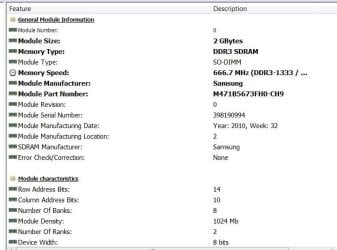
- Samsung 4GB (2x2GB) DDR3 1333MHz
- Graphics Card(s)
- nvidia GT430 1GB Graphics Card
- Sound Card
- Built-in audio
- Monitor(s) Displays
- Videoseven CMC 17" AD
- Screen Resolution
- 1280 x 1024
- Hard Drives
- 250GB 7200RPM SATA II
Hitachi 1TB Serial ATA II 32MB cache
- PSU
- Corsair 500Watt PSU
- Case
- Gigabyte GZ-X2 Black ATX MIDI Tower Case
- Cooling
- Standard CPU Cooling Fan
- Keyboard
- Packard Bell 9205
- Mouse
- Microsoft IntelliMouse Optical
- Internet Speed
- Supposed to be 100mbps (Average: 54mbps!)
- Other Info
- Also Windows 7 64 Bit on my Acer i3 Laptop