Something is muddled up with
MSE and known methods of fixing it are not working for you, not even the
Microsoft FixIt routine.
We can try to do the
FixIt manually, but even the batch file presented in the link provided has several errors, and it does not look as if it addresses the newer version of
MSE that you probably had.
If the computer does not show any signs of an infection, and this is an
MSE issue, the best thing to do is move on and install another AntiVirus program, which you did. However, other problems that you are experiencing pose a challenge, and
sfc /scannow, which is my next suggestion, is giving you a problem.
So, let's try the following:
Above the
Start orb, type the following in the
Search programs and files area:
cmd
In the results list above, under
Programs, right-click
cmd and select:
Run as Administrator
Approve the action via the UAC prompt, if it appears.
At the
Command Prompt (black box), type the following, and press Enter:
Does it work?
If not, what error does it give, or does it close down again?
If the above does not work, restart the computer...
As the computer restarts, tap the F8 key until you get to the Advanced Boot Options menu
Is the following option present: Repair your computer
Let us know.



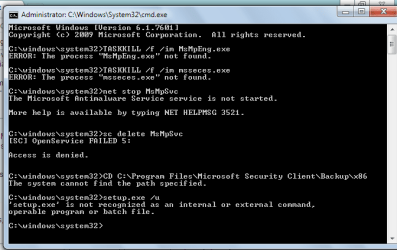

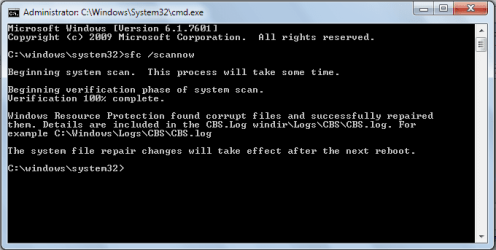
 I have this already...


