Some Startup Programs Don't Start Straight Up When Windows Starts

Deidaraa

New member
Local time
10:22 PM
Messages
8
Hello Community,

I extra made a account in this forum, because the people on the forum, I usually use, couldn't help me.
Recently I freshly bought Windows 7 Ultimate and it works very well. But one week later I decided to install all important windows updates and now I have the following problem:
Normally when I start my PC, Steam, Skype, Fraps, Dropbox, HWInfo64, CoreTemp and some other programs start straight up and I can use them instantly.
However since I made the ca. 140 windows updates only some of them start straight up and some need ~2 more minutes to start, which is really annoying. Programs which don't start straight up: Steam, CoreTemp and Norton. This three are the most annoying ones, because I wanna use them mostly right after a boot.
Also when I try to start, right after the boot, Firefox, it also only starts after this 2 minutes together with the other programs, they all start then together in the same second. This wasn't a issue before the windows updates. But strangely chrome works, but I noticed some other programs also don't start straight up if I start them manually in this 2 minutes, but some do.
Stuff I tried to solve this problem yet:
Deleting all windows updates
Repair Install of Windows
Reinstalling the programs, which don't start straight up
Solving all registry faults with CCleaner

Nothing worked yet.
Maybe some of you know what the problem could be. My system is normally super fast and I hate it always to wait for everything.

Greetings Deidaraa
 

My Computer My Computer

At a glance

Windows 7 Ultimate x64Intel Core i7 4770K @4.3GHz24 GigabyteNvidia GTX 770
Computer type
PC/Desktop
Computer Manufacturer/Model Number
Custom Build
OS
Windows 7 Ultimate x64
CPU
Intel Core i7 4770K @4.3GHz
Motherboard
Gigabyte GA-Z87-HD3
Memory
24 Gigabyte
Graphics Card(s)
Nvidia GTX 770
Sound Card
Asus Xonar U7
Monitor(s) Displays
Samsung T24C350
Screen Resolution
1920x1080p
Hard Drives
1 TB by WDC
4 TB by Seagate
256 GB Samsung 840 EVO
Case
CoolerMaster HAF 912 Advanced
Cooling
Corsair H80i Water Cooling
Keyboard
Razer BlackWidow
Mouse
Razer Imperator 2010
Internet Speed
32k
Antivirus
Norton
Browser
Firefox
I think you just have too many startup programs - and some are big fellows. I would put the ones I do not immediately need in delayed startup and see whether that helps the ones I want asap.

You would also get much better results if you put the system and those programs on a SSD.

And don't uninstall the updates. There are many security updates that are far more important than a 2 minute delay.
 

My Computer My Computer

At a glance

Vista, Windows7, Mint Mate, Zorin, Windows 8from 1.6GHz Duo to i7
Computer Manufacturer/Model Number
HP, Dell, Gateway, Toshiba - 4 laptops and 2 desktops
OS
Vista, Windows7, Mint Mate, Zorin, Windows 8
CPU
from 1.6GHz Duo to i7
Monitor(s) Displays
2x HP w2207
Hard Drives
5x HDD, 7x SSD, 12x Externals
Keyboard
with trackball - no mices
Mouse
Trackball mice
Internet Speed
DSL 6000
I have all these programs on a ssd and there are 10 total programs who should start straight up on start.
But this couldn't be the problem because like I said also some programs, which I start manually, don't start straight up, but after this ~2 minutes.
 

My Computer My Computer

At a glance

Windows 7 Ultimate x64Intel Core i7 4770K @4.3GHz24 GigabyteNvidia GTX 770
Computer type
PC/Desktop
Computer Manufacturer/Model Number
Custom Build
OS
Windows 7 Ultimate x64
CPU
Intel Core i7 4770K @4.3GHz
Motherboard
Gigabyte GA-Z87-HD3
Memory
24 Gigabyte
Graphics Card(s)
Nvidia GTX 770
Sound Card
Asus Xonar U7
Monitor(s) Displays
Samsung T24C350
Screen Resolution
1920x1080p
Hard Drives
1 TB by WDC
4 TB by Seagate
256 GB Samsung 840 EVO
Case
CoolerMaster HAF 912 Advanced
Cooling
Corsair H80i Water Cooling
Keyboard
Razer BlackWidow
Mouse
Razer Imperator 2010
Internet Speed
32k
Antivirus
Norton
Browser
Firefox
Something may be wrong with the SSD. for starters, check the alignment.

If you want to verify the alignment, you use the following commands.

Diskpart
List disk
Select disk n
List partition

Now you should see a result like this.

Partition ### Type Size Offset
------------- ---------------- ------- -------
Partition 1 Primary 59 GB 1024 KB - but 64KB or any number divisible by 4 is also good

The offset (in KBs) has to be divisible by 4.
 

My Computer My Computer

At a glance

Vista, Windows7, Mint Mate, Zorin, Windows 8from 1.6GHz Duo to i7
Computer Manufacturer/Model Number
HP, Dell, Gateway, Toshiba - 4 laptops and 2 desktops
OS
Vista, Windows7, Mint Mate, Zorin, Windows 8
CPU
from 1.6GHz Duo to i7
Monitor(s) Displays
2x HP w2207
Hard Drives
5x HDD, 7x SSD, 12x Externals
Keyboard
with trackball - no mices
Mouse
Trackball mice
Internet Speed
DSL 6000
That's what it gives me:
E9icKq7.png
 

My Computer My Computer

At a glance

Windows 7 Ultimate x64Intel Core i7 4770K @4.3GHz24 GigabyteNvidia GTX 770
Computer type
PC/Desktop
Computer Manufacturer/Model Number
Custom Build
OS
Windows 7 Ultimate x64
CPU
Intel Core i7 4770K @4.3GHz
Motherboard
Gigabyte GA-Z87-HD3
Memory
24 Gigabyte
Graphics Card(s)
Nvidia GTX 770
Sound Card
Asus Xonar U7
Monitor(s) Displays
Samsung T24C350
Screen Resolution
1920x1080p
Hard Drives
1 TB by WDC
4 TB by Seagate
256 GB Samsung 840 EVO
Case
CoolerMaster HAF 912 Advanced
Cooling
Corsair H80i Water Cooling
Keyboard
Razer BlackWidow
Mouse
Razer Imperator 2010
Internet Speed
32k
Antivirus
Norton
Browser
Firefox
Alignment is OK. There must be some other roadblock.

Check right after boot what processes are running - easiest in Reource Monitor > CPU tab. Look whether any processes eat a lot of CPU time. If that does not yield anything, look into the Disk tab whether any process has unusual disk activity.
 

My Computer My Computer

At a glance

Vista, Windows7, Mint Mate, Zorin, Windows 8from 1.6GHz Duo to i7
Computer Manufacturer/Model Number
HP, Dell, Gateway, Toshiba - 4 laptops and 2 desktops
OS
Vista, Windows7, Mint Mate, Zorin, Windows 8
CPU
from 1.6GHz Duo to i7
Monitor(s) Displays
2x HP w2207
Hard Drives
5x HDD, 7x SSD, 12x Externals
Keyboard
with trackball - no mices
Mouse
Trackball mice
Internet Speed
DSL 6000
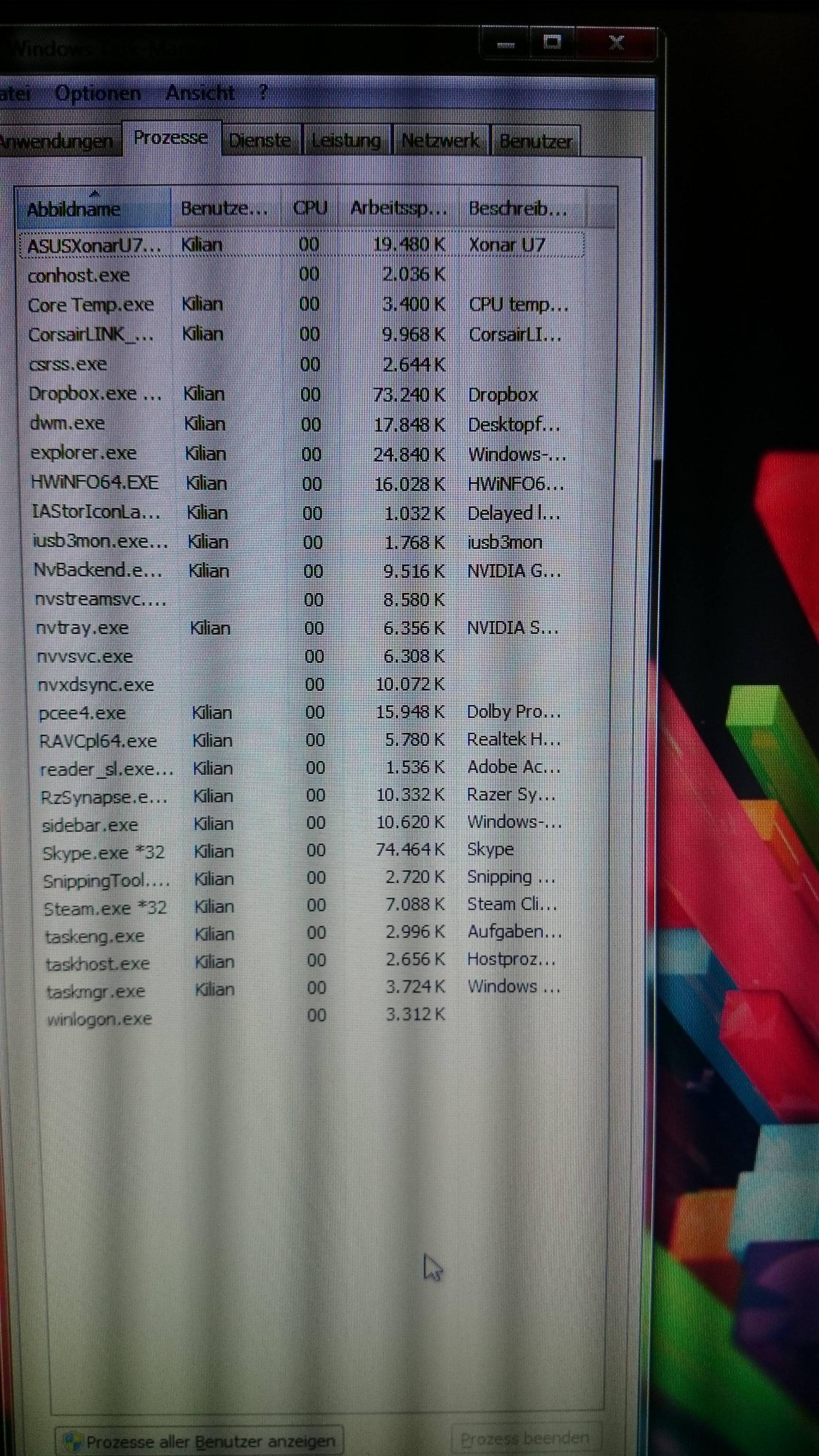
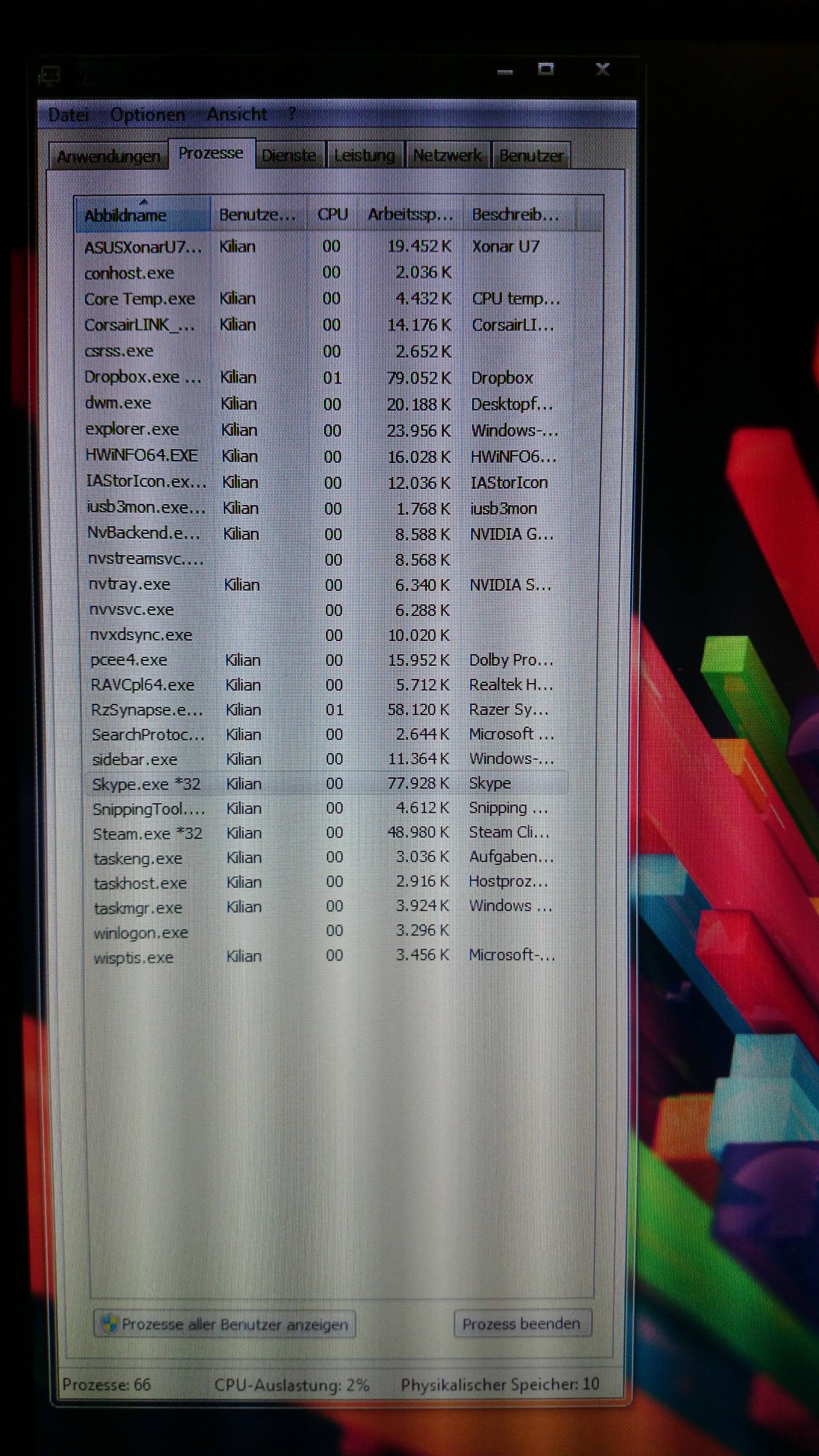
Okay, I couldn't make screenshots with the Snipping Tool because this program also just started after this 2 minutes, but I made some photos with my smartphone and you can see everything fine. Sorry for the super sized photos.
Processes running while the 2 minutes:

007bSBG.jpg

Processes running after the 2 minutes:
uVJS7ka.jpg

Also here's the resource monitor:
kcKL3sP.jpg
 

My Computer My Computer

At a glance

Windows 7 Ultimate x64Intel Core i7 4770K @4.3GHz24 GigabyteNvidia GTX 770
Computer type
PC/Desktop
Computer Manufacturer/Model Number
Custom Build
OS
Windows 7 Ultimate x64
CPU
Intel Core i7 4770K @4.3GHz
Motherboard
Gigabyte GA-Z87-HD3
Memory
24 Gigabyte
Graphics Card(s)
Nvidia GTX 770
Sound Card
Asus Xonar U7
Monitor(s) Displays
Samsung T24C350
Screen Resolution
1920x1080p
Hard Drives
1 TB by WDC
4 TB by Seagate
256 GB Samsung 840 EVO
Case
CoolerMaster HAF 912 Advanced
Cooling
Corsair H80i Water Cooling
Keyboard
Razer BlackWidow
Mouse
Razer Imperator 2010
Internet Speed
32k
Antivirus
Norton
Browser
Firefox
This is unreadable. Why don't you use the snipping tool to make a picture.
 

My Computer My Computer

At a glance

Vista, Windows7, Mint Mate, Zorin, Windows 8from 1.6GHz Duo to i7
Computer Manufacturer/Model Number
HP, Dell, Gateway, Toshiba - 4 laptops and 2 desktops
OS
Vista, Windows7, Mint Mate, Zorin, Windows 8
CPU
from 1.6GHz Duo to i7
Monitor(s) Displays
2x HP w2207
Hard Drives
5x HDD, 7x SSD, 12x Externals
Keyboard
with trackball - no mices
Mouse
Trackball mice
Internet Speed
DSL 6000
This is unreadable. Why don't you use the snipping tool to make a picture.
Because this also wont start. It just starts after this two minutes, like other windows functionsm, but the normal explorer works.
 

My Computer My Computer

At a glance

Windows 7 Ultimate x64Intel Core i7 4770K @4.3GHz24 GigabyteNvidia GTX 770
Computer type
PC/Desktop
Computer Manufacturer/Model Number
Custom Build
OS
Windows 7 Ultimate x64
CPU
Intel Core i7 4770K @4.3GHz
Motherboard
Gigabyte GA-Z87-HD3
Memory
24 Gigabyte
Graphics Card(s)
Nvidia GTX 770
Sound Card
Asus Xonar U7
Monitor(s) Displays
Samsung T24C350
Screen Resolution
1920x1080p
Hard Drives
1 TB by WDC
4 TB by Seagate
256 GB Samsung 840 EVO
Case
CoolerMaster HAF 912 Advanced
Cooling
Corsair H80i Water Cooling
Keyboard
Razer BlackWidow
Mouse
Razer Imperator 2010
Internet Speed
32k
Antivirus
Norton
Browser
Firefox
Hmm, that is indeed strange. You could try Soluto. It maps each process that participates in the boot inclusing the time it lingers around.

https://www.soluto.com/
 

My Computer My Computer

At a glance

Vista, Windows7, Mint Mate, Zorin, Windows 8from 1.6GHz Duo to i7
Computer Manufacturer/Model Number
HP, Dell, Gateway, Toshiba - 4 laptops and 2 desktops
OS
Vista, Windows7, Mint Mate, Zorin, Windows 8
CPU
from 1.6GHz Duo to i7
Monitor(s) Displays
2x HP w2207
Hard Drives
5x HDD, 7x SSD, 12x Externals
Keyboard
with trackball - no mices
Mouse
Trackball mice
Internet Speed
DSL 6000
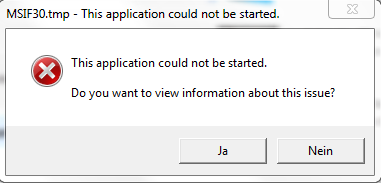
Well I get this error in the end of the saluto installation
Km0MZkf.png
 

My Computer My Computer

At a glance

Windows 7 Ultimate x64Intel Core i7 4770K @4.3GHz24 GigabyteNvidia GTX 770
Computer type
PC/Desktop
Computer Manufacturer/Model Number
Custom Build
OS
Windows 7 Ultimate x64
CPU
Intel Core i7 4770K @4.3GHz
Motherboard
Gigabyte GA-Z87-HD3
Memory
24 Gigabyte
Graphics Card(s)
Nvidia GTX 770
Sound Card
Asus Xonar U7
Monitor(s) Displays
Samsung T24C350
Screen Resolution
1920x1080p
Hard Drives
1 TB by WDC
4 TB by Seagate
256 GB Samsung 840 EVO
Case
CoolerMaster HAF 912 Advanced
Cooling
Corsair H80i Water Cooling
Keyboard
Razer BlackWidow
Mouse
Razer Imperator 2010
Internet Speed
32k
Antivirus
Norton
Browser
Firefox
Hmm, I have never seen that. Don't know what to say. I guess it is no good on your system.
 

My Computer My Computer

At a glance

Vista, Windows7, Mint Mate, Zorin, Windows 8from 1.6GHz Duo to i7
Computer Manufacturer/Model Number
HP, Dell, Gateway, Toshiba - 4 laptops and 2 desktops
OS
Vista, Windows7, Mint Mate, Zorin, Windows 8
CPU
from 1.6GHz Duo to i7
Monitor(s) Displays
2x HP w2207
Hard Drives
5x HDD, 7x SSD, 12x Externals
Keyboard
with trackball - no mices
Mouse
Trackball mice
Internet Speed
DSL 6000
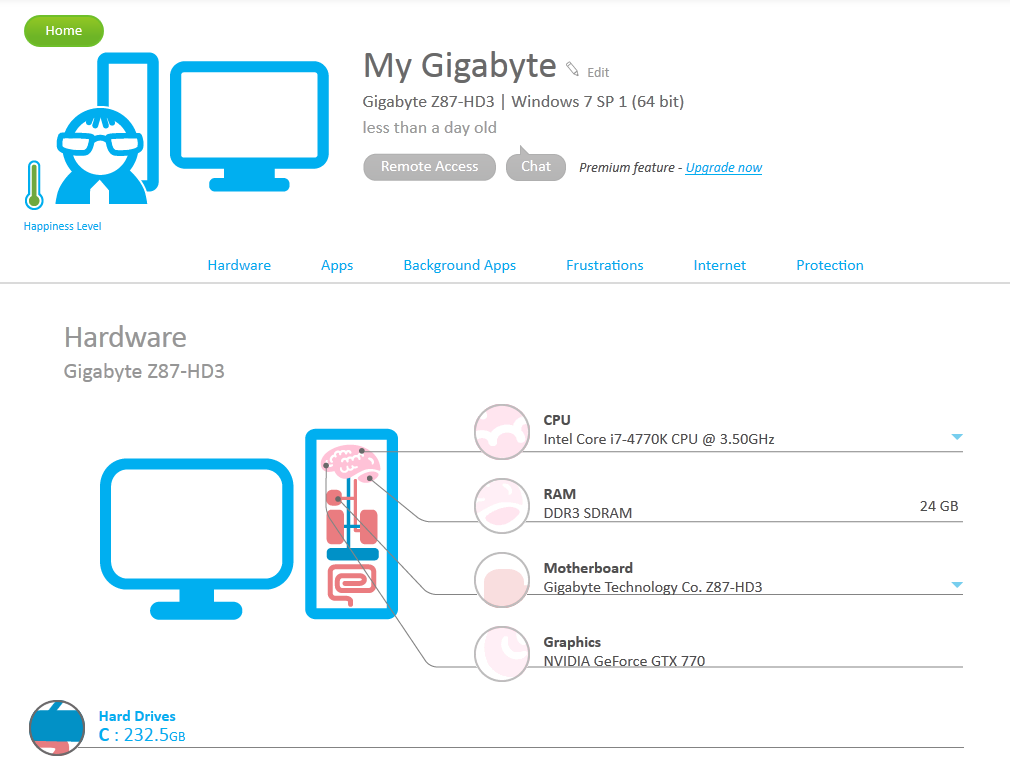
Alright, it seems to work now.
What should I do?
EcqpiB7.png
 

My Computer My Computer

At a glance

Windows 7 Ultimate x64Intel Core i7 4770K @4.3GHz24 GigabyteNvidia GTX 770
Computer type
PC/Desktop
Computer Manufacturer/Model Number
Custom Build
OS
Windows 7 Ultimate x64
CPU
Intel Core i7 4770K @4.3GHz
Motherboard
Gigabyte GA-Z87-HD3
Memory
24 Gigabyte
Graphics Card(s)
Nvidia GTX 770
Sound Card
Asus Xonar U7
Monitor(s) Displays
Samsung T24C350
Screen Resolution
1920x1080p
Hard Drives
1 TB by WDC
4 TB by Seagate
256 GB Samsung 840 EVO
Case
CoolerMaster HAF 912 Advanced
Cooling
Corsair H80i Water Cooling
Keyboard
Razer BlackWidow
Mouse
Razer Imperator 2010
Internet Speed
32k
Antivirus
Norton
Browser
Firefox
I have not used it in a while. But if I remember right, you have to reboot and then it brings up a chart showing each process that ran during the boot - and they are are categorized. Just reboot once and see what happens. I do not remember ever seeing the pics you show.
 

My Computer My Computer

At a glance

Vista, Windows7, Mint Mate, Zorin, Windows 8from 1.6GHz Duo to i7
Computer Manufacturer/Model Number
HP, Dell, Gateway, Toshiba - 4 laptops and 2 desktops
OS
Vista, Windows7, Mint Mate, Zorin, Windows 8
CPU
from 1.6GHz Duo to i7
Monitor(s) Displays
2x HP w2207
Hard Drives
5x HDD, 7x SSD, 12x Externals
Keyboard
with trackball - no mices
Mouse
Trackball mice
Internet Speed
DSL 6000
Okay I disabled all unnessesary programs, which boot with windows, but I have still the problem.

EDIT: Seems like you didn't know a answer and stopped replying to me...someone else have a suggestion?
 
Last edited:

My Computer My Computer

At a glance

Windows 7 Ultimate x64Intel Core i7 4770K @4.3GHz24 GigabyteNvidia GTX 770
Computer type
PC/Desktop
Computer Manufacturer/Model Number
Custom Build
OS
Windows 7 Ultimate x64
CPU
Intel Core i7 4770K @4.3GHz
Motherboard
Gigabyte GA-Z87-HD3
Memory
24 Gigabyte
Graphics Card(s)
Nvidia GTX 770
Sound Card
Asus Xonar U7
Monitor(s) Displays
Samsung T24C350
Screen Resolution
1920x1080p
Hard Drives
1 TB by WDC
4 TB by Seagate
256 GB Samsung 840 EVO
Case
CoolerMaster HAF 912 Advanced
Cooling
Corsair H80i Water Cooling
Keyboard
Razer BlackWidow
Mouse
Razer Imperator 2010
Internet Speed
32k
Antivirus
Norton
Browser
Firefox
Back
Top