Solved Something is running but I cannot determine what.

Mike Lynch

New member
Pro User
VIP
Local time
1:34 PM
Messages
958
Location
Clearwater Florida
I have a USB Docking Station attached to my PC.
I'm running W7 Pro 64B.
I can observe the Docking Stations Light for the Source Drive, which is Drive #1, flashing constantly for several hours.
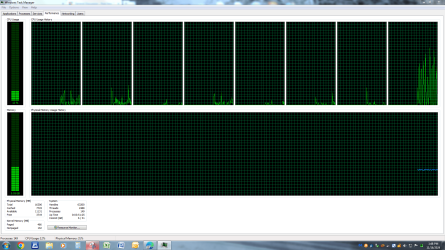
The Task Manager does not list any Applications running.
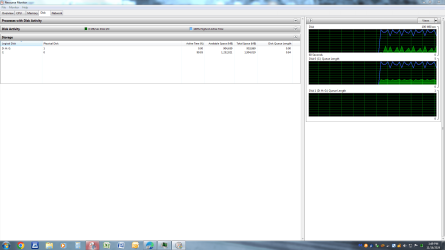
The Resource Manager indicates constant activity on Drive #0 which is the C: Drive.
The Resource Manager indicates no activity on Drive #1 which is the Docking Station Drive with a Disk in it.
For the same amount of time as the Docking Stations Light has been flashing.
I do not know what is running / happening and I'd like to know what.
If it's important, I'll let it run, if not I'd like to cancel it somehow.

Can any Forum Member help me determine what is going on?

Mike Lynch
 

Attachments
  • Capture - Full.PNG
    Capture - Full.PNG
    52.7 KB · Views: 5
  • Capture - Resource.PNG
    Capture - Resource.PNG
    57.3 KB · Views: 4

My Computer My Computer

At a glance

Microsoft Windows 7 Professional 64-bit 7601 ...Intel(R) Core(TM) i7-3770 CPU @ 3.40GHz8.00 GBIntel(R) HD Graphics 4000
Computer type
PC/Desktop
Computer Manufacturer/Model Number
Two HP Desktops. One in the Laundry Room / Bed Room.
OS
Microsoft Windows 7 Professional 64-bit 7601 Multiprocessor Free Service Pack 1
CPU
Intel(R) Core(TM) i7-3770 CPU @ 3.40GHz
Motherboard
Hewlett-Packard 3396
Memory
8.00 GB
Graphics Card(s)
Intel(R) HD Graphics 4000
Sound Card
(1) Realtek High Definition Audio (2) Intel(R) Display Aud
Monitor(s) Displays
Hanns-G
Screen Resolution
1440 x 900 x 32 bits (4294967296 colors) @ 59 Hz
Hard Drives
(1) ATA WDC WD40EZRX-00S SCSI Disk Device (2) HP Officejet Pro 86 USB Device (3) WD My Book 1230 USB Device
PSU
Whatever came with the CMT.
Case
HP CMT Black.
Cooling
Whatever came with the CMT.
Keyboard
Logitech K740.
Mouse
Microsoft Optical Mouse 1000.
Internet Speed
Spectrum 25Mbs.
Antivirus
WebRoot, Microsoft Security Essentials.
Browser
EDGE
Other Info
HP Officejet Pro 8600 Plus.
WD MyBook 4TB.
Under processes click on show processes for all users.
 

My Computers My Computers

  • At a glance

    Windows 7 pro/Windows 10 ProIntel i7 860 Quad core 2.8 ghz8 gbATI Radeon HD 5770 1 gb ram
    Computer type
    PC/Desktop
    Computer Manufacturer/Model Number
    HP Pavillion Elite HPE-250f
    OS
    Windows 7 pro/Windows 10 Pro
    CPU
    Intel i7 860 Quad core 2.8 ghz
    Memory
    8 gb
    Graphics Card(s)
    ATI Radeon HD 5770 1 gb ram
    Monitor(s) Displays
    Alienware 25 AW2521HF & Viewsonic
    Screen Resolution
    1920 x1080 & 1680x1050
    Hard Drives
    WD blue 1 tb & 500 gb.
    Browser
    FF of course.
    Other Info
    https://www.bestbuy.com/site/hp-pavilion-elite-desktop-intel-core-i7-processor-8gb-memory-1tb-hard-drive/9921493.p?skuId=9921493
  • At a glance

    Windows 2012 R2 Data center/Linux Minti3 9100 3.6GHz, 8M cache, 4C/4T8GB 2666MT/s DDR4 ECC UDIMM
    Computer type
    PC/Desktop
    System Manufacturer/Model Number
    Dell Poweredge T140
    OS
    Windows 2012 R2 Data center/Linux Mint
    CPU
    i3 9100 3.6GHz, 8M cache, 4C/4T
    Memory
    8GB 2666MT/s DDR4 ECC UDIMM
    Monitor(s) Displays
    Viewsonic
    Screen Resolution
    1680x1050
    Hard Drives
    1 TB & 750 GB
    Other Info
    https://www.dell.com/en-us/work/shop/productdetailstxn/poweredge-t140?~ck=bt
I'm on w10 now and there doesn't appear to be any tab to show all users. I am the only one signed on. It's a dilemma and cost me several trips to The Geek Squad with what I thought were Cloned copies of my C; Drive that were in fact damaged. Damaged as I became frustrated and unplugged the drive in question after waiting many, many hours to have WHATEVER is running to release it. Any additional suggestions will be appreciated. A new Clone has finished and still, the Drive is being held / accessed by something. It's good to see I'm not the only one in this dilemma.
 

Attachments

  • Capture Will not stop.PNG
    Capture Will not stop.PNG
    2.9 KB · Views: 15

My Computer My Computer

At a glance

Microsoft Windows 7 Professional 64-bit 7601 ...Intel(R) Core(TM) i7-3770 CPU @ 3.40GHz8.00 GBIntel(R) HD Graphics 4000
Computer type
PC/Desktop
Computer Manufacturer/Model Number
Two HP Desktops. One in the Laundry Room / Bed Room.
OS
Microsoft Windows 7 Professional 64-bit 7601 Multiprocessor Free Service Pack 1
CPU
Intel(R) Core(TM) i7-3770 CPU @ 3.40GHz
Motherboard
Hewlett-Packard 3396
Memory
8.00 GB
Graphics Card(s)
Intel(R) HD Graphics 4000
Sound Card
(1) Realtek High Definition Audio (2) Intel(R) Display Aud
Monitor(s) Displays
Hanns-G
Screen Resolution
1440 x 900 x 32 bits (4294967296 colors) @ 59 Hz
Hard Drives
(1) ATA WDC WD40EZRX-00S SCSI Disk Device (2) HP Officejet Pro 86 USB Device (3) WD My Book 1230 USB Device
PSU
Whatever came with the CMT.
Case
HP CMT Black.
Cooling
Whatever came with the CMT.
Keyboard
Logitech K740.
Mouse
Microsoft Optical Mouse 1000.
Internet Speed
Spectrum 25Mbs.
Antivirus
WebRoot, Microsoft Security Essentials.
Browser
EDGE
Other Info
HP Officejet Pro 8600 Plus.
WD MyBook 4TB.
3 possibilities I can think of are:

1) Windows is defragging it
2) MS Defender is scanning it.
3) You have Chrome browser installed and its' Software Reporter Tool module is scanning it.

Otherwise, you might get Sysinternal's Process Monitor and use that to see what's accessing it. You'll need an older version though, to run on win7, think ver 3.8.4 is the newest with Win7 support. Direct link to it:

https://web.archive.org/web/2021082...oad.sysinternals.com/files/ProcessMonitor.zip
 

My Computers My Computers

  • At a glance

    Windows 7 Ultimate 64bitJ19004GB DDR3 1333Intel 7 Gen IGP
    Computer type
    PC/Desktop
    Computer Manufacturer/Model Number
    custom
    OS
    Windows 7 Ultimate 64bit
    CPU
    J1900
    Motherboard
    ASROCK Q1900M
    Memory
    4GB DDR3 1333
    Graphics Card(s)
    Intel 7 Gen IGP
    Hard Drives
    Multiple SATA & USB3
    Antivirus
    Defender
    Browser
    Latest Chrome & Older Firefox
  • At a glance

    Win7 Ultimate SP1 x64AMD Phenom II x4 BE 96516GB as 4 x 4GBGTX 1060
    Computer type
    PC/Desktop
    System Manufacturer/Model Number
    Cobbled Together Leftover Parts
    OS
    Win7 Ultimate SP1 x64
    CPU
    AMD Phenom II x4 BE 965
    Motherboard
    Asus M4A785TD-V Evo
    Memory
    16GB as 4 x 4GB
    Graphics Card(s)
    GTX 1060
    Sound Card
    Via Envy Chaintech AV-710
    Monitor(s) Displays
    Samsung TVs
    Screen Resolution
    4K
    Hard Drives
    0 - Just SSDs in this box.
I notice it happens a lot with my smr disk. Could be the disk controller is doing some housekeeping. cmr disks eject much more readily.

One way is to rt click the annoying disk in diskmgmt and select offline, might take a minute to go offline.

offlining.jpg
 

My Computers My Computers

  • At a glance

    7 X64i5 84002x8gb 3200mhz
    Computer type
    PC/Desktop
    OS
    7 X64
    CPU
    i5 8400
    Motherboard
    gigabyte b365m ds3h
    Memory
    2x8gb 3200mhz
    Hard Drives
    various
    PSU
    pure power 11 400w cm
    Case
    Coolermaster
    Cooling
    cryorig m9i
  • At a glance

    7x64g54008gb ddr4 2400
    Computer type
    PC/Desktop
    OS
    7x64
    CPU
    g5400
    Motherboard
    ga b365m ds3h
    Memory
    8gb ddr4 2400
    PSU
    xfx pro 450w
Back
Top