
gregfromHR
New member
- Local time
- 2:48 AM
- Messages
- 1
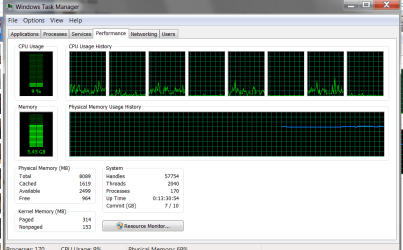
Recently, my computer has been using way more memory than it should be using. When I first boot up and just have a couple applications open its already using 4 gb. And since this has been happening I've noticed significant drops in performance, especially playing games.
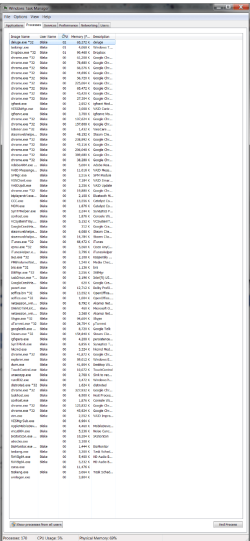
I took screenshots of the amount of RAM it said I was using and then the list of the all the processes it said I had running. I added up all of the list and it was 2,137,406 kb when on the performance window it said I was using 5.46 gb so I don't know where that additional 3.36 gb is coming from.
I took screenshots of the amount of RAM it said I was using and then the list of the all the processes it said I had running. I added up all of the list and it was 2,137,406 kb when on the performance window it said I was using 5.46 gb so I don't know where that additional 3.36 gb is coming from.
Attachments
My Computer
- Computer type
- Laptop
- Computer Manufacturer/Model Number
- Sony Vaio Z with external media dock
- OS
- Windows 7 Home Premium
- CPU
- Intel® Core™ i7-2640M Processor 2.80 GHz with Turbo Boost up
- Memory
- 8 GB (4 GB (Custom Module) x 2) DDR3 SDRAM*2
- Graphics Card(s)
- Intel® HD Graphics 3000, and AMD Radeon™ HD 6650M*18 in dock
- Hard Drives
- 256 GB*3 (128 GB x 2(RAID 0)*4, Serial ATA)
- Antivirus
- Kasper
- Browser
- Chrome

