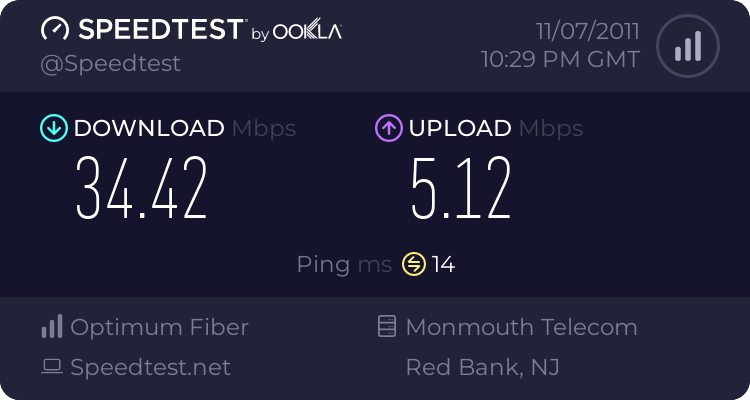
Speedtest.net

Status
Not open for further replies.

techmonkey74

Banned
Local time
2:55 PM
Messages
155
Location
North Bay California
How reliable is speedtest.net and other broadband speed test sites? I don't have the fastest connecttion with at&t dsl 6 Mbps but it suites my needs fine. I find when I test with speedtest.ney my results vary alot anywhere from 3.00 Mbps to 5.00 Mbps sometimes even lower. With other test sites such as speakeasy and the one from Cnet the results seem much more consistent where I usually average around 4.85-5.60 Mbps.

The results seem to REALLY get wacky with speedtest.net depending who the test is "hosted" by. With speedtest.net you can change servers for testing but sometimes there are different hosts in one city. For example my closest server city is San Francisco, Ca. With "host" Unwired I get around 4.60 Mbps but "host" Monkey Brains (I think thats the name) I was getting .060 Mbps. Again with other test sites I seem to get much more consistent results. Also why is it with speedtest.net I can pick a server across the country for testing and I get faster download speeds than one that is only a few miles away?
 

My Computer

Computer Manufacturer/Model Number
HP p6680t
OS
Windows 7 Home Premium 64bit-HP OEM SP1 Installed
CPU
Intel Core i5-650 3.2GHz
Motherboard
MS-7613 (Iona-GL8E) Intel H57 Express Chipset
Memory
6GB DDR3 1333Mhz SDRAM
Graphics Card(s)
Intergrated Intel H57
Sound Card
Intergrated Realtek 7/1
Monitor(s) Displays
HP 3310m 23" diagonal widescreen flat panel monitor
Screen Resolution
1920 x 1080
Hard Drives
1 TB (7,200) SATA 3Gb/s
1.5 TB External
PSU
300W
Case
HP Piano Black
Cooling
Couple Fans
Keyboard
HP USB
Mouse
HP Optical
Internet Speed
3-6.0 Mbps Average around 5.0 Mbps AT&T DSL
Other Info
Security Includes NIS 2011, Malwarebytes, Superantispyware, & SpywareBlaster. Acronis True Home Image 2011 for Backup
I use speed test and it is very accurate. During certain times of the day or because of weather conditions my speed is down, I use Att.
This is nothing to worry about and is normal
I use this alternate test to check my results when in doubt
http://testmy.net/download-speed-test.php
 

My Computer

Computer type
PC/Desktop
Computer Manufacturer/Model Number
Dell XPS 420
OS
Windows 10, Home Clean Install
CPU
Intel Core2 processsor Q8200(2.33Ghz 1333FSB) Quad Core Tech
Motherboard
Dell
Memory
6 gb
Graphics Card(s)
ATI Radeon 256MB HD3650
Sound Card
Intergrated 7.1 Channel Audio
Monitor(s) Displays
Dell SP2009W 20"
Hard Drives
640 GB Serial ATA Hard drive
Cooling
Fan
Keyboard
Dell USB Keyboard
Mouse
Dell Premium Optical USB
Internet Speed
DSL 2.85

My Computer

Computer type
PC/Desktop
Computer Manufacturer/Model Number
Custom Build
OS
Windows 10 Pro x64
CPU
Intel Core i5 4440 @Stock
Motherboard
Gigabyte Z97 D3H
Memory
4 x 4GB HyperX Fury DDR3
Graphics Card(s)
Gigabyte GTX 1050Ti O4G
Sound Card
Integrated
Monitor(s) Displays
Dell P2417H
Screen Resolution
1920 x 1080
Hard Drives
Samsung EVO 850 120GB / Toshiba DT01ACA050 1TB 7200prm 32MB
PSU
Riotoro Onyx 750W
Case
NZXT H500 Black-Red
Cooling
Stock CPU + NZXT 120mm + 2x120mm red fans
Keyboard
Modecom Volcano Lanparty
Mouse
Asus ROG Gladius / DeepCool E-Pad Plus
Internet Speed
DOCSIS 50/3 Mbit
Browser
Google Chrome
Other Info
Asus K55VJ(i5 3210M, GT635M / 2GB, 8GB DDR3, 500GB HDD)
There are so many variable's with speedtest's it is really hard to pin down exactly what is causing them.

Right at the top of the list is server load. A server has only so much bandwidth, and your internet connection will be as fast as the slowest point on the network. If the server is overloaded, then you will get slow speeds.

Next is something called contention. The way modern broadband works, you are sharing your connection with other people (here in the UK on a home connection it is 50, may vary where you are). The reason you don't notice is that usually, all 50 people aren't online at the same time. This is why your internet slow's down in the evenings and weekends. If you test on the same server several times in succession and get wildly variable results I would say it's probably contention.

Next thing to consider is that speedtest.net is flash based. Now while speedtest.net is usually quite reliable, flash based test's CAN be maniplulated. My old ISP had a big problem with oversubscribing, and rather than fixing the problem, they gave speed tests higher priority to make it look like they had fixed it. Java based test's on the other hand, are usually much more reliable. There is a java based test here: Speed Test : upload and download | DSLReports.com, ISP Information that has US servers.
 

My Computer

Computer type
PC/Desktop
Computer Manufacturer/Model Number
Medion Erazer (note to self: insert model number) - with custom additions
OS
Windows 10 Pro x64
CPU
Intel Core i5 7400 @ 3.00GHz
Motherboard
OEM supllied with PC
Memory
8GB 2133Mhz DDR4 (OEM supplied)
Graphics Card(s)
Gygabyte Windforce GTX 1050Ti (Factory Overclocked)
Sound Card
Realtek
Monitor(s) Displays
Acer Al1980 + HKC
Screen Resolution
1360*768(HKC) / 1280*1024(Acer)
Hard Drives
1TB Toshiba
1TB WD Caviar Green
120GB Samsung Evo 840
PSU
OEM supplied (no power rating on case)
Case
OEM Supplied
Cooling
Stock
Keyboard
Logitech Wireless
Mouse
Logitect Wireless
Internet Speed
40Mb/s Down 10Mb/s Up
Antivirus
Defender
Browser
Firefox
I gave up on speedtest net a year ago.It's totally unreliable...
 

My Computer

OS
Stools
I use real-world apps to see what my speeds are doing.
usenet-speedtest.jpg
 

My Computer

Computer Manufacturer/Model Number
HAL-9000
OS
Windows 7 Ultimate 64bit
CPU
Intel i7 3770K
Motherboard
Asus Sabertooth Z77
Memory
16GB DDR3 1333 Corsair XMS3
Graphics Card(s)
XFX HD6950 2GB EyeFinity
Sound Card
Logitech G35 & Sennheiser PC135 & VIA HD
Monitor(s) Displays
23" HP 2310e, 23" Samsung B2230, 21.5" Viewsonic
Screen Resolution
5760x1080
Hard Drives
16TB of Storage
128GB & 256GB Crucial M4 SSD's, 2X 1TB WD Black, 3x 2TB WD, 3x 2TB Samsung F4, 1.5TB Seagate, WD 500GB,
PSU
Antec True Power New 650watt
Case
Cooler Master HAF-932
Cooling
Corsair H60 Hydro Cooler, 3x 230mm Fans, 2x120mm Fan
Keyboard
Logitech G15 and G13
Mouse
Logitech G700 Gaming Mouse
Internet Speed
50/10 Mbit
Other Info
Speakers : Alesis M1 Active Mk2 Studio Monitors , APC RS 1200 UPS, HP 4500DN Color Laser, HP P1006 mono Laser, Kodak 8500 Dye-Sub, Epson 1280 inkjet, Epson Worforce 610 MFC
Ookla = SpeedTest.net

My current ISP uses Ookla for its speedtest. SpeedTest.net is very accurate and lets you view a summary of your past speedtests. You can also check you connection quality (ping, jitter). I believe Ookla was also used by the US .gov for it's ISP speedtest survey. Reliability of the speed test isn't the issue, your wiring/wireless connection quality, buggy router or switch, local load on your ISP and the rare general internet backbone bottlenecks are what you should be more concerned with.
 

My Computer

Computer type
PC/Desktop
Computer Manufacturer/Model Number
Self Built
OS
Windows 7 Professional x64
CPU
Intel Core i7-3960X Extreme Edition 15M Cache 3.30GHZ
Motherboard
EVGA X79 Classified
Memory
Dominator GT 16GB Quad Channel DDR3 (CMT16GX3M4X2133C9)
Graphics Card(s)
EVGA GeForce GTX 590 Classified
Sound Card
Creative PCI Express X-Fi Titanium Fatal1ty Champion Series
Monitor(s) Displays
Samsung 24" LCD Monitor 245BW
Screen Resolution
1920x1200
Hard Drives
Corsair Performance Series Pro SATA 3 256GB SSD
Seagate Barracuda XT SATA 3 2TB Hard Drive
SeagateBarracuda 3.5-inch SATA 2 1TB Hard Drive
PSU
Corsair AX1200i Digital ATX Power Supply
Case
Cosair Obsidian Series 800D Full-Tower Case
Cooling
Corsair Hydro H100 Extreme Performance Liquid CPU Cooler
Keyboard
Natural Ergonomic Keyboard 4000
Mouse
Logitech Gaming Mouse G500
Internet Speed
50Mbps down / 5Mbps up
Antivirus
Norton 360
Browser
MSIE 11
I've just done a test with speed.io


Never had such a speed especially in the evenings.
 

My Computer

Computer type
PC/Desktop
Computer Manufacturer/Model Number
Acer Aspire XC-704 x64 bit/ Asus K55A Notebook PC/HP Envy x360 Convertible 15-bq0xx
OS
Windows 10 64bit/Windows 10 64bit/Windows 10 64bit
CPU
Intel Pentium J3710 @ 60GHz/Intel B820,1.7GHz/AMD A9 Radeon
Motherboard
Acer Aspire XC-704 (SOCKET 0)/Asus/HP 8312 (Socket FP4)
Memory
8.00GB DDR3 @ 1599MHz/8GB 2 x 4GB DDR3/8.00GB Dual-Channel
Graphics Card(s)
Intel HD Graphics/Intel/512MB ATI AMD Radeon R5 Graphics (HP
Sound Card
Realtek High Definition Audio/Onboard/AMD High Definition Au
Monitor(s) Displays
Acer LCD K222HQL /Asus 15.6/Generic PnP Monitor (1920x1080@6
Screen Resolution
1920x1080@59Hz/1366 x 768/1920x1080@60Hz
Hard Drives
1863GBWesternn Digital WDC/Asus/119GB SanDisk SD8SN8U-128G-1006 (SSD)
931GB Hitachi HGST HTS721010A9E630 (SATA)
Keyboard
Microsoft Natural Ergonomic Keyboard 4000 (UK)/Inbuilt/Inbui
Mouse
Microsoft Optical Wheel Mouse/Same plus Touchpad/Same + Pad
Internet Speed
Infinity 2 up to 76 Mbps
Antivirus
MSE/MSE/MSE and all 3 have MalwareBytes Premium
Browser
Edge, Firefox/Edge, Firefox/Edge, Firefox, Chrome
Other Info
Seagate Expansion 500GB External Desktop Drive
Seagate Expansion Portable Drives 500GB and 1TB
Epson XP-332 Wireless Printer

My Computer

Computer type
PC/Desktop
Computer Manufacturer/Model Number
Acer Aspire XC-704 x64 bit/ Asus K55A Notebook PC/HP Envy x360 Convertible 15-bq0xx
OS
Windows 10 64bit/Windows 10 64bit/Windows 10 64bit
CPU
Intel Pentium J3710 @ 60GHz/Intel B820,1.7GHz/AMD A9 Radeon
Motherboard
Acer Aspire XC-704 (SOCKET 0)/Asus/HP 8312 (Socket FP4)
Memory
8.00GB DDR3 @ 1599MHz/8GB 2 x 4GB DDR3/8.00GB Dual-Channel
Graphics Card(s)
Intel HD Graphics/Intel/512MB ATI AMD Radeon R5 Graphics (HP
Sound Card
Realtek High Definition Audio/Onboard/AMD High Definition Au
Monitor(s) Displays
Acer LCD K222HQL /Asus 15.6/Generic PnP Monitor (1920x1080@6
Screen Resolution
1920x1080@59Hz/1366 x 768/1920x1080@60Hz
Hard Drives
1863GBWesternn Digital WDC/Asus/119GB SanDisk SD8SN8U-128G-1006 (SSD)
931GB Hitachi HGST HTS721010A9E630 (SATA)
Keyboard
Microsoft Natural Ergonomic Keyboard 4000 (UK)/Inbuilt/Inbui
Mouse
Microsoft Optical Wheel Mouse/Same plus Touchpad/Same + Pad
Internet Speed
Infinity 2 up to 76 Mbps
Antivirus
MSE/MSE/MSE and all 3 have MalwareBytes Premium
Browser
Edge, Firefox/Edge, Firefox/Edge, Firefox, Chrome
Other Info
Seagate Expansion 500GB External Desktop Drive
Seagate Expansion Portable Drives 500GB and 1TB
Epson XP-332 Wireless Printer


So why don't we discuss how to improve our speed? I tried a little tool called TCPOptimizer and found that it REDUCED mine.
 
Last edited:

My Computer

Computer type
PC/Desktop
Computer Manufacturer/Model Number
Custom Desktop PC
OS
Windows 7 / Windows 8.1
CPU
Devils Canyon i7-4790K @ 4.8 GHz ~ 1.33v
Motherboard
Asus Z97 Deluxe
Memory
Corsair Vengeance Pro PC3-19200 DDR3 2400MHz
Graphics Card(s)
EVGA GeForce GTX 980 SuperClocked ACX 2.0
Sound Card
Realtek ALC1150 8 channels
Monitor(s) Displays
BenQ XL2720Z 27"
Screen Resolution
1920 x 1080 @ 144Hz
Hard Drives
SSD1: 512GB Samsung 850 Pro
SSD2: 1TB Samsung 850 EVO
SSD3: 1TB Samsung 850 EVO
HDD: 4TB Western Digital Black
Backup: Western Digital My Book Duo 8TB
PSU
Corsair HX1000i / CyberPower CP1500PFCLCD PFC Sinewave UPS 1
Case
Corsair Graphite 780T
Cooling
Custom single loop liquid; CPU delidded; Aerocool DS Fans
Keyboard
Logitech G710 Cherry MX Blue
Mouse
LogitechG502 Proteus Core
Internet Speed
Download: 119MBs /Upload 39.12MBs via Optimum 101 Ultra
Antivirus
MYOB
Browser
Firefox
Other Info
Cooling: EK-Supremecy MX Waterblock, XSPC AX360 Radiator, Swiftech MCP655 Series 12VDC D5 Pump, EK-RES x3 250 Reservoir, Primochill Ice Intensified Coolant, 11x AerocoolDS fans, Primochill Primoflex Avanced LRT Tubing
Status
Not open for further replies.
Back
Top