Stop windows putting program links in different start menu folders?

ToreAA

New member
Local time
12:48 PM
Messages
16
Hi guys

On my computer this start menu folders us used:
C:\Users\user name\AppData\Roaming\Microsoft\Windows\Start Menu

C:\ProgramData\Microsoft\Windows\Start Menu = C:\Users\All Users\Start Menu

Is there some way to stop windows from putting program links in different folders?

Im the only user on this computer.
 

My Computer My Computer

OS
Windows 7 Ultimate x64
CPU
E8500
Motherboard
680i sli
Memory
4 Gb
Graphics Card(s)
Gtx 470
Monitor(s) Displays
Compaq P1220
Hard Drives
4
PSU
850W
Case
Silverstone TJ10
Cooling
Thermalright Ultra120 eXtreme Rev.C
Hey ToreAA & Welcome to SevenForums!

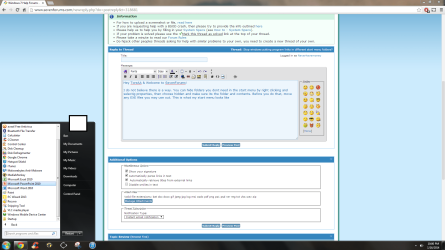
I do not believe there is a way. You can hide folders you dont need in the start menu by right clicking and selectig properties, then choose hidden and make sure its the folder and contents. Before you do that, move any EXE files you may use out. This is what my start menu looks like

1.PNG

I was looking for a similar solution before and this was the best i could come up with. Hope this helps!

Ben
 

My Computer My Computer

Computer type
Laptop
Computer Manufacturer/Model Number
Clevo W870CU
OS
Windows 7 Ultimate Professional x64
CPU
Intel Core i7-740QM @ 1.73GHz 4Core
Motherboard
Intel PM55
Memory
2 X 4GB DDR3-SDRAM 667MHz
Graphics Card(s)
ATI Mobility Radeon HD 5870 1GB SDRAM
Sound Card
Realtek High Definition Audio
Monitor(s) Displays
AUO149D 17.1" HD+/FHD @600Hz
Screen Resolution
1920X1080
Hard Drives
Seagate A0D-10F4 - 500 GB @7200RPM
PSU
43290mWh Intel Lithium-Ion Battery
Case
Cleveo W870CU
Cooling
2 Fans
Keyboard
Microsoft eHome MCIR 109
Mouse
Finger Sensing HID-Compliant Mouse Pad
Internet Speed
100 MB/s
Antivirus
avast! Antivirus
Browser
Google Chrome
Other Info
Biometric Enabled
2.0MP Cam
Thanks for quick reply :)

and thanks for the tip, I did not know that was possible.

The reason I asked is because I like to customize my program start menu. I have everything organized in different folders. Its just annoying that I have to do this more than one place since the program links is created in different folders. But as you say, I guess that is not possible.

I think this placement of links in different folders is because Win 7 has multi-user functionality so I hoped there was some settings somewhere that could make things better for a single user computer. I thought maybe in group settings or user settings, but could not find anything.

Thanks for help so far :)
 

My Computer My Computer

OS
Windows 7 Ultimate x64
CPU
E8500
Motherboard
680i sli
Memory
4 Gb
Graphics Card(s)
Gtx 470
Monitor(s) Displays
Compaq P1220
Hard Drives
4
PSU
850W
Case
Silverstone TJ10
Cooling
Thermalright Ultra120 eXtreme Rev.C
hmm I tried moving all program shotcuts from my user to
C:\ProgramData\Microsoft\Windows\Start Menu.

That worked great, but now my start menu folder in my user have become hidden and turned into a shortcut.

This seem to have resulted in that some software will not install saying it dont have insufficient privileges to to acess:
C:\ProgramData\Microsoft\Windows\Start Menu\Programs\.....

Any ideas?
 

My Computer My Computer

OS
Windows 7 Ultimate x64
CPU
E8500
Motherboard
680i sli
Memory
4 Gb
Graphics Card(s)
Gtx 470
Monitor(s) Displays
Compaq P1220
Hard Drives
4
PSU
850W
Case
Silverstone TJ10
Cooling
Thermalright Ultra120 eXtreme Rev.C
Back
Top