Strange "Open With" context menu behavior

plolo11

New member
Local time
1:15 AM
Messages
4
Hi everyone,

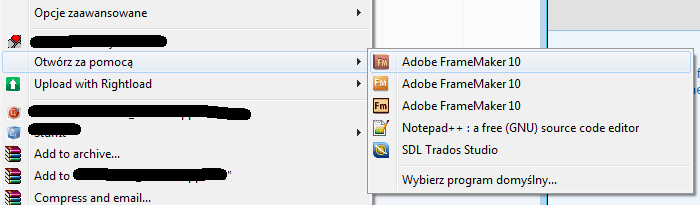
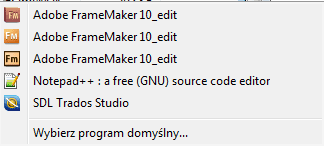
I wonder if you guys can help me. I have 3 versions of Framemaker installed and when I right-click an .fm file and then Open With I can see the three versions of Framemaker to pick from. They have different icons and they do open different applications but the text next to all three of them is the same- "Adobe Framemaker 10" (see attachment). It's kind of annoying. How do I change the text displayed there? I know it sits somewhere in the registry, just can't figure out where :)
 

Attachments

  • shot 025.png
    shot 025.png
    7.5 KB · Views: 7

My Computer

Computer type
PC/Desktop
OS
Windows 7 professional 64bit
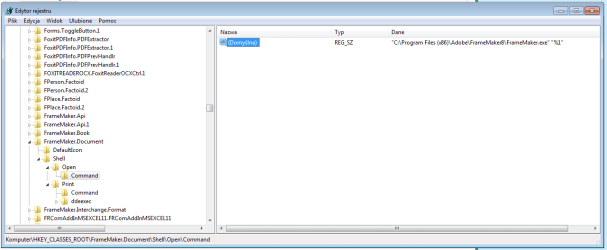
Check these keys : Key:HKEY_CLASSES_ROOT\FrameMaker.Document\Shell\Open\Command|__ Value ""%programfiles%\adobe\framemaker7.1\framemaker.exe" "%1""
and change the value name.
 

My Computer

Computer type
PC/Desktop
OS
Windows 7 Ultimate 32bit
Hey lindadorsey. Thanks for your suggestion.
Attached is what I have there.
I can't change "domyślna" (default). Should I add a copy of it there and name it "Framemaker 8"?

Cheers,
Paweł
 

Attachments

  • shot 026.png
    shot 026.png
    15.6 KB · Views: 5

My Computer

Computer type
PC/Desktop
OS
Windows 7 professional 64bit
Sorry that was the file association.
The Open With listing for a file type is populated from the following registry keys:

HKEY_CURRENT_USER \ Software \ Microsoft \ Windows \ CurrentVersion \ Explorer \ FileExts \ .xyz \ OpenWithList
HKEY_CURRENT_USER \ Software \ Microsoft \ Windows \ CurrentVersion \ Explorer \ FileExts \ .xyz \ OpenWithProgIDs
HKEY_CLASSES_ROOT\.xyz\ OpenWithList
HKEY_CLASSES_ROOT\.xyz\ OpenWithProgIDs
HKEY_CLASSES_ROOT\SystemFileAssociations\<Perceived Type>\OpenWithList
 

My Computer

Computer type
PC/Desktop
OS
Windows 7 Ultimate 32bit
Thanks again but it still doesn't help.
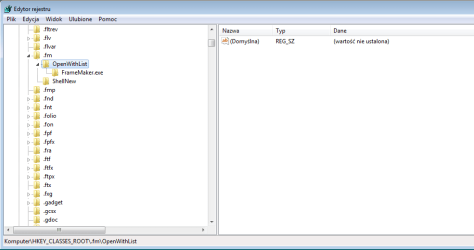
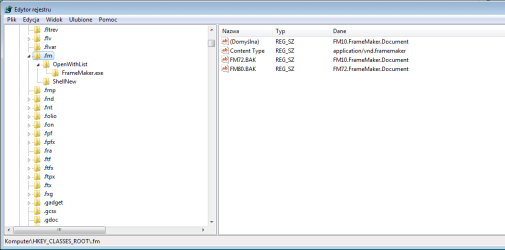
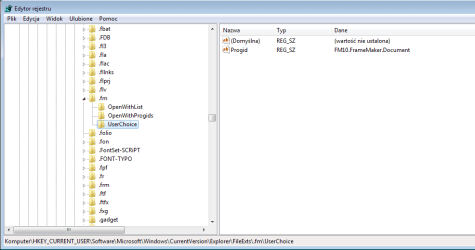
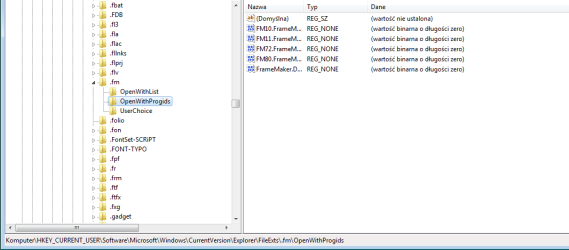
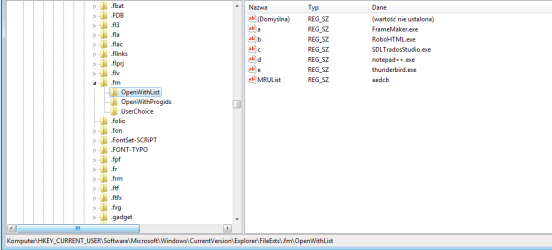
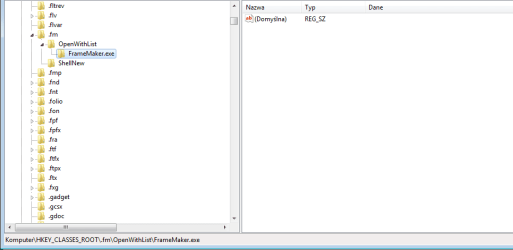
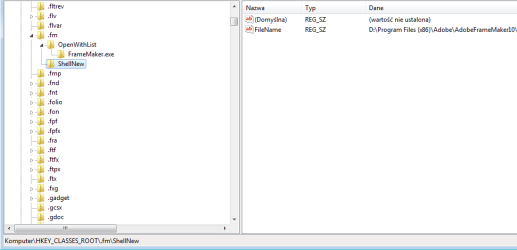
Attached is set of screenshots showing what I have in specified registry locations.

In 'HKEY_CLASSES_ROOT\SystemFileAssociations\<Perceived Type>\OpenWithList' there's no .fm file extension.

Correct me if i'm wrong but I should be looking for "Adobe Frememaker 10" string somewhere there and that would be what I should be editing, right?

Best,
Paweł
 

Attachments

  • shot 031.png
    shot 031.png
    10.7 KB · Views: 0
  • shot 030.png
    shot 030.png
    11.8 KB · Views: 1
  • shot 029.png
    shot 029.png
    12 KB · Views: 1
  • shot 028.png
    shot 028.png
    11.9 KB · Views: 1
  • shot 027.png
    shot 027.png
    12.5 KB · Views: 3
  • shot 032.png
    shot 032.png
    8.7 KB · Views: 1
  • shot 033.png
    shot 033.png
    9.6 KB · Views: 1

My Computer

Computer type
PC/Desktop
OS
Windows 7 professional 64bit
I have just searched the registry for that particular string: "Adobe FrameMaker 10" and got some hits. It appears in several places but changing it this place (see attached) resulted in changing all the values in the context menu to the one I just set. Something is obviously missing here. Any suggestions?
 

Attachments

  • shot 034.png
    shot 034.png
    14.8 KB · Views: 2
  • shot 035.png
    shot 035.png
    3.1 KB · Views: 9

My Computer

Computer type
PC/Desktop
OS
Windows 7 professional 64bit
Back
Top