Switchable graphics on HP dv6t laptop not working

vv211

New member
Member
Local time
6:42 PM
Messages
57
Location
Not NYC, NY, USA
Nevermind, turns out my dGPU was somehow disabled in Device Manager. Though if this occurs again and it's not disabled in device manager I'll refer back to this thread for helpProblem came back (previously I thought it was stuck on the iGPU, but just a problem with Device Manager)

My laptop is set up with switchable graphics, between the iGPU (Intel HD 3000) and the dGPU (AMD Radeon HD 6770M)

In my BIOS, I have set the mode to Fixed (In dynamic or switchable (I don't remember exactly what it's called), the graphics cards change seamlessly, in fixed mode, the display shuts down while the cards switch)

In Catalyst Control Center I have the graphics set to change based on whether my laptop is plugged in (on battery, iGPU is selected, on AC power, dGPU is selected)


Usually, everything works as it should. If I start up my laptop plugged in, the dGPU is selected. If I start it up on just the battery, the iGPU is selected, but if I plug in the AC adapter, it prompts to switch to the dGPU, or I can use CCC to select whichever GPU I want at anytime.

Lately though, it seems to be stuck on the dGPU. When I boot up on battery power it defaults to the dGPU, and I'm unable to switch over to the iGPU through CCC. This has happened in the past, but has been "resolved" with a driver update/re-install for the dGPU. Or of course an OS re-install.

I haven't installed any new software recently, but with my dual-boot between Windows and Ubuntu the Windows MBR inexplicably got screwed up recently, so I had to restore that; however the problem with the GPU's has occurred in the past when I was not dual-booting, so I'm not sure what could be causing this.

Everything looks good in device manager.

Any ideas or suggestions as to the cause, or a solution?

Edit: figured I should add that I have it set to fixed mode in the BIOS because CCC sometimes is very poor at judging which card it should use for which application, and so sometimes selects the iGPU when I need to be using the dGPU (for games and such).
 
Last edited:

My Computer My Computer

At a glance

Windows 7 Professional x64 w/SP1Intel i7-3770 3.4GHz32GB (8GB x4) DDR3 1600MHz Corsair Vengeance ...Sapphire Radeon HD 7950 3GB GDDR5 VRAM
Computer type
PC/Desktop
Computer Manufacturer/Model Number
Custom
OS
Windows 7 Professional x64 w/SP1
CPU
Intel i7-3770 3.4GHz
Motherboard
Gigabyte GA-Z77-D3H
Memory
32GB (8GB x4) DDR3 1600MHz Corsair Vengeance Dual Channel
Graphics Card(s)
Sapphire Radeon HD 7950 3GB GDDR5 VRAM
Sound Card
Sound Blaster ZxR PCIe
Monitor(s) Displays
1x 21.5"
Screen Resolution
1920x1080
Hard Drives
128GB OCZ Vertex 4 SSD
1TB 7200 rpm Seagate Barracuda
4TB 7200 rpm Western Digital Black
PSU
600W Coolmax ZU-600B
Case
Antec Nine Hundred Two V3
Cooling
4 stock case fans. 1 stock cpu fan. 2 stock gpu fans
Keyboard
Logitech K800 wireless backlit
Mouse
Roccat Tyon
Internet Speed
400 KB/s or so
Antivirus
992KB Hosts file, Hardware firewall, not clicking on links
Browser
Chrome
Problem came back. any thoughts?
 

My Computer My Computer

At a glance

Windows 7 Professional x64 w/SP1Intel i7-3770 3.4GHz32GB (8GB x4) DDR3 1600MHz Corsair Vengeance ...Sapphire Radeon HD 7950 3GB GDDR5 VRAM
Computer type
PC/Desktop
Computer Manufacturer/Model Number
Custom
OS
Windows 7 Professional x64 w/SP1
CPU
Intel i7-3770 3.4GHz
Motherboard
Gigabyte GA-Z77-D3H
Memory
32GB (8GB x4) DDR3 1600MHz Corsair Vengeance Dual Channel
Graphics Card(s)
Sapphire Radeon HD 7950 3GB GDDR5 VRAM
Sound Card
Sound Blaster ZxR PCIe
Monitor(s) Displays
1x 21.5"
Screen Resolution
1920x1080
Hard Drives
128GB OCZ Vertex 4 SSD
1TB 7200 rpm Seagate Barracuda
4TB 7200 rpm Western Digital Black
PSU
600W Coolmax ZU-600B
Case
Antec Nine Hundred Two V3
Cooling
4 stock case fans. 1 stock cpu fan. 2 stock gpu fans
Keyboard
Logitech K800 wireless backlit
Mouse
Roccat Tyon
Internet Speed
400 KB/s or so
Antivirus
992KB Hosts file, Hardware firewall, not clicking on links
Browser
Chrome
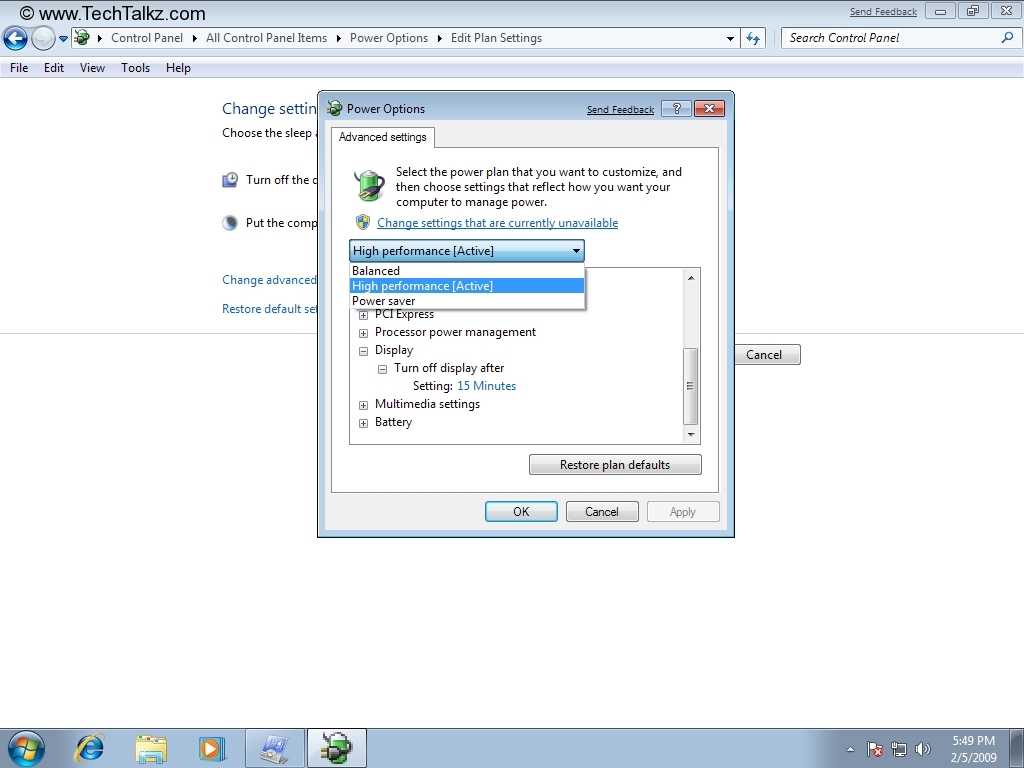
Look your power plan option details may be you disabled gpu from there or try updating your bios

PowerPlan_Win7_6.jpg
 

My Computer My Computer

At a glance

windows 7 home basic2410m8gbhd3000,540m
Computer type
Laptop
Computer Manufacturer/Model Number
Acer aspire 4830tg
OS
windows 7 home basic
CPU
2410m
Memory
8gb
Graphics Card(s)
hd3000,540m
I've tried and checked each of the different power plans, so far it's a no-go.
BIOS is at the latest version

Also, sorry for the late reply, I thought I had already replied :/
 

My Computer My Computer

At a glance

Windows 7 Professional x64 w/SP1Intel i7-3770 3.4GHz32GB (8GB x4) DDR3 1600MHz Corsair Vengeance ...Sapphire Radeon HD 7950 3GB GDDR5 VRAM
Computer type
PC/Desktop
Computer Manufacturer/Model Number
Custom
OS
Windows 7 Professional x64 w/SP1
CPU
Intel i7-3770 3.4GHz
Motherboard
Gigabyte GA-Z77-D3H
Memory
32GB (8GB x4) DDR3 1600MHz Corsair Vengeance Dual Channel
Graphics Card(s)
Sapphire Radeon HD 7950 3GB GDDR5 VRAM
Sound Card
Sound Blaster ZxR PCIe
Monitor(s) Displays
1x 21.5"
Screen Resolution
1920x1080
Hard Drives
128GB OCZ Vertex 4 SSD
1TB 7200 rpm Seagate Barracuda
4TB 7200 rpm Western Digital Black
PSU
600W Coolmax ZU-600B
Case
Antec Nine Hundred Two V3
Cooling
4 stock case fans. 1 stock cpu fan. 2 stock gpu fans
Keyboard
Logitech K800 wireless backlit
Mouse
Roccat Tyon
Internet Speed
400 KB/s or so
Antivirus
992KB Hosts file, Hardware firewall, not clicking on links
Browser
Chrome
Back
Top