I have decided recently to create a system repair disc in case something goes wrong with my computer. Using recdisc.exe, I created a system repair disc and everything worked out fine. Once I booted with the repair disc, I got a screen that looks like this:

This is what I wanted
I decided to make a recovery USB as well for convenience. (USB is much faster and is less bulky than a regular DVD)
I copied everything in the DVD, and pasted in my USB (the USB is an active and a primary partition). When I boot into the USB however, I do not get the System Recovery Options screen, but the HP Recovery Manager screen. I personally dislike HP recovery manager and want to get the Windows System Recovery Options screen.
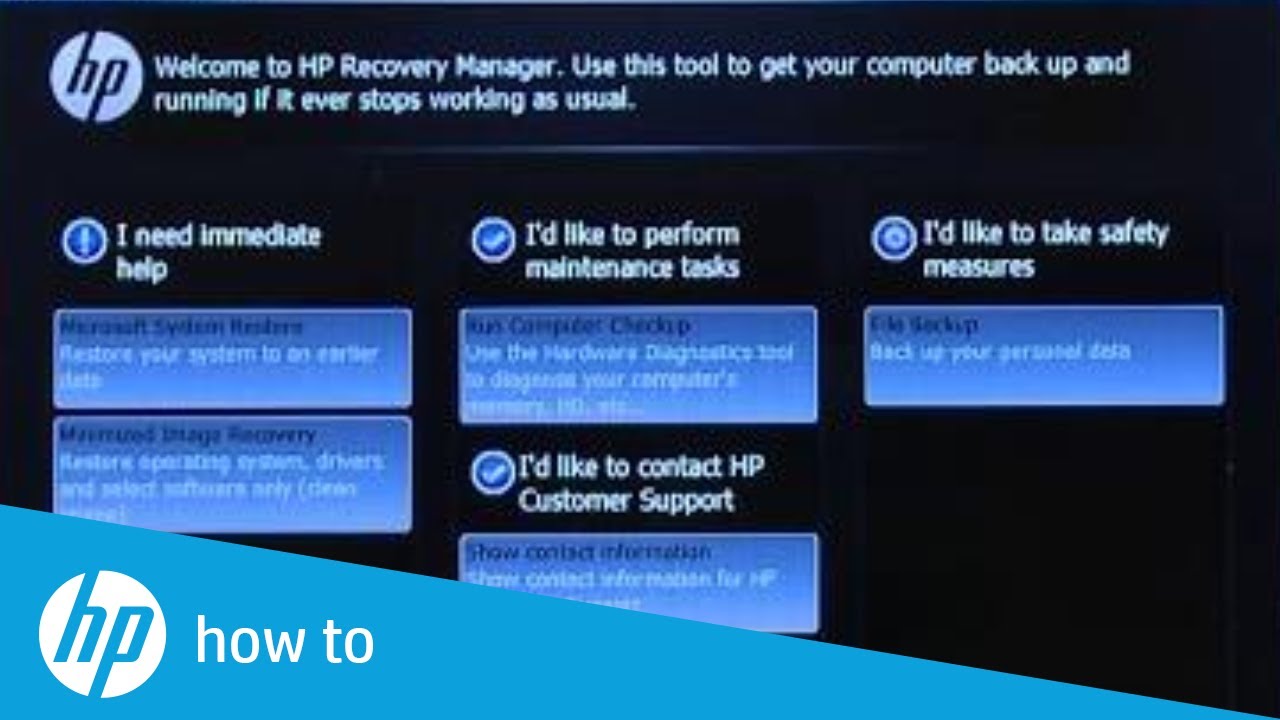
If I try to close the HP Recovery Manager, a dialog pops up asking if it should close HP Recovery Manager and reboot. Can someone tell me if I did something wrong to create the USB Recovery drive? I don't know what I did wrong, I copied everything from the disc (which works perfectly) to the USB (which suddenly decided not to work.) In case anyone was wondering, the HP Recovery Manager looks like this:
I don't know if this is relevant, but the CD drive is first in my boot order. Once I have a repair CD in my computer, it automatically loads. For me to access the USB, I have to manually boot into the USB using BIOS. Thanks for reading.
This is what I wanted
I decided to make a recovery USB as well for convenience. (USB is much faster and is less bulky than a regular DVD)
I copied everything in the DVD, and pasted in my USB (the USB is an active and a primary partition). When I boot into the USB however, I do not get the System Recovery Options screen, but the HP Recovery Manager screen. I personally dislike HP recovery manager and want to get the Windows System Recovery Options screen.
If I try to close the HP Recovery Manager, a dialog pops up asking if it should close HP Recovery Manager and reboot. Can someone tell me if I did something wrong to create the USB Recovery drive? I don't know what I did wrong, I copied everything from the disc (which works perfectly) to the USB (which suddenly decided not to work.) In case anyone was wondering, the HP Recovery Manager looks like this:
I don't know if this is relevant, but the CD drive is first in my boot order. Once I have a repair CD in my computer, it automatically loads. For me to access the USB, I have to manually boot into the USB using BIOS. Thanks for reading.
My Computer
At a glance
Windows 7 Home Premium 64bitIntel i5 355010 GB DDR3GTX 550 Ti
- Computer type
- PC/Desktop
- Computer Manufacturer/Model Number
- HP
- OS
- Windows 7 Home Premium 64bit
- CPU
- Intel i5 3550
- Memory
- 10 GB DDR3
- Graphics Card(s)
- GTX 550 Ti
- Hard Drives
- 1 HDD
1 SSD
- PSU
- CX 500
- Case
- Default HP Case
- Cooling
- Default Air Cooling
- Antivirus
- Webroot
- Browser
- Google Chrome