

- Local time
- 10:19 PM
- Messages
- 329
Hello
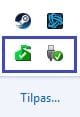
I am looking to remove these icons and pop ups in my system tray.
1) Safely remove hardware icon. Solved.
2) Microsoft security essentials icon.
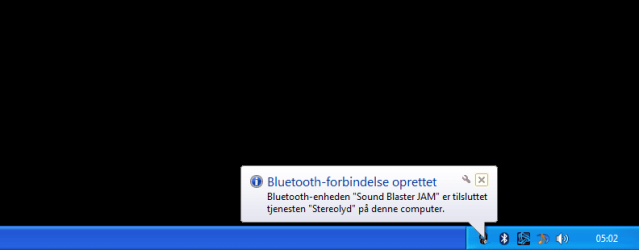
3) Bluetooth message that pops up in the notification area everytime I start my computer and says that my bluetooth headphones are connected to my computer.
I have googled this issue and the only suggestions I could find is a guide from windows that explains how to hide these icons, however what I want to do is to remove them completely.
I am looking to remove these icons and pop ups in my system tray.
1) Safely remove hardware icon. Solved.
2) Microsoft security essentials icon.
3) Bluetooth message that pops up in the notification area everytime I start my computer and says that my bluetooth headphones are connected to my computer.
I have googled this issue and the only suggestions I could find is a guide from windows that explains how to hide these icons, however what I want to do is to remove them completely.
Attachments
Last edited:
My Computer
At a glance
Windows 7 home premiumIntel core i5 4440Samsung 8gb ddr3Asus gtx 1050
- Computer type
- PC/Desktop
- OS
- Windows 7 home premium
- CPU
- Intel core i5 4440
- Motherboard
- Asus h81m-k
- Memory
- Samsung 8gb ddr3
- Graphics Card(s)
- Asus gtx 1050
- Monitor(s) Displays
- Lg 27ea33
- Hard Drives
- Teamgroup gx2 512gb
- PSU
- Lenovo 400 watt
- Case
- Bitfenix nova
- Browser
- Microsoft edge


