Solved Taskbar Links disappears

mampytanie666

New member
Local time
1:30 AM
Messages
2
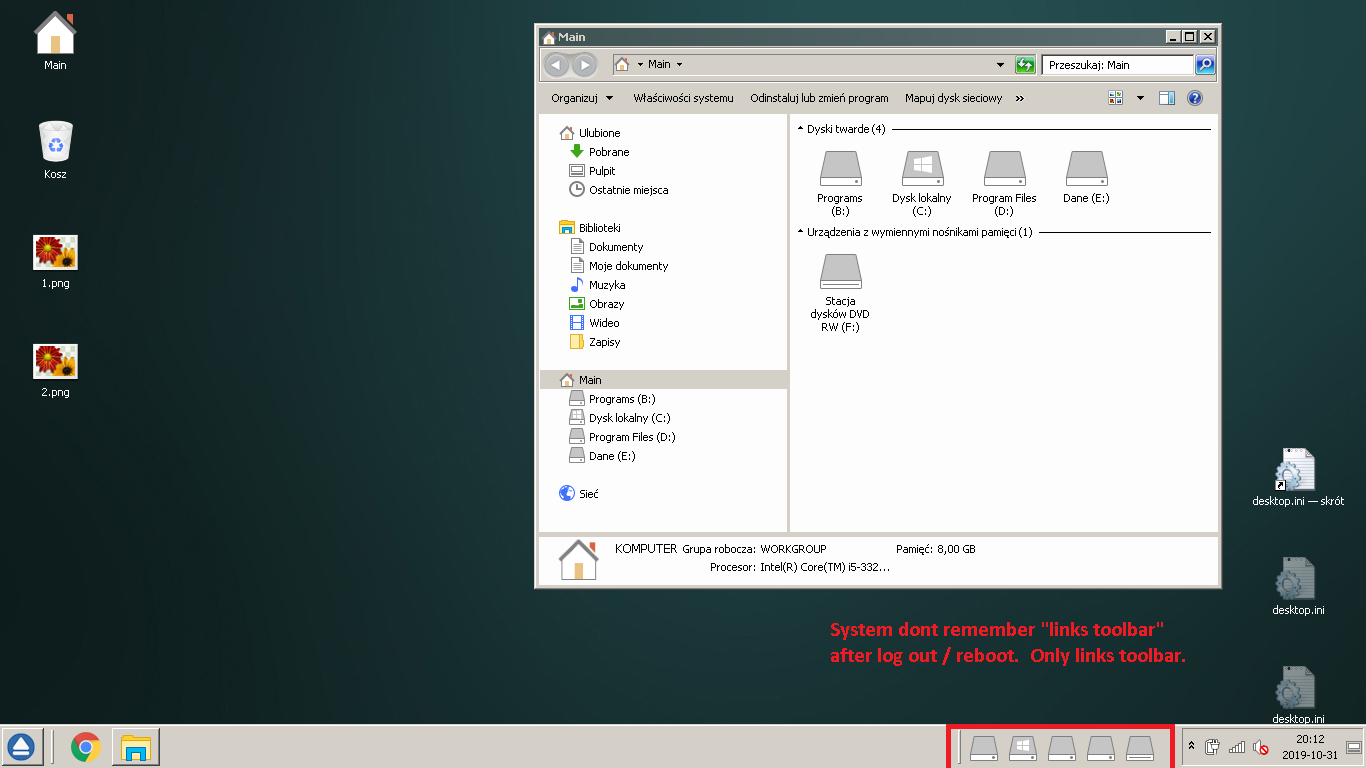
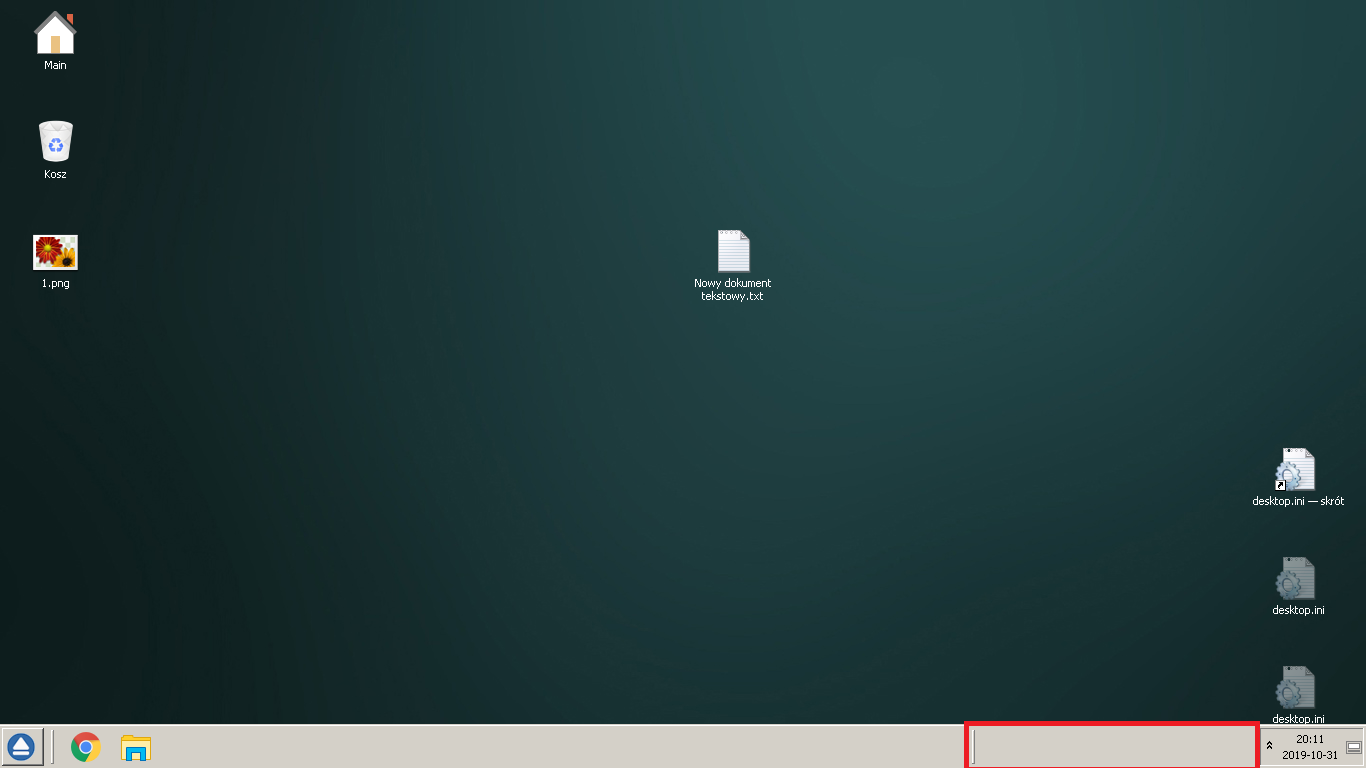
Hi. My problem:
1.png

2.png

Win 7.
regards
 

My Computer

Computer type
PC/Desktop
OS
win 7
Hi mampytanie666,

Welcome to SevenForums!

Try this . . .

[1] Click Start => Computer => Users => Your user => AppData => Local => delete the IconCache.

[2] Right-click the taskbar and select Task Manager => Processes tab => right-click explorer.exe => End Process.

[3] Right-click the taskbar and select Task Manager => select File => New Task [Run...], type explorer.exe => OK.

I hope this helps!

 

My Computer

Computer type
Laptop
Computer Manufacturer/Model Number
Fujitsu LIFEBOOK
OS
Win 7 HP SP1 64-bit Vista HB SP2 32-bit Linux Mint 18.3
CPU
Intel(R) Pentium(R) CPU P6200 @ 2.13GHz
Motherboard
FUJITSU FJNBB06
Memory
4.00 GB
Graphics Card(s)
Intel(R) Graphics Media Accelerator HD
Sound Card
[1] Realtek High Definition Audio [2] Intel(R) Display Audio
Screen Resolution
1366 x 768 x 32 bits (4294967296 colors) @ 59 Hz
Hard Drives
TOSHIBA MK5076GSX
Antivirus
AVG FREE
OP, did that solution work aok? :)
 

My Computer

Computer type
PC/Desktop
Computer Manufacturer/Model Number
Antec desktop; Acer Aspire laptops
OS
Windows 7 Professional 64-bit
CPU
Desktop i5; Acers i5 & i7
Memory
desktop 16GB; 1 Acer 8GB & 1 Acer 16GB
Hard Drives
1TB split into 2 equal partitions [OS and data] usable by RJS
Internet Speed
AT&T DSL
Browser
FF, GChrome, msIE
Other Info
Windows 7 Firewall, Emsisoft AM/AV, MSE [scan-only], SpywareBlaster, Ruiware/BillP combine
It was wrong entry in registry (to nothing our wrong patch) BTW. Im trying change start menu to xp classic without external programs (80% done). I will write about this in a separate thread in the future if I succeed in 100% Now im testing robocopy for task schedule (it will be useful for this).
Thx for reply.
Subject to close
 
Last edited:

My Computer

Computer type
PC/Desktop
OS
win 7
Back
Top