SIW2
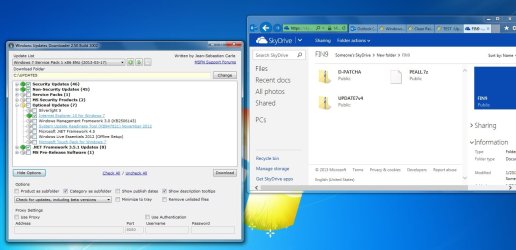
Downloaded "UPDATE7v5.zip" without a hitch!!

Many Thanks for the Download AND THE UPDATER PROCESS.
I'm about to embark on a UPGRADE (Win8 To Win7 x64 Pro) on a Brand New PC with a UEFI Compliant Motherrboard and Have Noted gregrocker has Slipstreamed in some device Drivers which will be important for me ALSO. I know Windows includes a lot of Driver's BUT I So often read about people who have trouble with Hardware not being recognised, Such as Optical (CD/DVD) and HDD & SSD.
In my case I need to use Drivers (Chipset, SATA Controller, Intel LAN Driver's etc) supplied by the ASUS Support Disk!
THE Problem is (a.) How do I go about slipstreaming in the Drivers? and
(b.) HOW do I recognise Which are the Drivers?
To the best of my Knowledge I would be Supplying your Updater with ".inf" file Names. Trouble is I have noted that there are ".sys", ".cat" and even ".exe" files in some of the folders.
I have read a number of articles from sevenforum (THANK GOD for this Forum) about installing UEFI Windows 7 and Shift + F10 to load drivers and YOUR Solution looks EXCELLENT and would really like to give a Go!
Some Quick Specs: Intel i7 3770k; ASUS P8Z77-V MoBo; 16 GB Ram; 1x 2TB Segate HDD - SATA 6g/bps; & 1 x Sandisk Extreme 120GB SATA 6g/bps. Installing Windows on the HDD & The SSD is for the Intel rapid Storage Technology.
Very much appreciate any advise on the driver slipstreaming using your UPDATER!
THANKS HEAPS
Shrike49
Shrike49.