- Local time
- 11:38 AM
- Messages
- 16,797
Update 7 installation media - DIY SP2
Anyone who wants to give this a try:
1. Put your win7 dvd in the drive, rt click it and select COPY. Then rt click your partition (e.g. C ) and PASTE.
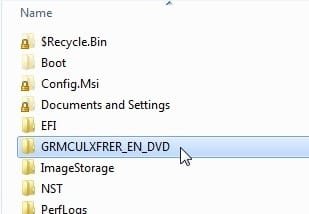
It will take a few mins and you should have afolder on c containing the installation files, like this:
2. Install WUD - tiny program:
View attachment WUD250B1002Setup.exe
[ Windows Updates Downloader (WUD) Program Files ]
Get the relevant update list update-list-gdr-pour-windows-7-sp1-x86x64-fr-en-de-es-it
Unzip the update list you downloaded and click the ulz file.Then the list will show up when you run WUD.exe
Run WUD
Select a folder to download them to ( e.g. c:\updates ). Recommended tick boxes as below - ( ie11 optional ). Then click Download button

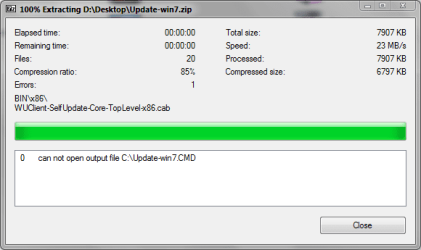
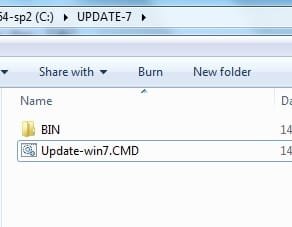
3. Extract this onto C. UPDATE7v5.zip
View attachment UPDATE7v5.zip
NEW VERSION View attachment UPDATE7v7.zip
Then RUN AS ADMIN on the .cmd
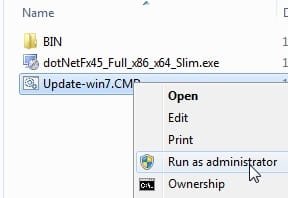
And off it goes
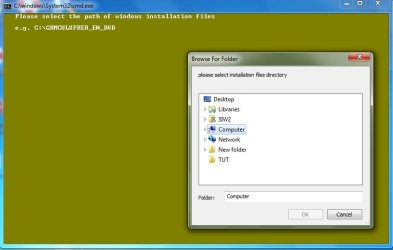
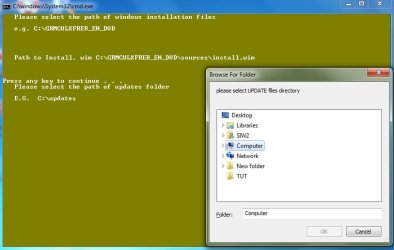
It will take a while to integrate the updates - probably half an hour or so. Then it will offer to make a bootable installation iso.
NOTE: This assumes you start with the 7 iso that already has SP1 integrated.
Microsoft Windows and Office ISO Download Tool
NOTE: When you boot your updated iso, all editions will be available - however, only the edition you updated will include the updates, of course.
Anyone who wants to give this a try:
1. Put your win7 dvd in the drive, rt click it and select COPY. Then rt click your partition (e.g. C ) and PASTE.
It will take a few mins and you should have afolder on c containing the installation files, like this:
2. Install WUD - tiny program:
View attachment WUD250B1002Setup.exe
[ Windows Updates Downloader (WUD) Program Files ]
Get the relevant update list update-list-gdr-pour-windows-7-sp1-x86x64-fr-en-de-es-it
Unzip the update list you downloaded and click the ulz file.Then the list will show up when you run WUD.exe
Run WUD
Select a folder to download them to ( e.g. c:\updates ). Recommended tick boxes as below - ( ie11 optional ). Then click Download button
3. Extract this onto C. UPDATE7v5.zip
View attachment UPDATE7v5.zip
NEW VERSION View attachment UPDATE7v7.zip
Then RUN AS ADMIN on the .cmd
And off it goes
It will take a while to integrate the updates - probably half an hour or so. Then it will offer to make a bootable installation iso.
NOTE: This assumes you start with the 7 iso that already has SP1 integrated.
Microsoft Windows and Office ISO Download Tool
NOTE: When you boot your updated iso, all editions will be available - however, only the edition you updated will include the updates, of course.
Last edited:
My Computers
-
At a glance
7 X64i5 84002x8gb 3200mhz- Computer type
- PC/Desktop
- OS
- 7 X64
- CPU
- i5 8400
- Motherboard
- gigabyte b365m ds3h
- Memory
- 2x8gb 3200mhz
- Hard Drives
- various
- PSU
- pure power 11 400w cm
- Case
- Coolermaster
- Cooling
- cryorig m9i
-
At a glance
7x64g54008gb ddr4 2400- Computer type
- PC/Desktop
- OS
- 7x64
- CPU
- g5400
- Motherboard
- ga b365m ds3h
- Memory
- 8gb ddr4 2400
- PSU
- xfx pro 450w