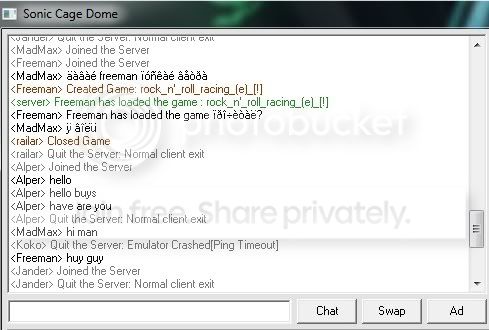
Text is small and grainy now..

mistamontiel

Banned
VIP
Local time
12:07 AM
Messages
122
Location
Miami, FL, CUBA
I was trying something with my monitor that I used to but for some reason it made all my text everywhere sharp and not as focusable as it was by default.

Even as I see this pic before then I see crap text. You guys won't. Here's comparison..
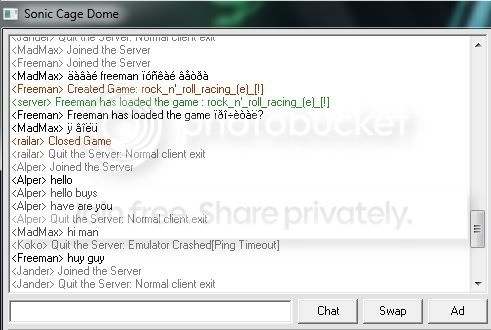
scdwush.jpg

Default.

craptext.jpg

^ Sharp.
:[
 

My Computer My Computer

Computer Manufacturer/Model Number
Compaq Presario
OS
Windows 7 Home Edition 64-bit
Memory
4 gigger
Graphics Card(s)
NVIDIA GeForce GT 440
Screen Resolution
1920x1080
PSU
AMD 2.30GHz
Keyboard
USB Logitech wired..with the volume knob not buttons :)
Mouse
USB wired
Internet Speed
AT&T (384kilos down 40 kilos up) wired
It's not really clear what is going on - "sharp and not as focusable" seems a contradiction in terms.

For text readability, check your resolution and dpi, and then go to Control Panel > Display > Adjust ClearType text and set it up as you like.

Also there is: Control Panel > System > Advanced System Properties > Performance Settings > Visual Effects tab: make sure "Smooth edges of screen fonts" is ticked.
 

My Computer My Computer

OS
Windows 7
I forgot what's DPI..I don't think it's in the menu of my monitor.

I tried the Cleartype step to set everything as bold as it could be but no changes..

Smooth edges options was checked already, too
 

My Computer My Computer

Computer Manufacturer/Model Number
Compaq Presario
OS
Windows 7 Home Edition 64-bit
Memory
4 gigger
Graphics Card(s)
NVIDIA GeForce GT 440
Screen Resolution
1920x1080
PSU
AMD 2.30GHz
Keyboard
USB Logitech wired..with the volume knob not buttons :)
Mouse
USB wired
Internet Speed
AT&T (384kilos down 40 kilos up) wired
Right click on desktop > Screen Resolution > Make text and other items larger or smaller. Try selecting the default choice first and see if it helps.

But I still wonder what you did to your monitor - if it involved dropping it from 6 feet, then messing with the Windows display settings won't help!
 

My Computer My Computer

OS
Windows 7
Not @ all. I reset the monitor I was playing in the screen..I can't say DPI is in there..

Are you certain the above two pics can't show difference ? Before & after no ?
 

My Computer My Computer

Computer Manufacturer/Model Number
Compaq Presario
OS
Windows 7 Home Edition 64-bit
Memory
4 gigger
Graphics Card(s)
NVIDIA GeForce GT 440
Screen Resolution
1920x1080
PSU
AMD 2.30GHz
Keyboard
USB Logitech wired..with the volume knob not buttons :)
Mouse
USB wired
Internet Speed
AT&T (384kilos down 40 kilos up) wired
In the "Make text and other items larger or smaller" window, the choices of Small, Medium, or Large are just standard DPI settings. The custom DPI settings are on the left - "Set custom text size". But I didn't think that would help you.

If the text you don't like is in an application or browser, try changing the font in the application or browser settings.
 

My Computer My Computer

OS
Windows 7
debugged, the two pics can't show difference ?

There's a checkbox saying "Use Windows XP style DPI scaling" as well..

In everything text isn't as bold as it used to..
 

My Computer My Computer

Computer Manufacturer/Model Number
Compaq Presario
OS
Windows 7 Home Edition 64-bit
Memory
4 gigger
Graphics Card(s)
NVIDIA GeForce GT 440
Screen Resolution
1920x1080
PSU
AMD 2.30GHz
Keyboard
USB Logitech wired..with the volume knob not buttons :)
Mouse
USB wired
Internet Speed
AT&T (384kilos down 40 kilos up) wired
Back
Top