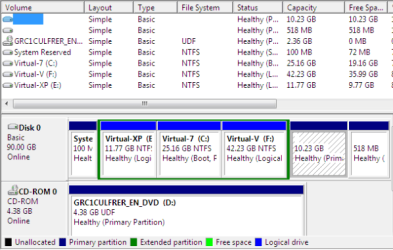
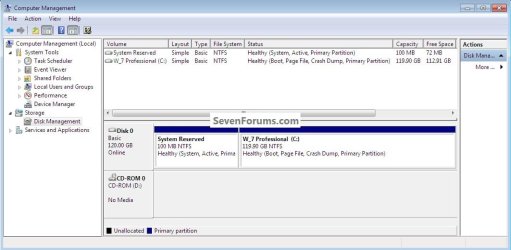
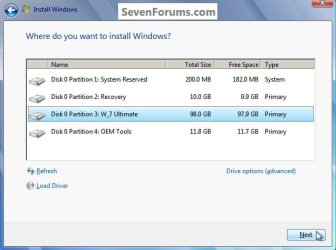
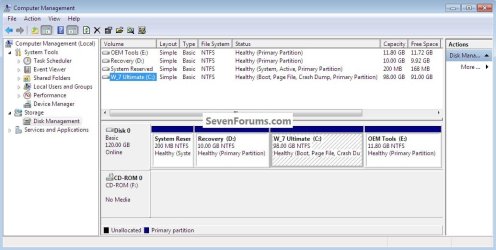
People come to me with brand new laptops with an OEM installation of Win7 that have already 4 primary partitions. Those are usually:
1. A 100MB active boot partition that contains the MBR (Master Boot Record)
2. The OS partition that contains Windows7
3. The recovery partition
4. And often also a tools partition with the OEMs specific tool box
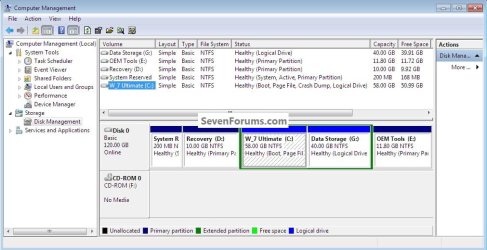
Since I always recommend to create a seperate Data Partition (but also warn them of the dreaded dynamic partitions), they ask me how to fiddle the Data partition in.
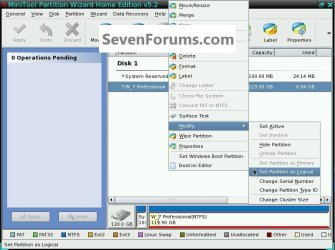
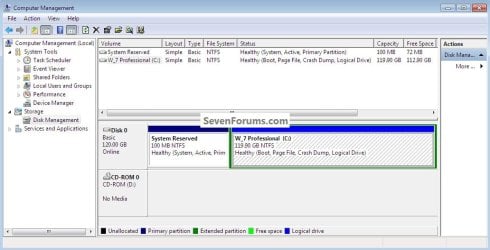
Now it is pretty obvious that #'s 1 and 3 must stay primaries because they are both boot partitions. But one should be able to change #'s 2 and 4 to logical partition (possible with Partition Wizard - at least the 4.2. edition). I wonder though how this creates an extended partition container.
Does anybody see any harm done if one converts #'s 2 and 4 into logical partitions and are there any interim steps required to get the container? (I hate to try it on someones laptop and create a mess). I believe that BFK already stated in one of his tuts that #2 is a candidate,
1. A 100MB active boot partition that contains the MBR (Master Boot Record)
2. The OS partition that contains Windows7
3. The recovery partition
4. And often also a tools partition with the OEMs specific tool box
Since I always recommend to create a seperate Data Partition (but also warn them of the dreaded dynamic partitions), they ask me how to fiddle the Data partition in.
Now it is pretty obvious that #'s 1 and 3 must stay primaries because they are both boot partitions. But one should be able to change #'s 2 and 4 to logical partition (possible with Partition Wizard - at least the 4.2. edition). I wonder though how this creates an extended partition container.
Does anybody see any harm done if one converts #'s 2 and 4 into logical partitions and are there any interim steps required to get the container? (I hate to try it on someones laptop and create a mess). I believe that BFK already stated in one of his tuts that #2 is a candidate,
My Computer
At a glance
Vista, Windows7, Mint Mate, Zorin, Windows 8from 1.6GHz Duo to i7
- Computer Manufacturer/Model Number
- HP, Dell, Gateway, Toshiba - 4 laptops and 2 desktops
- OS
- Vista, Windows7, Mint Mate, Zorin, Windows 8
- CPU
- from 1.6GHz Duo to i7
- Monitor(s) Displays
- 2x HP w2207
- Hard Drives
- 5x HDD, 7x SSD, 12x Externals
- Keyboard
- with trackball - no mices
- Mouse
- Trackball mice
- Internet Speed
- DSL 6000