Browser tests?
Browser tests. Mostly they just check that plugins are up to date rather than simulate exploits.
Here's a few that do more. Screenshots posted so that results can be compared.
check-and-secure | powered by cyscon GmbH! (Warning. Will offer to install HitmanPro Alert. Maybe you don't want it).
Feature Settings Check - Main - Not really a browser check. Checks to see if your security blocks harmless malware test samples.
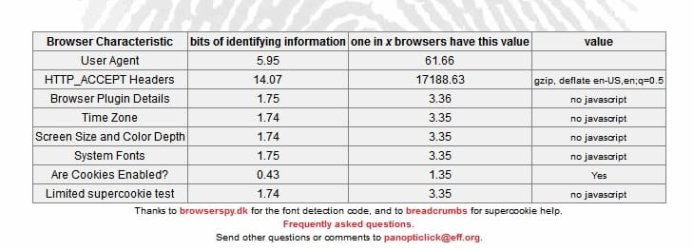
BrowserSpy.dk - aimed at testing privacy.
Zeigen's Referrer Test referrer test
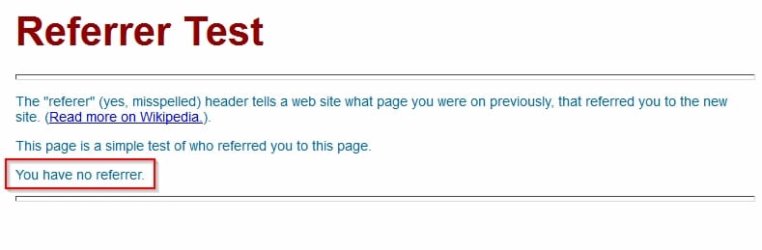
PC Flank: Make sure you're protected on all sides. - lots of stuff
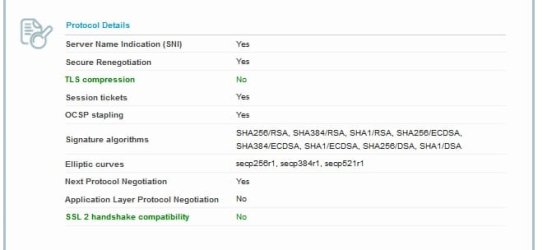
https://www.ssllabs.com/ssltest/viewMyClient.html SSL/TLS test (Ciphers test)

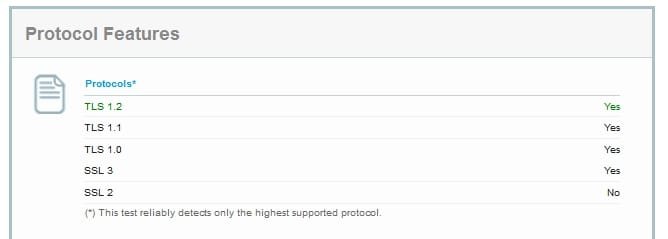
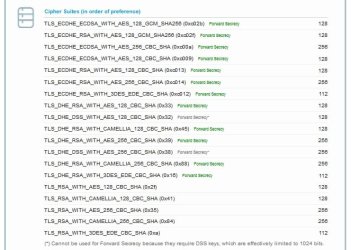
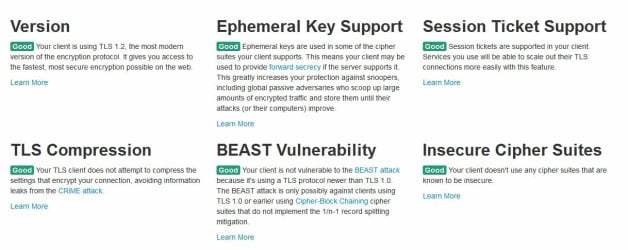
https://www.howsmyssl.com/ Another SSL test
https://panopticlick.eff.org/index.php - Browser Fingerprinting
https://www.grc.com/dns/dns.htm - DNS Nameserver Test
Test for X-FRAME-OPTIONS - Click-jacking test

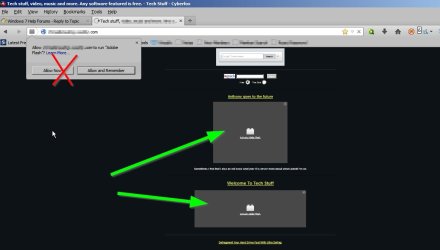
As for IE - I don't want to knock it. It does well if configured correctly but that's the hard bit! I've never found a way to selectively allow flash content rather than allowing flash to run for the whole page.
Browser tests. Mostly they just check that plugins are up to date rather than simulate exploits.
Here's a few that do more. Screenshots posted so that results can be compared.
check-and-secure | powered by cyscon GmbH! (Warning. Will offer to install HitmanPro Alert. Maybe you don't want it).
Feature Settings Check - Main - Not really a browser check. Checks to see if your security blocks harmless malware test samples.
BrowserSpy.dk - aimed at testing privacy.
Zeigen's Referrer Test referrer test
PC Flank: Make sure you're protected on all sides. - lots of stuff
https://www.ssllabs.com/ssltest/viewMyClient.html SSL/TLS test (Ciphers test)
https://www.howsmyssl.com/ Another SSL test
https://panopticlick.eff.org/index.php - Browser Fingerprinting
https://www.grc.com/dns/dns.htm - DNS Nameserver Test
Test for X-FRAME-OPTIONS - Click-jacking test
As for IE - I don't want to knock it. It does well if configured correctly but that's the hard bit! I've never found a way to selectively allow flash content rather than allowing flash to run for the whole page.
My Computer
At a glance
Microsoft Windows 7 Home Premium 64-bit 7601 ...AMD C-60 APU with Radeon(tm) HD Graphics4.00 GBAMD Radeon HD 6290 Graphics
- Computer type
- Laptop
- Computer Manufacturer/Model Number
- ASUS
- OS
- Microsoft Windows 7 Home Premium 64-bit 7601 Multiprocessor Free Service Pack 1
- CPU
- AMD C-60 APU with Radeon(tm) HD Graphics
- Motherboard
- ASUSTeK COMPUTER INC. X501U
- Memory
- 4.00 GB
- Graphics Card(s)
- AMD Radeon HD 6290 Graphics
- Sound Card
- (1) AMD High Definition Audio Device (2) Realtek High Defi
- Screen Resolution
- 1366 x 768 x 32 bits (4294967296 colors) @ 60 Hz
- Hard Drives
- Hitachi HTS545050A7E380 SATA Disk Device
- Antivirus
- Comodo CIS & FW, SecureAplus App Whitelisting, Threatfire
- Browser
- Cyberfox 64bit, Opera 64bit, Airfox
- Other Info
- Spy-The-Spy, HitmanPro.Alert, Norton Connect Safe, MJRegWatcher, BitDefender TrafficLight, Voodoo Shield, Zemana AntiMalware