Theme - How to Apply Custom Themes

How to Apply Custom Themes in Windows 7

   Information
This will show you how to apply a custom theme from deviantART as your theme in Windows 7.


Here's How:
1. First you will need to click on the Download button below to download and install either the 32-bit (x86) or 64-bit (x64) Universal Theme Patcher (auto installer) below for your 32-bit or 64-bit Windows 7.
32-bit:

Download


64-bit:

Download


2. When downloaded, unrar the file using winrar, and run the exe.

3. Select your user interface language
2ngahdt.png

4. Click OK

5. The click yes when this box appear.
2dv7u3a.png

6. The you need to patch these 3 files (As you see i already have mine patched) Click the patch outside each file, after patching them all reboot.
2f09cp2.png

7. Now you need a custom theme, i will advise you to check these out:
New Orleans Saints by ~sergiogarcia9 on deviantART

Aero Evolution 1.0 by ~sergiogarcia9 on deviantART

Majestic Excellence by ~sergiogarcia9 on deviantART

Midnight by ~MrGRiM01 on deviantART

My DA profile: sergiogarcia9 on deviantART
Mr Grim's DA profile: MrGRiM01 on deviantART

   Note
You can also find more themes on Deviantart, but make sure they work with windows 7.

They need to be unzipped first.


8. Now navigate to the Windows folder, find the folder called resources and click on the themes folder. (C:\Windows\Resources\Themes)
These are the files that has to be placed in the folder:

6dsthk.png

9. Then paste the folder and theme provided, then the theme should appear in your personalization menu :)

NOTE: In most themes there are only 2 files (a folder and a theme file)

Good luck :)


Attachments

Last edited by a moderator:
Ok I installed the luna theme and did everything the universal patcher and paste it on themes, but its no in the personalization saved themes.

To install 3rd party themes,first you have to install:
1.Universal Theme Patcher
2.Theme Resource changer.
You can find the above in deviantart,with lots of custom themes......
 

My Computer My Computer

Computer type
Laptop
Computer Manufacturer/Model Number
LENOVO G570
OS
windows 7 ultimate 64 bit
CPU
Intel core i3-2350M cpu@!2.30 Ghz
Motherboard
Lenovo
Memory
4.00 GB
Graphics Card(s)
AMD RADEON HD 6370M(1GB)
Monitor(s) Displays
Generic pnp Monitor
Screen Resolution
1366*768
Hard Drives
ST9500325AS ATA device(500GB) NTFS
Keyboard
Standard ps/2 keyboard
Mouse
synaptics ps/2 port Touchpad
Internet Speed
921.6 kbps(Dial up Connection)
Antivirus
Quick Heal,MSE
Browser
Opera,Chrome
Ok I installed the luna theme and did everything the universal patcher and paste it on themes, but its no in the personalization saved themes.

To install 3rd party themes,first you have to install:
1.Universal Theme Patcher
2.Theme Resource changer.
You can find the above in deviantart,with lots of custom themes......

Where can I download the theme resource changer
 

My Computer My Computer

Computer type
Laptop
Computer Manufacturer/Model Number
compaq
OS
windows Ultimate
Hello Rose,

If you like, Universal Theme Patcher is what the tutorial uses on the first page. It has a download link available in it. :)
 

My Computer My Computer

Computer type
PC/Desktop
Computer Manufacturer/Model Number
Self built custom
OS
64-bit Windows 11 Pro for Workstations
CPU
Intel i7-8700K OC'd to 5 GHz
Motherboard
ASUS ROG Maximus XI Formula Z390
Memory
64 GB (4x16GB) G.SKILL TridentZ RGB DDR4 3600 MHz
Graphics Card(s)
ASUS ROG-STRIX-GTX1080TI-O11G-GAMING
Sound Card
Integrated
Monitor(s) Displays
2 x Samsung Odyssey G7 27"
Screen Resolution
2560x1440
Hard Drives
1TB Samsung 990 PRO M.2,
4TB Samsung 990 PRO PRO M.2,
TerraMaster F8 SSD Plus NAS
PSU
Seasonic Prime Titanium 850W
Case
Thermaltake Core P3
Cooling
Corsair Hydro H115i
Keyboard
Logitech wireless K800
Mouse
Logitech MX Master 4
Internet Speed
2 Gb/s Download and 100 Mb/s Upload
Antivirus
Malwarebyte Anti-Malware Premium
Browser
Google Chrome
Other Info
Logitech Z625 speaker system,
Logitech BRIO 4K Pro webcam,
HP Color LaserJet Pro MFP M477fdn,
APC SMART-UPS RT 1000 XL - SURT1000XLI,
Galaxy S23 Plus phone
Ok I installed the luna theme and did everything the universal patcher and paste it on themes, but its no in the personalization saved themes.

To install 3rd party themes,first you have to install:
1.Universal Theme Patcher
2.Theme Resource changer.
You can find the above in deviantart,with lots of custom themes......

Where can I download the theme resource changer

If you download any theme from deviant art,it includes theme patcher and resource changer along with theme setup.Simply unzip,install the theme after installing these two.
Remember,theme patcher for installing third party themes,and resource changer for change visual styles of taskbar, startmenu and windows appearance.
 

My Computer My Computer

Computer type
Laptop
Computer Manufacturer/Model Number
LENOVO G570
OS
windows 7 ultimate 64 bit
CPU
Intel core i3-2350M cpu@!2.30 Ghz
Motherboard
Lenovo
Memory
4.00 GB
Graphics Card(s)
AMD RADEON HD 6370M(1GB)
Monitor(s) Displays
Generic pnp Monitor
Screen Resolution
1366*768
Hard Drives
ST9500325AS ATA device(500GB) NTFS
Keyboard
Standard ps/2 keyboard
Mouse
synaptics ps/2 port Touchpad
Internet Speed
921.6 kbps(Dial up Connection)
Antivirus
Quick Heal,MSE
Browser
Opera,Chrome
Hello Rose,

If you like, Universal Theme Patcher is what the tutorial uses on the first page. It has a download link available in it. :)

On my custom theme the taskbar icon have some kind of shadow when I click on them. Anyway to fix that?
 

My Computer My Computer

Computer type
Laptop
Computer Manufacturer/Model Number
compaq
OS
windows Ultimate

My Computer My Computer

Computer type
PC/Desktop
Computer Manufacturer/Model Number
Self built custom
OS
64-bit Windows 11 Pro for Workstations
CPU
Intel i7-8700K OC'd to 5 GHz
Motherboard
ASUS ROG Maximus XI Formula Z390
Memory
64 GB (4x16GB) G.SKILL TridentZ RGB DDR4 3600 MHz
Graphics Card(s)
ASUS ROG-STRIX-GTX1080TI-O11G-GAMING
Sound Card
Integrated
Monitor(s) Displays
2 x Samsung Odyssey G7 27"
Screen Resolution
2560x1440
Hard Drives
1TB Samsung 990 PRO M.2,
4TB Samsung 990 PRO PRO M.2,
TerraMaster F8 SSD Plus NAS
PSU
Seasonic Prime Titanium 850W
Case
Thermaltake Core P3
Cooling
Corsair Hydro H115i
Keyboard
Logitech wireless K800
Mouse
Logitech MX Master 4
Internet Speed
2 Gb/s Download and 100 Mb/s Upload
Antivirus
Malwarebyte Anti-Malware Premium
Browser
Google Chrome
Other Info
Logitech Z625 speaker system,
Logitech BRIO 4K Pro webcam,
HP Color LaserJet Pro MFP M477fdn,
APC SMART-UPS RT 1000 XL - SURT1000XLI,
Galaxy S23 Plus phone

My Computer My Computer

Computer type
Laptop
Computer Manufacturer/Model Number
compaq
OS
windows Ultimate
Yeah, I was thinking change the icons above the orange one to be the same as the clear one right below the orange one instead may do the trick.
 

My Computer My Computer

Computer type
PC/Desktop
Computer Manufacturer/Model Number
Self built custom
OS
64-bit Windows 11 Pro for Workstations
CPU
Intel i7-8700K OC'd to 5 GHz
Motherboard
ASUS ROG Maximus XI Formula Z390
Memory
64 GB (4x16GB) G.SKILL TridentZ RGB DDR4 3600 MHz
Graphics Card(s)
ASUS ROG-STRIX-GTX1080TI-O11G-GAMING
Sound Card
Integrated
Monitor(s) Displays
2 x Samsung Odyssey G7 27"
Screen Resolution
2560x1440
Hard Drives
1TB Samsung 990 PRO M.2,
4TB Samsung 990 PRO PRO M.2,
TerraMaster F8 SSD Plus NAS
PSU
Seasonic Prime Titanium 850W
Case
Thermaltake Core P3
Cooling
Corsair Hydro H115i
Keyboard
Logitech wireless K800
Mouse
Logitech MX Master 4
Internet Speed
2 Gb/s Download and 100 Mb/s Upload
Antivirus
Malwarebyte Anti-Malware Premium
Browser
Google Chrome
Other Info
Logitech Z625 speaker system,
Logitech BRIO 4K Pro webcam,
HP Color LaserJet Pro MFP M477fdn,
APC SMART-UPS RT 1000 XL - SURT1000XLI,
Galaxy S23 Plus phone
Yeah, I was thinking change the icons above the orange one to be the same as the clear one right below the orange one instead may do the trick.

I don't think this is what I'm looking for. :(
 

My Computer My Computer

Computer type
Laptop
Computer Manufacturer/Model Number
compaq
OS
windows Ultimate
hello,

The theme I installed works pretty well with your tutorial.
However, I have some images that do not appear. (I did it on 2 different computers under Windows 7 SP1 64-bit) but nothing happens.

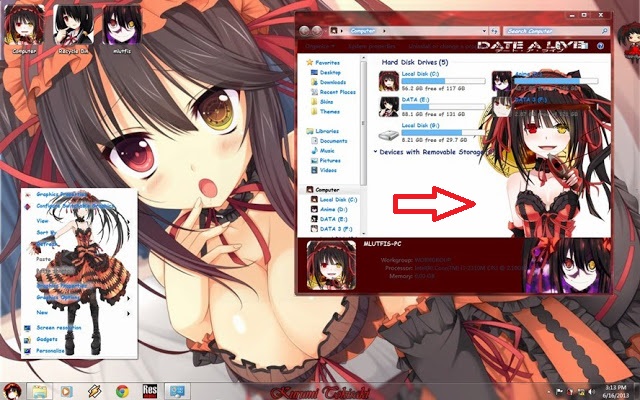
The picture should give me the theme:

See to rate the red arrow (the picture that I should have)


3.jpg


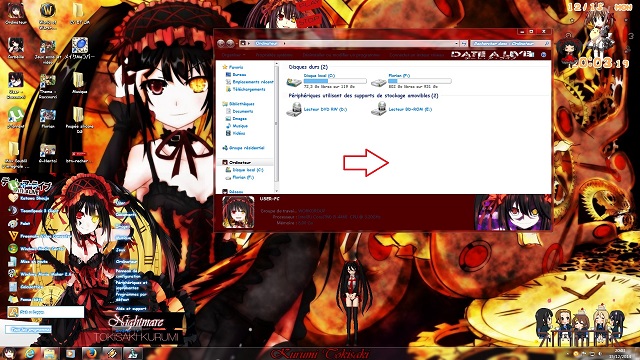
I get me:
See to rate the red arrow (She does not appear on my theme)


1.jpg


All Appear exception is the image (background image of window)
Thank you for helping me!

I said that I already try with several different theme and the problem and the same.
 

My Computer My Computer

Computer type
PC/Desktop
Computer Manufacturer/Model Number
Intel Core i5
OS
Windows 7 sp1 64 bits
CPU
3.20 GHz
Motherboard
GIGABYTE Z97P LGA1150 ATX Intel Z97
Memory
8.00 GO
Graphics Card(s)
GeForce GTX 750 Ti
No one knows the solution?

he must miss a program can be? required to operate the file?
Being a theme for windows 7, it does not come from my OS
 

My Computer My Computer

Computer type
PC/Desktop
Computer Manufacturer/Model Number
Intel Core i5
OS
Windows 7 sp1 64 bits
CPU
3.20 GHz
Motherboard
GIGABYTE Z97P LGA1150 ATX Intel Z97
Memory
8.00 GO
Graphics Card(s)
GeForce GTX 750 Ti
So for the installed theme (all same theme) is working properly except for background records that do not appear.

I found a program like Windows 7 Folder Background Changer that can launch his own images (this starts correctly, but images still do not appear ...)

Then all I have to even find a small program to add a folder tab background change in the system to counter made windows 7 that I do not know why not to let me be me or my pictures lol!

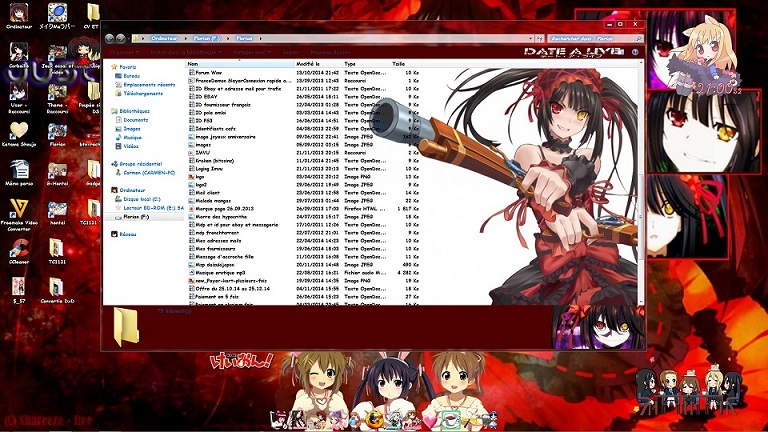
And the magic I was able to bring up! :party: (see picture)

9.jpg


However, all this is a long process that has not solved the initial problem of background that should appear with the theme ...

Moreover, all this is not explained in the tutorial.
The history of backgrounds and all.

In expectation of help :cry:
 

My Computer My Computer

Computer type
PC/Desktop
Computer Manufacturer/Model Number
Intel Core i5
OS
Windows 7 sp1 64 bits
CPU
3.20 GHz
Motherboard
GIGABYTE Z97P LGA1150 ATX Intel Z97
Memory
8.00 GO
Graphics Card(s)
GeForce GTX 750 Ti
Where do those sico files come from? i used that patch thing and when i go to the themes file thos sico things ar'nt there?
 

My Computer My Computer

OS
Windows 7 Ultimate
CPU
AMD Athlon II X4 630 (95W) Quad Core Socket AM3
Motherboard
GIGABYTE MA785GMT-UD2H
Memory
Patriot Viper Series DDR3 PC3-10666 1333MHz 4GB CL 7-7-7-20
Graphics Card(s)
Geforce GTX550 TI
Sound Card
built in realtech hd
Back
Top