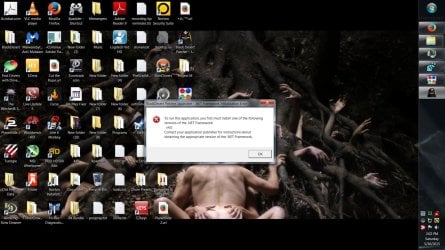
Think I deleted something important, can't open certain things.

Belial

New member
Local time
9:37 PM
Messages
1
.net framework 4.030319 error.

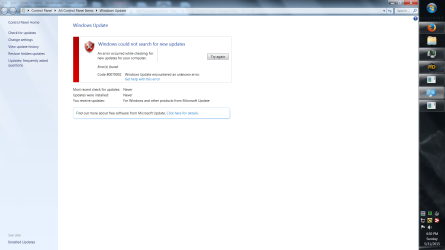
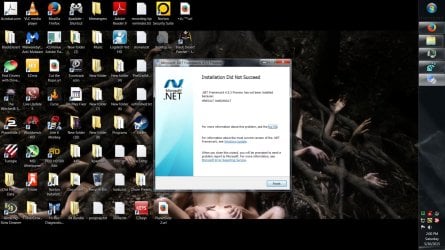
I've been trying to install all the .net frameworks and I tried installing SP1 because apparently I don't have that either so I can't check for updates to get the net framework.

Help if you can :huh:
 

Attachments
  • netframeworkhelp2.jpg
    netframeworkhelp2.jpg
    206 KB · Views: 5
  • netframeworkhelp3.jpg
    netframeworkhelp3.jpg
    218.5 KB · Views: 7
  • netframework8.png
    netframework8.png
    103.4 KB · Views: 6
  • netframeworkhelp.png
    netframeworkhelp.png
    80.1 KB · Views: 3
  • netframeworkhelp4.png
    netframeworkhelp4.png
    117.8 KB · Views: 4

My Computer

Computer type
PC/Desktop
Computer Manufacturer/Model Number
Custom Build
OS
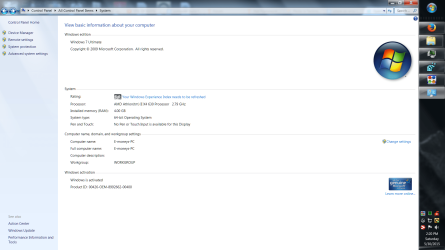
Windows 7 Ultimate 64-bit (6.1, Build 7600)
SP1

Im pretty sure you need SP1 to get the Netframework update.

In your WindowsUpdate screenshot, click on the need help, It should take you to the troubleshooter, run that and post the error report.

Roy
 

My Computer

Computer type
PC/Desktop
Computer Manufacturer/Model Number
medionl/Aspire 6930G/acer x55a
OS
W7 home premium 32bit/W7HP 64bit/w10 tp insider ring
CPU
E5300 dual core
Motherboard
medion MS7366
Memory
3gb
Graphics Card(s)
Nvidia Geforce 7100 Nforce 630i
Monitor(s) Displays
avixc
Internet Speed
n (isp resticted to 72)
Antivirus
mse/pands
Browser
palemoon
Other Info
Belkin Fd7050 n USB using Railink RT2870 drivers, more upto date
First run SFC /SCANNOW Command, if necessary SFC /SCANNOW Run in Command Prompt at Boot.
This will check for corruption that may be blocking anything.

Then install SP1 from it's Standalone installer. Learn how to install Windows 7 Service Pack 1 (SP1)

Next see if WIndows Update will run to apply all Important and Optional Updates. When your system is so badly unpatched you don't even have SP1 then you don't even have Windows 7 which is made up of dozens of patches, provides its own drivers and is secured via Windows Updates which need to be kept current to the day.

If not run the Windows Update Troubleshooter as already suggested, reset Windows Update components, then if necessary run System Update Readiness Tool .

If all fails, try a Repair Install or if you don't have a good performance I would invest in a perfect Clean Reinstall Windows 7 which compiles everything that works best and has been used by over 1.5 million consumers without a single complaint.
 
Back
Top