Hi there
Once you've installed it you'll wonder how you ever did without it - even on a really OLD machine !!!.
You MUST though separate your OS from your DATA - (music, photos, videos, documents etc). That way backups etc are easier and ypu don't lose any data if you re-install the OS.
The Easy way -- forget about Windows file transfer etc is simply to IMAGE your current system with a program like Free Macrium, and then RESTORE it to the SSD and simply plug in the SSD.
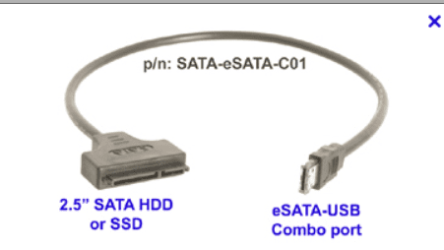
A cheap cable (USB==>SATA) type makes this job simplicity itself.
(If it's a DESKTOP you don't even need to take out the old HDD - just change the boot order in the BIOS so the SSD is FIRST in the boot order. You can wipe the old HDD / re-format it later. If it's a laptop it's normally simplicity itself to swap the internal HDD for the SSD - just be careful in case there's an EXTRA connector that connects the SATA connector on the HDD to the MOBO).
Some SSD's - like the SAMSING 840 will include this type of cable - but not all makes do.
I'd recommend this first - even before you re-install Windows as this will check that the system works and the SSD is installed correctly. If something goes wrong without having booted the SSD with a system on it - you won't know if it's Windows or the SSD so even if you do a RE-INSTALL of WINDOWS try the image method first. With an SSD re-installing windows takes MINUTES BTW !!. Installing user applications and updates is the bugbear erspecially if there are a few GB's of updates to download again !!.
Cheers
jimbo