I've got 2 Devices giving me the same problems. The only USB devices that do work are the mouse and keyboard. I do the same for both and get the same problems. A bit of background. Everythign was working perfectly, then I moved the computer downstairs, (in doing so unplugged all the usb devices), and when I plugged them all back in, they both did not work. Let just deal with the once device, I'm sure when the problem is solved for this it will be the same for the other.
This devices is a zoom g3x guitar effect pedal. It has a usb connection to the computer.
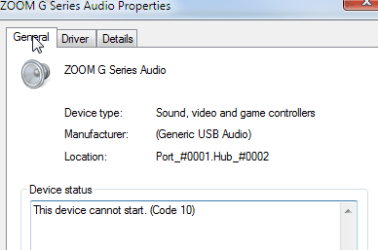
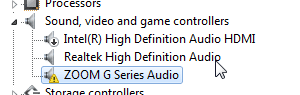
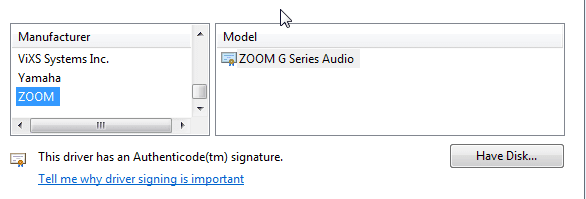
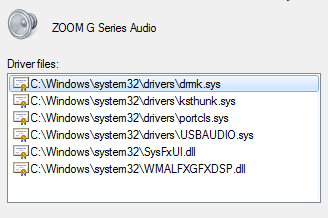
I plug the zoom into the pc (windows 7 sp1) and it looking for a driver for "Zoom G Series" says driver not found. I know I have the driver, but just to be sure I go to the web site and download it again. I then go to the device manager select it (here it is called "zoom g series") - select update driver, browse to audio drivers, zoom, and select "zoom g series audio". (not sure why the driver has a different name here?) i get a warning from windows about how this might not be the correct driver, and then it tells me "error device cannot be started".
Help?!
This devices is a zoom g3x guitar effect pedal. It has a usb connection to the computer.
I plug the zoom into the pc (windows 7 sp1) and it looking for a driver for "Zoom G Series" says driver not found. I know I have the driver, but just to be sure I go to the web site and download it again. I then go to the device manager select it (here it is called "zoom g series") - select update driver, browse to audio drivers, zoom, and select "zoom g series audio". (not sure why the driver has a different name here?) i get a warning from windows about how this might not be the correct driver, and then it tells me "error device cannot be started".
Help?!
My Computer
At a glance
Windows 7 64 bit Ultimate
- Computer type
- PC/Desktop
- OS
- Windows 7 64 bit Ultimate