I am not so weary as I was when I wrote that last post. I am seriously having a very difficult time with this, and it is getting to me as I need this laptop for income. And having been in a financial crunch to begin with, after my first laptop I unloaded on some poor guy for $50, my parents bought me the new HP--and I feel terrible for them to have to buy me this laptop, spend $850, and then I get on the phone with them to tell them, exasperated why I cannot use my laptop with any real productivity. But they do not understand it. My dad thinks this "Linux" thing I installed must be some kind of a game that is causing it. They understandably cannot comprehend what I am dealing with (nor, I imagine can many of you).
I am not going to take this laptop to anyone only to pay $300 for what I can do if I know how. I did what was -- to me anyway -- the common sense thing. First I ordered the HP disks which were perfect and they contained windows and other software as disks like these do. For this first attempt, I did the following:
I unplugged the laptop, removed the battery, held down the power button for 30 seconds, then I left out the battery. and plugged the AC back in. I booted from a boot CD I obtained from a friend (it is not factory made--only burned, but my friend said he has used it countless times to recover drives or do whatever he needs to do). All I wanted to do was to wipe the drive (this would be my first drive on this laptop, a 250GB sata drive made by Toshiba. The application I used was called HDAT2, and it was the only one that showed all of the sectors which comprised the 250.06GB that was showing in system info in the parantheses--see earlier post). I watched for 55 minutes as my hard drive was being wiped. I only did 1 pass as wiping this drive is not so much for prevention of forensic recovery, only to get rid of a nasty bug.
I then used the factory hp disks for my vista install, which could not really be a problem, right, right? And before I did this, to double check the efficacy of my wipe, I hand checked using a sector editor to make sure all were zeroes. [didn't check every one obviously, but spot checked fairly thoroughly. You know what happens at the end of this story..... Nothing changes. But on a bright note, I did get to see and use for a brief moment all of the neat software from HP that came with the laptop originally.
So, I was tired enough from all of this and I read the helpful posts regarding a bootCD with a wipe utility and also one for virus removal. I did not want to take any chances and was so desperate, I thought, "hell with it" I will kill a spider with a brick of C4 (so to speak)... I went to Micro Center and got a WD 350GB sata drive. New. (I heard new meant "empty", so I thought that would be the end of it.)
In swapping out the hard drive, I did everything I did above, except I was in a basement, and for fun, I put electricians tape over the IR port. There was not a USB peripheral within 20 feet. My only regret now is that before putting in the new hard drive, I should have closed the laptop up and tried to reboot the machine from a clean Linux distro to see what happened, but I thought it was already overkill. I regret not checking that now.
Though I lost my screenshots (see below), I can tell you a bit more about what happened after VISTA came up after I installed it on the new drive. First, it came bundled with a 60 day trial of Norton. I activated the firewall, and then I turned on the wireless adapter to run a live update of virus definitions. Simultaneously, I ran windows update. Both had a lot of data to download--Norton had 12 mgs of updated definitions, windows had 44, most of which were "critical" or "important" . Norton finished first, and I gave windows update another 10 minutes to finish, and both processes required a restart which I did. Windows was able to install 3 updates out 44 (and the 41 that failed were all security updates). Norton seemed proud that it found 14 tracking cookies, but nothing else. Knowing this monster as I do, I ran Norton LiveUpdate a second time, and wow, look at that! Norton needed to download another 12 mgs of defintion updates! I know this is another red herring as everything I do on this laptop is... After norton ran a second time without finding anything. I restarted my PC, and opened up the history log on Norton. It stated that never had any updates been download, nor were there any scans that had been run since its intallation. Frankly, this was no surprise to me.
After writing 2 very long posts (one that I lost as described in my last post), and I lost the second because my wireless connection somehow stalled and my system freezes (this was last night). I was really at a dark point. But then I thought...if this is happening, people should know about it. I have the old Toshiba drive (which I almost wanted to remove from my laptop with a large forceps because in my mind it was so contaminated), and I now have the new drive just as contaminated, and I know all of the services and the methods that are vital to its survival. Unfortunately, the 500 screen shots I mentioned in my last post were on a flash drive that mysteriously became "degaussed" (i.e., it was blank, and unformatted and I tried to look at the sectors and they were zeroed-out. It happened at some point when I was using it in the laptop. It cannot take more than 15 minutes (or less even) to zero out a flash drive, and given the nature of this, I attribute it to my worm/virus/new roommate.
I was going to go today to a university (I am in Chicago), either Loyola, or Northwestern, or somewhere that had a decent Comp Sci department. I was hoping to see if I could find a professor or someone who could confirm this for me. I now needed to not only get rid of it, but to know that what happened -- actually happened.
Here are some questions for anyone reading this that I am currently thinking.....
Given all that I did, what is the liklihood that
a) the offensive code in question is in the CMOS?
b) is there is someway to tunnel to my PC without it advertising or broadcasting my presence (or, in the alternative, can even a fresh,
absolutely clean install of windows vista -- which does send out random advertisements of its adapters (and I do not know about bluetooth--how it functions upon install, or if the IR port can be used to receive BT) can an intruder access these devices if it has an address of some sort (like a MAC but for a software based adapter like ISATAP, or Teredo?
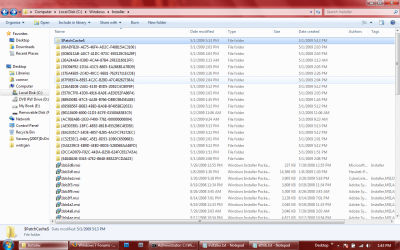
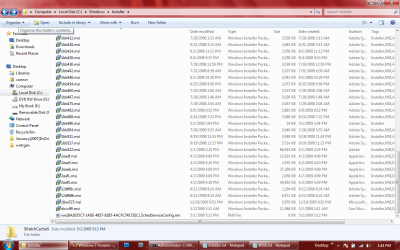
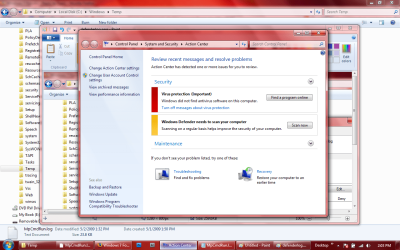
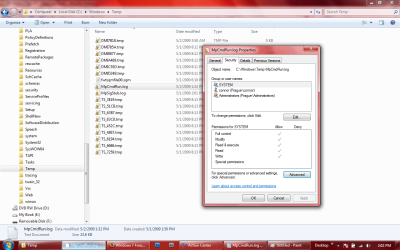
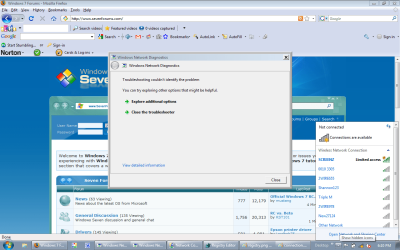
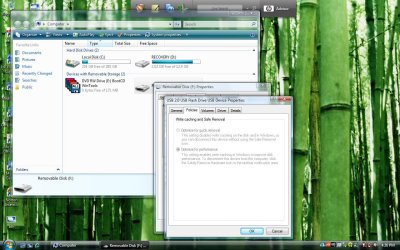
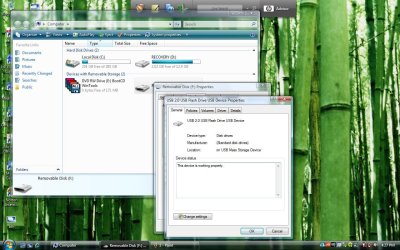
I took a few screen shots today, but my heart really is not into it after losing so many. They are as follows...(btw, they are not as spellbinding as the others, but they are not ordinary by any means).
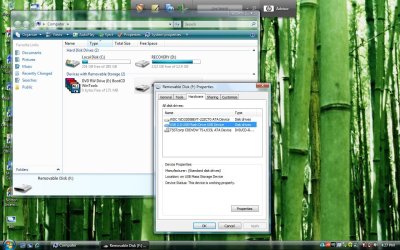
Shots 1,3 and 4: I am trying to look at the flash drive which was coming up as "Needed to be formatted"). In shot 1, I show the flash drive properties dialog box, and under the hardware tab, it lists all the storage devices, I choose my flashdrive and click properties again here. A second dialog box opens which appears to be the actual properties of the flash drive (see shot 3). First, I click on the "Policies" tab, and there are no options (see shot fu4)...the optoins are greyed out..but I do not know if this is normal or not. Then I decide to click on the "Change Settings" button under the "General" tab of the properties box, and suddenly, this properties box disappears, and reappears in the upper left corner (see shot 4). Same box, but the button is gone. It seemed odd, and this window jumping thing happens all the time (along with boxes opening twice in immediate succession, but only one box remains when I click on it).
Shot
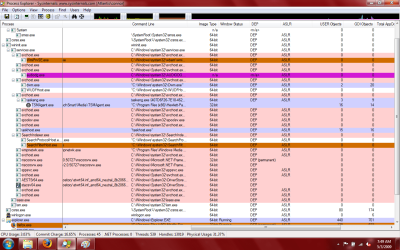
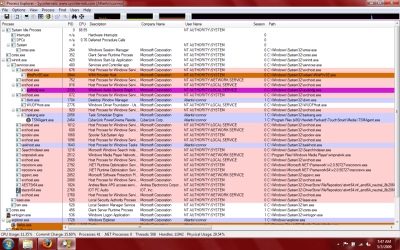
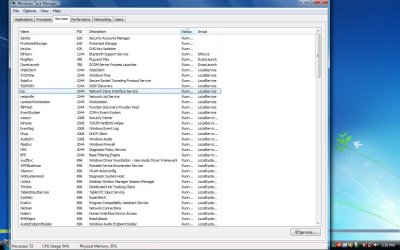
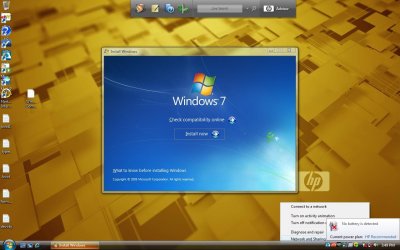
bth just shows the bluetooth service running. Which I cannot shutdown -- I get "access denied".
Shots
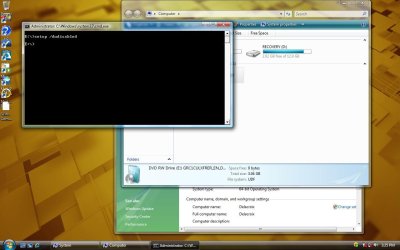
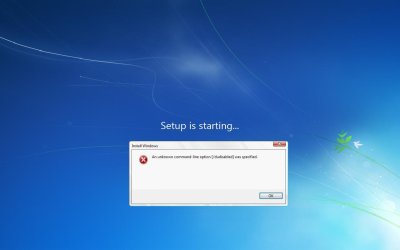
dsdsd and
bs error show what happens when I try to run the setup of WIN 7 with the option switch /dudisabled. It starts fine, then I get the error.
Shot
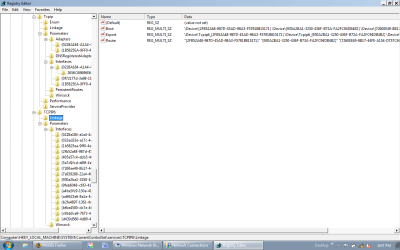
registry is under currentcomponentset/services/ and it shows all of the added keys besides your standard tcpip. Notice the ipv6tunnel.....
One last thing for any of you who are naysayers. What this bug does is allow someone access to anything I am doing with this laptop. That is if windows is on it (well, that is a theory, which is why tonight, I may remove the hard drive and boot from a Linux Distro -- anyone know a good distro that does not install with auto-SSH agents enabled????) then my laptop can be accessed. I do not care if I boot from any other applicatino or OS, sooner or later it manages to get into it. WIth Linux for example, I am certain that during the live CD boot, it can stop and start files, move them in the foreground and background, and change things so whether it is LIVE or a full install , I may be called root, but I am userid "1000", which is not root. I see during installations that init is changed to multiuser... this is in harmony with the consistent system crashes I get when I enter Telinit 1 or Telinit S in a terminal. In Linux, it is using the X-Org server. I am not terribly well versed in Linux and do not know enough about it. But I know that someone does. Commands and devices dissappear (although he has not been able to make a Builtin command go away).
So, if this theory (but it my firm belief) that he/she/it can get into the boot process of a linux distro, why can't it also get involved in a Windows installation, or a windows boot process?
Also, I wanted to add that the devilishly clever fiend behind this delays the end of startup screens in order to give him/her time to do whatever it needs to do. Once I was watching windows "update"... it was the standard screen with two lines: "Windows is configuring your updates" and "Stage X of Y - XX% completed". And in the midst of this. I hear the familiar windows tone which indicates there should be a login screen in front of me. I hit ctrl-alt-del, and the update screen disappears and there is my login screen. Is this a software bug??? Also, I have been told -- out of the blue on startup -- that one my drives needs to be checked for consistency. Chkdsk runs, but the disklight does not comeone at all. Not once. Then, bootup continues. If I wanted to give myself time to configure things to my favor, I would do something like this. I just think I am a little more perceptive (or paranoid).
There doesn't seem to exist anyway I can isolate and run a process, i.e. lock it, so no one else can touch it until it completes.
Thank you very much for your help,
Paul
NB: If you note that this post seems a bit jaded and dejected, then you are perceptive.










 )
)

