This is a Security issue, but more!!!

Status
Not open for further replies.
It may be too late to me making this reply.
But sometimes this simple way will make different.
I just share what I normally do to my PCs

What I did to my PCs was this:
Let me assume that there is no hardware problem, the BIOS is on normal setting, and most HDD is partitioned to more than one.

Obtain Hiren's Boot CD ver. 9.8 available everywhere.
- Boot from hiren, choose mini windows.
- Delete all content in Sist. Vol. Information folder (some malw, adw, & viruses reside here)
- If you have Removable drive, connect it, do the same procedure, delete the content.
- you can even scan all drives if you have portable antivirus. but it isnt needed.
- Exit mini windows.
- Install windows normally.
- Install antivirus or any reliable security suite available. (with firewall, coz)
- Scan other drives thoroughly, including all removable drives

Things to remember, dont ever access other drives or connect any removable drive before finish installing security suite. Normally windows will access and read or write information in sist. vol. information folder of other drives but sure the content was already deleted by mini windows.

This is what I did and it keep my 3 desktops and 2 laptops in shape.

Hope this useful :)
 
Last edited:

My Computers

System One System Two

  • Computer type
    PC/Desktop
    Computer Manufacturer/Model Number
    MSI
    OS
    Windows 11 Prerelease
    CPU
    CORE i5 10400
    Motherboard
    MSI H510M Pro
    Memory
    16GB
    Graphics Card(s)
    GTX 750Ti
    Sound Card
    Realtek HD Integrated
    Monitor(s) Displays
    Samsung Curved 24"; Samsung TV 50"
    Screen Resolution
    1920 x 1080
    Hard Drives
    Vi-Gen NVMe 256GB
    WD 3 TB
    Seagate 2 TB
    Seagate 4TB
    PSU
    Power Striker
    Case
    VBR
    Cooling
    Conventional
    Keyboard
    Logitech Wireless
    Mouse
    Logitech Wireless
    Internet Speed
    2MBPs
  • Computer type
    Laptop
    System Manufacturer/Model Number
    Apple MacBook
    OS
    BigSur
    CPU
    Core i5
    Memory
    8 GB
    Monitor(s) Displays
    13 "
    Screen Resolution
    1366 x 768
    Hard Drives
    SSD 256 GB
Thank you everyone. I am going to respond to each reply sequentially:

But first, please know that last night. I did what I said I was going to do. I removed the hard drive, put the cover back on, put in a backtrack ver. 3 boot CD in it.... It booted up, went through isntallation ... when after login, I had no root privileges... further, shortly thereafter, I got an error when I finally changed from bash to gnome. I entered "startx" and I got an error message which is said (paraphrasing a bit) " no screens found -- fatal error" and "disabled by peer" or someting to that effct.

First to torrentzg, I knew there was a term for this. I had forgotten Farraday since college physcis. But, in my low-tech world and resources, the best I have tried is to go to a hospital or a basement or anywhere that I can never get a cell cignal.... I know the frequencies between 802.11b/g and GSM are different, but I thought it would help. It did not.

Darkassasin: First off, I have a laptop for its portability and wireless..I do not have frequent access to ethernet (wired). But my question to you would be, while in safe mode, why should I not disable all of this annoying hidden adapters?? I do that fairly frequently in normal mode. In fact, I have I believe 4 ISATAP adapters now, when before I believe I only had 1. So I made a fairly intelligent guess that this was one means of getting in.

Also, I am in a bit of a dispute with AT&T which will hopefully be resolved tomorrow, but up untill now, I had been using hotspots--(and the whole time I thought I was the one with the skills to be a potential intruder....). So I am often using unsecure wifi routers. And with no working av applications (and I mean NONE: THe conflicker tool for instance from jacee, started...got to 4 bars, and then popped up saying system was clean. Could be, but it seemed strange. Any of the AV apps that windows promotes specifically for WIN 7. None of the will do anything... I can maybe install them if lucky, but then it is just more games.... the app does things I really think it is doing, but nothing is being done.

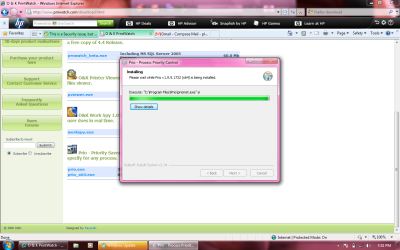
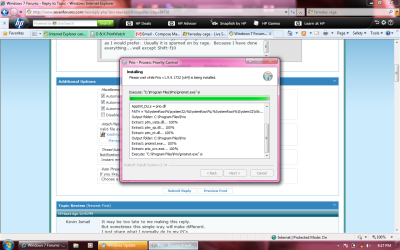
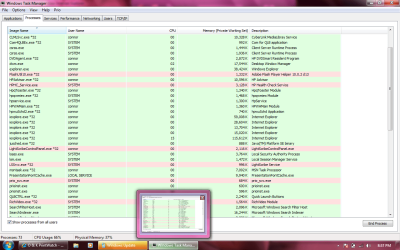
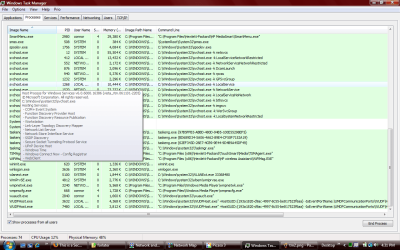
Just as strange as this... I download a lot of things off the web. Usually I do not have problems... Unless it is something like a net utility or something that could expose this guy. Since I have had this problem, I have NEVER been able to install WinPcap. But as far as your Priority utility, see screenshot "loading". It has been that way for 20 minutes. I am trying to download the 64 bit version.... maybe this is not compatible -- see paragraph below. EDIT: I Launched taskmanager a little while ago, and although the application never really installed properly... It hung for an hour until a forcibly closed it.... So, I do not know id this is accurate, but here is a screensaver of my taskmanger... See Prio

As far as /dudisabled, I read it in a VISTA administrator's guide. I didn't know it had been deprecated. But if it is, it doesn't mean it won't work.. which is did, once. My thoughts at the time were if I wanted "clean", I needed to lock the installation process....

Now to Baarod. I am in bios frequently, and I even have it password protected, but I know this is easily ascertainable... Anyway, there is nothing in my bios that allows me to disable ethernet, bluetooth, or anything else. I can run diags, change boot sequence, and diable the flobby, virtualization, and I think booting from the network card.
Am I missing something or do I have a second rate bios?

I did not know how to delete the path with shift f10. I will try that. But I cannot disable bluetooth. I was given a a run command which is a little beyond me, but it was from darkassassin.

"C:\Windows\system32\rundll32.exe" Shell32.dll,Control_RunDLL bthprops.cpl,,1

I will tryin running right now and see if I get what I always get.... it did nothing, well there was no dialog box as I expected when I did it from "Run". I do not know if the format of this command is the same but I ran it at the command line two.. Nothing interesting...just another command line.

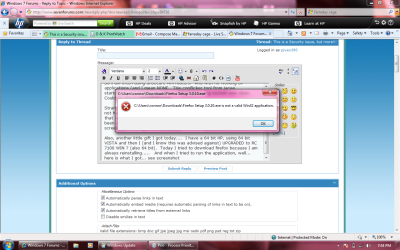
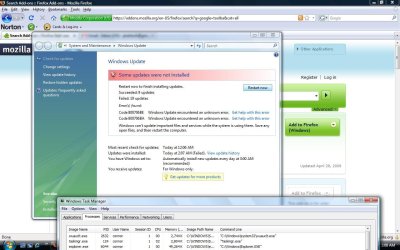
Also, another little gift I got today.... I have a 64 bit HP, using 64 bit VISTA and then I (and I know this was advised against) UPGRADED to RC 7100 WIN 7 (also 64 bit). Today I tried to download firefox because I am always reinstalling..... And when I tried to run the application, well... here is what I got... see screenshot firefox. Firefox does not have 32 bit or 64 bit versions. Firefox has ALWAYS worked for me even with this intruder. But I also know I can sometimes outmaneuver him with some of the mozilla add-ons which I use quite alot. But the question is, if I am running 64 bit everywhere.... Why would the error say it is not a valid WIN32 application???? I have seen this before. He is using a wrapper or an interface to allow use of the CPU's 64bit architecture by the run-level.. doesn't it sound like it???

And yes, I agree, my methodology in figuring this out isn't as systematic as I would prefer. Usually it is spurned on by rage. Because I have done everything....well the method using except Shift-f10.

To Kevin Ismaill: I have mini-XP and Hiren's. When I am in mini-XP, I cannot seem to gain access to anything except the shell drive X: and the CD. Am I missing something. I cannot seem to touch the C: volume... But this could be user error.

Amd trust me. I for one have learned my lesson. I put up with this for 2.5 months, only to be given a brand new HP laptop which I promptly reinfected with a flash drive 10 minutes after taking it out of the box. :cry:
 

Attachments

  • loading.png
    loading.png
    76.8 KB · Views: 46
  • loading 2.png
    loading 2.png
    81 KB · Views: 33
  • firefox.png
    firefox.png
    93 KB · Views: 38
  • prio.png
    prio.png
    59.9 KB · Views: 28
Last edited:

My Computer

OS
Windows 7
not a valid win32 application is a generic way of saying that the file you downloaded is not a valid win pe image, i.e. the file is corrupted, try downloading again from somewhere else and make sure to get hashes to check your file from the downloading website. Verify them against what you downloaded with 7zip's File, Calculate checksum feature.
 

My Computer

Computer type
Laptop
Computer Manufacturer/Model Number
Apple
OS
El Capitan / Windows 10
CPU
i7-4980HQ
Memory
16GB
Graphics Card(s)
Iris 5200
That is completely weird to me. :(
With Mini XP in Hiren 9.8 boot CD I was able to gain access to all drive, flash drive, and even ext HDD. should be s'thing wrong s'where.

Using hiren on vista and win 7 system installed, we only have to take precaution in running its portable partition magic. It will report a partition error and asking for repair but dont ever allow it to repair the disk as vista or win 7 wont run anymore.

I wish you are next door to me. Because I always curious about s'thing strange like this one.

But one thing for sure, computer do follow logical sequence. Meaning that your problem always have solution. You just havent been on the track. may be soon.

Cheers :)
 

My Computers

System One System Two

  • Computer type
    PC/Desktop
    Computer Manufacturer/Model Number
    MSI
    OS
    Windows 11 Prerelease
    CPU
    CORE i5 10400
    Motherboard
    MSI H510M Pro
    Memory
    16GB
    Graphics Card(s)
    GTX 750Ti
    Sound Card
    Realtek HD Integrated
    Monitor(s) Displays
    Samsung Curved 24"; Samsung TV 50"
    Screen Resolution
    1920 x 1080
    Hard Drives
    Vi-Gen NVMe 256GB
    WD 3 TB
    Seagate 2 TB
    Seagate 4TB
    PSU
    Power Striker
    Case
    VBR
    Cooling
    Conventional
    Keyboard
    Logitech Wireless
    Mouse
    Logitech Wireless
    Internet Speed
    2MBPs
  • Computer type
    Laptop
    System Manufacturer/Model Number
    Apple MacBook
    OS
    BigSur
    CPU
    Core i5
    Memory
    8 GB
    Monitor(s) Displays
    13 "
    Screen Resolution
    1366 x 768
    Hard Drives
    SSD 256 GB

My Computer

Computer type
PC/Desktop
Computer Manufacturer/Model Number
Bruce ... somewhere in his 40's
OS
Windows 7 Ultimate 32bit SP1
CPU
Intel(R) Core(TM)2 Quad CPU @ 2.40GHz, 2400 MHz
Motherboard
INTEL/D975XBX2
Memory
4 GB
Graphics Card(s)
ATI Radeon HD 2600 Pro
Monitor(s) Displays
Samsung SyncMaster 914v
Screen Resolution
1280 x 1024
Hard Drives
2/500GB each ... ST3500630AS ATA Device.
One is not connected
PSU
Rocketfish 700 W
Case
G.Skill Gigabyte Chassis
Keyboard
Standard PS/2 Keyboard
Mouse
Microsoft PS/2 Mouse
Internet Speed
DSL
Antivirus
Avira Internet Security
Browser
IE 11
Other Info
ATI HDMI Audio
Jacee, et.al.

First Jacee.. thank you for the tip. It is a switch for "net config" I did not know and I have been through a lot of books. I think I once posted the output to netstat -a here, but I have never compared them. I am going to do that this evening.

It would great to be hidden on my network. But my question is this: Let's assume that what I have been saying is correct, i.e. I do not have a virus, or a trojan, or even a nasty worm/trojan....but let's say I have all of those things PLUS, someone -- at least part of the time -- monitoring my laptop via vpn, ssh, or any number or other methods. That this person, when he is actively and not passivley (through scripts and things) watching what I am doing, well then he would know I am doing this. Since he has priviliges on my laptop of that of a Server admin -- a lot more clout than my lowly Administrator (local), he can just change it back -- that is he can change it back if it makes it more difficult for him to stay on top of me/my laptop.

For the first time yesterday, I had about 5 minutes of freedom. I was going to try a different utility off of the Hiren's boot CD (which, by the way, I am convinced that he/she/it (HEREINAFTER REFERRED TO AS the "RNAV", a name I derived from RNA virus--a retrovirus) has the ability to hook into many if not all of this applications which are on their own bootable CD!). I do not know if it was one of the "passive" periods for the RNAV, but I chose a gateway disk utility that had a fast wipe (it zeroed the first 1MM sectors from the beginning and end of the drive), then installed WIN 7 (without Vista first, which I have typically been doing because those are the recovery disks from HP for this laptop and contain all the drivers for the webcam, or sound card, etc...some of which I cannot download from HP directly). Anyway, I went to my task manager, and there was no sign of it....for 2, 3 minutes I thought I just got lucky..!!! Then, I saw the first process show up that is typically one I see when the RNAV is there. I cannot recall precisely right now, and since I lost my 400MG of screenshots, I do not have something to refer to... but it is something like "mcorweiw". This is not the name of the process, but close. then, I saw WmiPrvSE.exe, which is always there when the RNAV is. Followed by 3 times as many svchost processes running (slowly, in about 20 seconds, they all start (note: I know that svchost is run normally by windows for just about every application, but I have seen what underlying services these particular svchost procesess run and many are not needed and are part of the infection.) Alos, Wlanext, then WUDFhost. Lastly, one process that must be there, and is as persistant as a housefly, is one called "audiohg". I won't claim my bluetooth theory as gospel, but something is tied to multimedia.... if I delete this file (and it takes a log of work to get to it and delete it), then until it can replace the file, it uses Windows presentaion font cache or Windows Presentation. During this whole time, I was not connected to an ethernet network , nor was my wireless "switch" on (it is just a touch sensor, so saying "switch" is a bit much). One reason I believe I had this 3-6 minute moment of peace, was because I did my quick wipe, followed by a WIN 7, RC 7100 install. The 7100 build, as you may all know, does not include bluetooth drivers. I know that many here reading this thread have there doubts on my bluetooth theory, and I understand why you deem it unlikely, but I have not much else (following the rules of physics as we know it) to go on.

But, Jacee, back to my point (and I realize everyone that my ADD gets the best of me when I am anxious and I start posting on this board).... If I was to offer my first reflexive opinion, I would say that this tip would not work because the RNAV would know. I know there is every type of log (keylogger, possibly video now with my webcam on this laptop, screenshots, etc.) used by the RNAV -- while my windows Event Monitor is pretty much rendered useless. In the beginning of all of this I tried a lot of tricky things to avoid it in the wireless universe. I wrote a script that changed my MAC every 5 minutes.... that didn't seem to do much.... and I know everything I am saying is absurd at some level but it is something of an obsession now because there MUST be an explanation. [I bet if I was married, my wife would have left me about 1 month ago over this... :)] But Jacee, I will certainly try it.

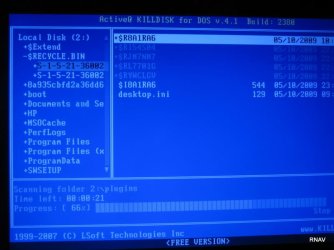
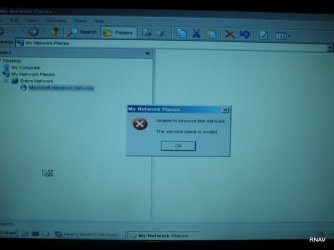
I have some interesting things to add and post. First... while running the various Hiren's BootCD utilities, I ran countless tests from virtually all of the applications (and there are at least 50 different diagnostic applications on this CD). Since I was in a DOS environment and would need to restart to get windows, I did not have a screenshot method at hand, so I just grabbed the ol' digital camera when something interesting came up. I am going to describe some of those now. To stave of the tedium, pretend I am showing you slides from a really weird recent vacation or something..

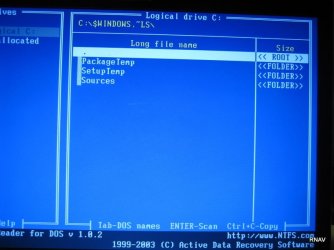
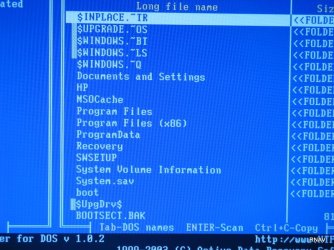
Image_522: This just shows my root drive. I had not noticed some of these items even with "show hidden folders and files". I am not sure what the SIDs mean either

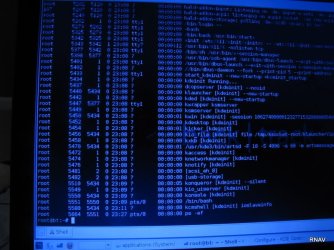
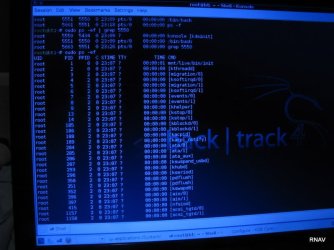
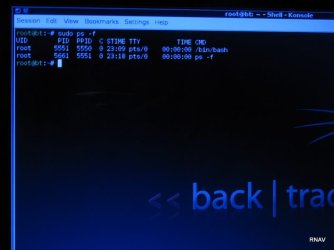
IMG_534, IMG_537,IMG_539: I am in the ubuntu-based pentesting CD Backtrack 4, and I am just showing that when I do "ps -f" and then "ps -ef", I get a lot of processes (and the ultimate bash parent) having a tty of "?" so linux knows the STDIN process, but does not seem to know the name of the file connected to STDOUT. That is weird to me.

IMG_546, IMG_547, IMG_548: More root drive directory shots.

IMG_549: This is a weird directory off of windows... I have never seen it. Is this normal?

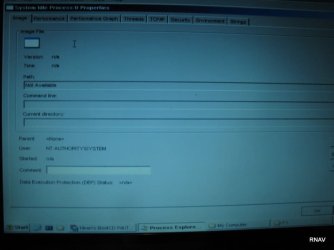
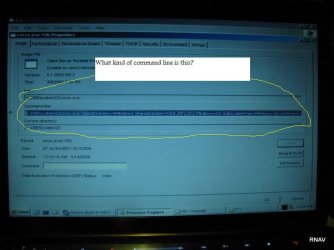
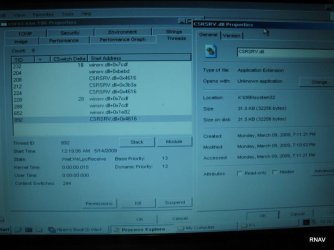
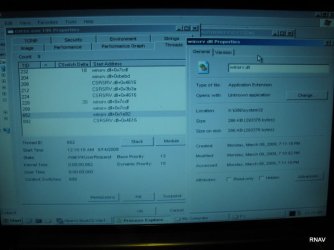
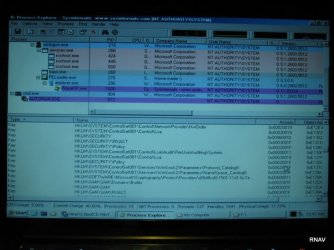
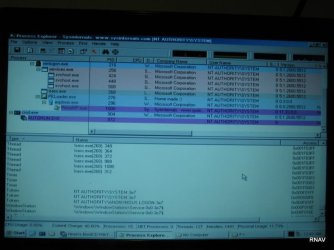
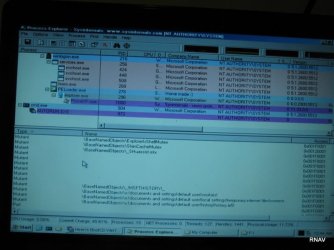
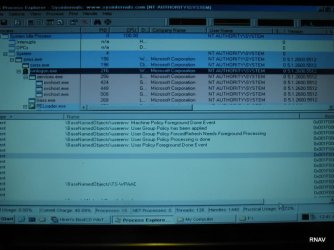
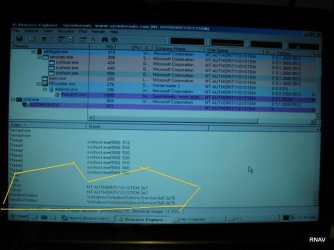
THe following shots are from the MINI-XP which comes with the HIREN BootCD. One nice thing very helpful about the mini-XP iis that it includes the Sysinternals ProcEXP....which is a super-charged, "all-extras-included" version of windows' rather boring Task Manager. [See: Remainder of Images through IMG_598]

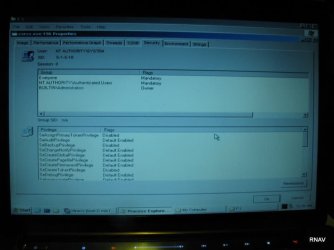
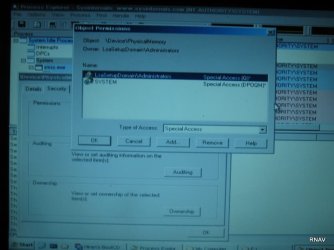
Regarding these images from ProcExp......Now here is where I think I have to have SOME ground. But please tell me if I am wrong. Please review..... There are times -- I swear -- I will see for .25 of a second an icon for a shared SID in the security tab in the proeprties box, but this SID icon is the one with the red-circled X over it (and I forget what that means), but it disappears immediately and I see the SIDs that you see in the photos. I do not know if these are standard, builtin windows groups and users. Also, the shots are just from different tabs of the properties of a specific process running while MINI-XP from the boot CD was used. What you are looking at should be self explanatory. But ask if you have a question.

There are mysterious SID owners and also, given this is just a scaled down version of XP, would there be so many threads strings??? And....well I am in water way too deep for me, but it seems like an awful more is going on than would need to be. Windows Vista is not supposed to be running. This is merely a mini-XP.
OK. That is enough screenshots for now.

But on an ending note.... all this time I have been trying to figure out how the RNAV gets in.... maybe it is more simple than that. To wit: I was looking at one of the utilities mentioned above from the HIREN BootCD (I would have to find this screenshot, but I am almost sure I have it). It was running a diagnostic on the CPU. The strange part was that it said the last time the CPU was powered off was "3 days and 14 hours ago". I know that I have shut down my laptop no less than 10 times in the span of 3 days and 14 hours.. I use the power button or "Start" -- "Shut Down". I also know that something, perhaps the RNAV keeps changing the power settings in VISTA or WIN7 so that the power button does not "power off" like I -- THE USER/OWNER -- would prefer instead the setting are always set so the power button merely puts the laptop to sleep. I have tried to counter this with the additional safeguard of removing the battery and holding down the power button (unplugged obviously as well) for anywhere from 10 to 30 seconds.

Is there a way the code of the RNAV could remain in the machine (setting aside storage on the HD)???? I ask this since I replaced the hard drive last weekend, so I know that magnetic media is not vital to its survival/existence even with my safeguards.

Thanks,
Paul

 

Attachments

  • IMG_0549.JPG
    IMG_0549.JPG
    56.2 KB · Views: 10
  • IMG_0548.JPG
    IMG_0548.JPG
    76.7 KB · Views: 13
  • IMG_0547.JPG
    IMG_0547.JPG
    82 KB · Views: 11
  • IMG_0546.JPG
    IMG_0546.JPG
    84.3 KB · Views: 13
  • IMG_0539.JPG
    IMG_0539.JPG
    97.4 KB · Views: 18
  • IMG_0537.JPG
    IMG_0537.JPG
    75.3 KB · Views: 13
  • IMG_0534.JPG
    IMG_0534.JPG
    34.5 KB · Views: 13
  • IMG_0522.JPG
    IMG_0522.JPG
    52.2 KB · Views: 33
  • IMG_0586.JPG
    IMG_0586.JPG
    33.1 KB · Views: 8
  • IMG_0585.JPG
    IMG_0585.JPG
    33.1 KB · Views: 10
  • IMG_0584.JPG
    IMG_0584.JPG
    43.3 KB · Views: 12
  • IMG_0582.JPG
    IMG_0582.JPG
    42.3 KB · Views: 13
  • IMG_0581.JPG
    IMG_0581.JPG
    44.2 KB · Views: 14
  • IMG_0580.JPG
    IMG_0580.JPG
    50.1 KB · Views: 28
  • IMG_0579.JPG
    IMG_0579.JPG
    48.5 KB · Views: 25
  • IMG_0578.JPG
    IMG_0578.JPG
    48.4 KB · Views: 10
  • IMG_0577.JPG
    IMG_0577.JPG
    46.7 KB · Views: 10
  • IMG_0576.JPG
    IMG_0576.JPG
    55.4 KB · Views: 12
  • IMG_0593.JPG
    IMG_0593.JPG
    52.2 KB · Views: 9
  • IMG_0594.JPG
    IMG_0594.JPG
    66.8 KB · Views: 8
  • IMG_0596.JPG
    IMG_0596.JPG
    57.9 KB · Views: 10
  • IMG_0597.JPG
    IMG_0597.JPG
    60.5 KB · Views: 9
  • IMG_0592.JPG
    IMG_0592.JPG
    64.4 KB · Views: 9
  • IMG_0591.JPG
    IMG_0591.JPG
    45.8 KB · Views: 13
  • IMG_0590.JPG
    IMG_0590.JPG
    57.5 KB · Views: 11
  • IMG_0589.JPG
    IMG_0589.JPG
    57.9 KB · Views: 18
  • IMG_0588.JPG
    IMG_0588.JPG
    49 KB · Views: 14
  • IMG_0587.JPG
    IMG_0587.JPG
    30.7 KB · Views: 10
  • IMG_0598.JPG
    IMG_0598.JPG
    34 KB · Views: 17
Last edited:

My Computer

OS
Windows 7
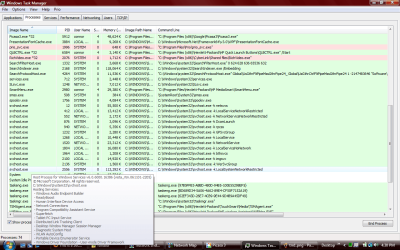
With regard to the first part of my last post, I thought I would include a current view of my task manager.... so you can see all the insidious things going on.

See tm1, tm2, and tm3.
 

Attachments

  • tm3.png
    tm3.png
    54.3 KB · Views: 17
  • tm2.png
    tm2.png
    59.5 KB · Views: 25
  • tm1.png
    tm1.png
    58.3 KB · Views: 34

My Computer

OS
Windows 7
Hi Pjvex386,

The folders starting with $ are creating during Windows Setup, Windows Updates and also Backtrack itself when it loads various tools as not to corrupt your real Windows directory.

Nothing Ive seen in any of your screenshots looks even a bit abnormal minus that $UpgDrv$ directory, Ive never seen that used by Microsoft or Windows before so I dont know where or what might have created it :confused:

Steven
 
i too agree with dmex although the UpgDrv issue would most likely be that of a upgraded driver (and most likely the use of a backup location)...:sarc:
although im not sure....
 

My Computer

Computer Manufacturer/Model Number
Tx2500z Tablet Pc/Homemade Server
OS
Windows 7 Ult x64(x2), HomePrem x32(x4), Server 08 (+VM), 08 R2 (VM) , SuSe 11.2 (VM), XP 32 (VM)
CPU
Turion X2 ultra (oh well came with laptop)/P4 @3.2 (yes P4)
Motherboard
IDK HP Motherboard / Intel DG965SS
Memory
OCZ Dual Channel 4GB kit/ 1gb Dual Channel
Graphics Card(s)
HD 3200 graphics /GMA x3100 (yay for intergrated!!)
Sound Card
Realtek HD Audio(mic working, well sort of)/Siig IC-70012
Monitor(s) Displays
built-in Hp 12" laptop screen/ Acer 19"
Screen Resolution
1280x800 /1440x900
Cooling
All Air Cooled
Mouse
Logi MX Rev. /MS Wheel Optical 1.1A /Logitech Optical Mouse
Internet Speed
College baby but its still routed through vpn to 1536k...
Other Info
love my wacom pen and pressure sensitivity...
wished it worked in 7, SUSE for that matter though
I would love to believe either of you dmex and darkassasin. I would do absolutely anything if you could tell me with a reasonable amount of certainty -- certainty that cannot come from me posting screenshots and my taskmanager output (although why would there be so many WmiPrvSe processes. Why, if I just log on a network, is one of my svchost processes running ssh?? That last part does not alarm you at all?????

Either way.. My offer throughout this stands. I want anyone who can to please choose there secure means to do so, and take control of my computer, and look around. Install an antivirus program. Update windows.

And here is a new one. I said earlier I wrote a script that changed my MAC address every 5 minutes... well that was back in February and it was a different world. Now....I was thinking about that, and even though I am on a LAN...why not change my MAC...perhaps everytime I log in??

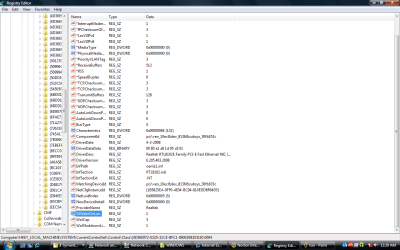
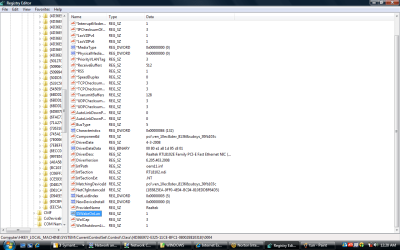
Well, first because the registry key is not where it is supposed to be. There is a sub-sub-sub key that does say NetworkAddress: and it has a MAC number--a valid one any way -- , but when I check on my windows network map, even after reboot it stays the same. I was just about to convert the hex mac address to binary or decimal and search for it in the registry....

But, since my registry for my SID has a VOLATILE ENVIRONMENT KEY, which I try to delete or modify, and it does nothing, which in turn does nothing about the permanance of ANy CHANGES I ever make to the registry. That is why I keep saying that is seems more and more than I am given facades to work with, while the real items/devices etc. that may alter the system are not being touched. Is it inconceiveable to either of you that someone might put a version of regedit that is not bound to the core--tied in someway to my unique user SID, and is in essence nothing but a big text document (so to speak). This is not what is happening because as changes are made to the registry, the registry I have access to changes...a lot of changes... and a lot of changes while I am sleeping too!!! But whenever I make a change, it may do some good for that session. But then all my changes are gone -- as in VOLATILE.

Please do not say everything looks normal. You guys know windows 7, right? I will wipe my drive, install 7100. Leave my computer on. I will disconnect it from all network sources, and otherwise leave it alone. In 2 hours, I will find a utility that does a reg compare..and yes, I expect in the course of functioning windows would make some changes... But these changes I refer to are entirely unorthodox and unusual.

I know I am killing everyone with screenshots. But look at the attached. PLEASE REMEMBER THAT I REINSTALL WINDOWS 7 (OR VISTA AT LEAST EVERY 2 OR 3 DAYS, SO i DO NOT HAVE MUCH TIME TO LOAD IT UP WITH SOFTWARE.

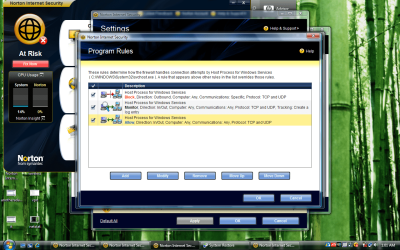
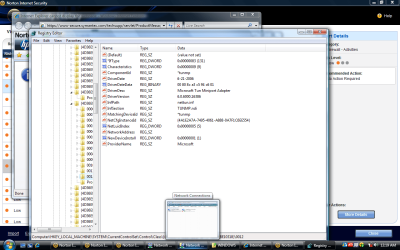
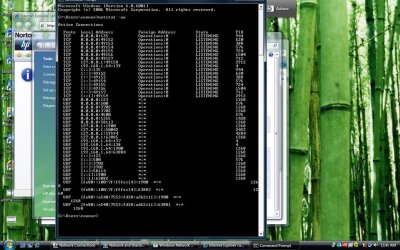
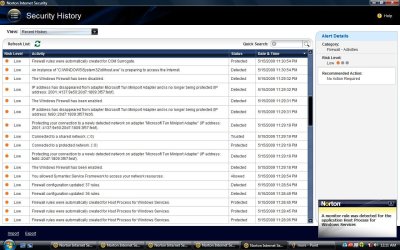
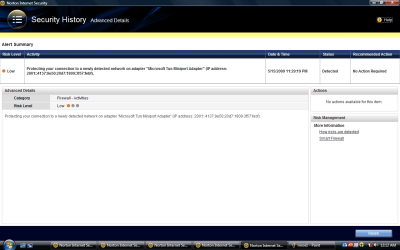
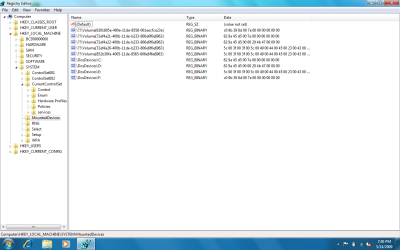
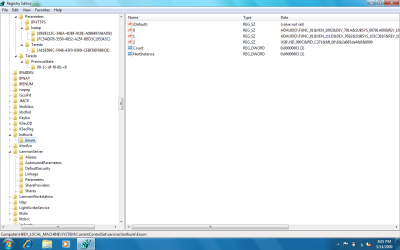
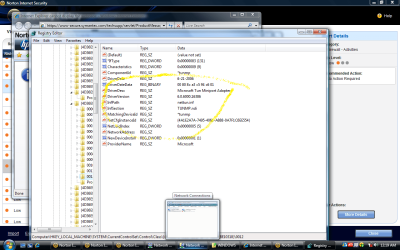
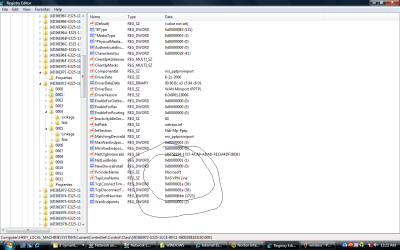
There are a few shots of the registry -- where changes have been made that seem very strange. ... And I through in a copy of a cmd line netstat as well. Lastly, Norton, which does not stand a chance against this and is dying everyday (upon last reinstallation of my OS, I decided just to uninstall Norton. When I got to the uninstall page, it started to install as expected, then I get a dialog box that says "There has been an error. It appears that Norton has already been uninstalled". I don't know. It could have been I mistake I made. But even statistically, there is no way this can be happening. I am not proud of this, but I had a nasty breakup with a fiance in 2003, and was fairly anti-social afterwards for a bit. I spent 2003 to 2005 spending 7 hours a day on XP. And I have a hacking -- "let's see how this works" or let's see how this reacts or behaves type of curiosity. Last summer, I spent 8 hours a day working with Vista which is why I like WIN 7 so much. And, it felt to me like a clumsy, but sleeker XP, with security enhancements that were ubiquitous.

So unless Windows 7 is as different from Vista/XP as Visicalc is from Excel, then you need to take me up on my offer and access my machine and tell me I am nuts. Cuz either my laptop or my mental state need a diagnosis ASAP.

OK. now I either hit soemething on my keyboard or something is not working correctly. I had re-edited this post for 20 minutes, and now I lost all changes. I am going to submit it as is... Sorry for through edges.....​
 

Attachments

  • norton4.png
    norton4.png
    276.5 KB · Views: 17
  • tun.png
    tun.png
    78.9 KB · Views: 13
  • netstat.jpg
    netstat.jpg
    178.4 KB · Views: 22
  • mroe1.jpg
    mroe1.jpg
    145.4 KB · Views: 11
  • network.png
    network.png
    33.7 KB · Views: 10
  • mounteddevices--HKLM-System-ccs.png
    mounteddevices--HKLM-System-ccs.png
    40.5 KB · Views: 9
  • linkageadapter.png
    linkageadapter.png
    39 KB · Views: 13
  • lanmanserver.png
    lanmanserver.png
    53.2 KB · Views: 32
  • audio.png
    audio.png
    42.9 KB · Views: 15
  • adapterreg.png
    adapterreg.png
    39 KB · Views: 17
  • tcp.png
    tcp.png
    132.9 KB · Views: 13
Last edited:

My Computer

OS
Windows 7
Why, if I just log on a network, is one of my svchost processes running ssh?
hmmm
Headscratch2.gif


Remote SSH: Run processes anywhere on different platforms
 

My Computer

Computer type
PC/Desktop
Computer Manufacturer/Model Number
Bruce ... somewhere in his 40's
OS
Windows 7 Ultimate 32bit SP1
CPU
Intel(R) Core(TM)2 Quad CPU @ 2.40GHz, 2400 MHz
Motherboard
INTEL/D975XBX2
Memory
4 GB
Graphics Card(s)
ATI Radeon HD 2600 Pro
Monitor(s) Displays
Samsung SyncMaster 914v
Screen Resolution
1280 x 1024
Hard Drives
2/500GB each ... ST3500630AS ATA Device.
One is not connected
PSU
Rocketfish 700 W
Case
G.Skill Gigabyte Chassis
Keyboard
Standard PS/2 Keyboard
Mouse
Microsoft PS/2 Mouse
Internet Speed
DSL
Antivirus
Avira Internet Security
Browser
IE 11
Other Info
ATI HDMI Audio
So the article does not seem like it is some au gratis... like a unix shell account, you have to get lucky or pay for it.

I have been saying all along that whatever this RNAV thing is, ipv6 and UDP packets are a core part of his MO (see the netstat screenshot attached) central to it operations. I just got done deleting my routing table, and there were a lot of link local fe80::00 type addresses, but then one (1) real ipv6 address which I had know idea as to where it was. I went into netsh interface ipv6, and set state disabled to every switch that seemed to make sense, then did the same to netsh interface ipv6 teredo, and again to netsh interface ipv6 6to4. Everyone of these adapters is used at one time or another.

Further, my modem -- now I may be behind the curve here, but how would my modem be essential if I am wired via ethernet to a gateway with a moderate firewall? Because if I uninstall and DELETE the driver for this modem, my system whines saying it needs the driver for an "audio bus"... Do not have a screenshot of this, but do you know what that means at all? I have said this, and I believe that media (again, as said many times above in other posts) is key...whether as a component of bluetooth or some other RF helper). I will terminate the audiohg process, and immediately, the Presentationfontchache process will start (and coincidentally, right as this is starting I see "conhost" start and then disappear after the presentationfontcache is running). I delete this the fontcache, and Windows Presentation will come up; I delete this then a third party (HP) DVD driver comes up.... you get the idea.... they are all media related.... that's quite odd.

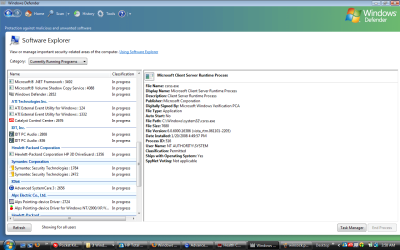
Also, I look at the Windows defender "program explorer" and there are two processes (see screenshot called doubles) running in many cases, one for me under the name Operations/connor ("Operations" is my computername at the moment, and I often go by Connor for historical reasons....(well, I have been a photographer part time for 10 years and "Connor Troy" was the name I used because I liked those irish names), and the other is for NT Authority/System. I can never tell them apart when I am trying to decide who to include in the security tab of an application or file I have been denied access to because the domain is never apparent. So, I probably chose the wrong users to add back in after I remove trusted installer and NT Authority/administrators.... it is all very confusing. Plus, as and added bit of info....the RNAV also gets noticeably irritated if I change the WORKGROUP to something else.... I do this to annoy him... like I will just change it to "soiffasoifysio" random characters..... Also, this is why I change my computer name every time I reinstall. I know these keeps him on his toes. He has a lot of software apps (native to windows) that he must use like "Quick Launch", because I will terminate this, and it will immediately restart (complete with the "conhost" showing up to briefly until its job is done).

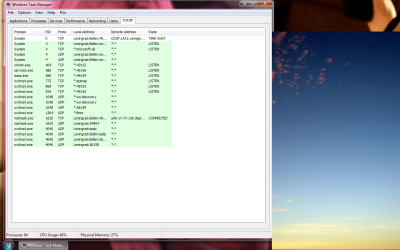
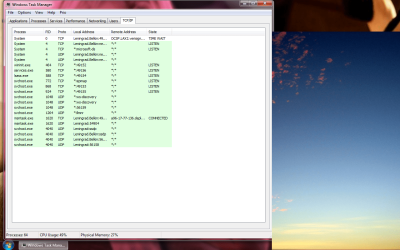
Darkassasin told me about a little program called prio which shows the priority of processes, and it also added some other features to the taskmanager dialog box.... it put an extra tab that showed TCP/IP connections. I promise you that this was the screenshot when I was not connected to a network via ethernet and my wireless switch was off. See screenshot called TCP. Explain that...! :) What is with all of the asterisks????

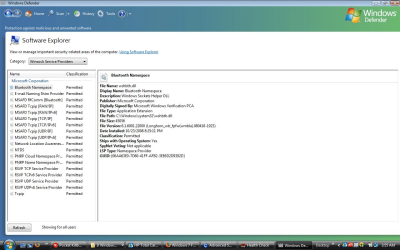
I also am convinced that the RNAV is keen on a windows network, since in the adapter properties of either my ehternet or wireless adapter, netBios over TCP is always on, not on AUTO, plus, the box to look up LMHosts is always checked. If I uncheck this, turn NetBIOS over TCP/IP to Auto or off, and uncheck the LMHosts look up, I can usually take some control back over my adapter if it says I do not have an internet connection--which any fool would know is ledgerdemain, because though I cannot get to the internet (only local), windows diagnostics spends all of 3 seconds to tell me there is nothing it can do for me and to contact my administrator (it never runs that quickly), AND my network icon in the systray looks perfectly functional (like it would have local and internet access). ....so something is awry.... When I do the above, I can get it back.... I also uninstall Windows Network Client network and file and printer sharing from the adapter. And see this screenshot from Windows Defender which is the section in Program Explorer specifically for Winsock (screeenshot is called Winsock).

Lastly, I found some little application called Advanced System Care off of CNET.com, which doesn't do a specific thing incredibly well, but it does A LOT of things moderately well. Anyway, I was able to download it and install it (which is somewhat rare, as I can never download a firewall (an anti-virus application usually will make it, but a firewall??? that gets it really irritated, I usually end up fighting for control of everything until I have to reboot after the system hangs.) Anyway, I ran this little app 4 or 5 times (each time I ran it, the original "hardcore" settings I configured initially would always change to something much gentler, but I would check this, change them back and re-run it. After running it 5 times back to back, each time I came up with over 1000 problems in each category (i.e., Optimization, Security DEFENSE, Disk Defrag, and Security Analyser). And at the end, there was some vindication for me... check out this screen shot. :D called hijack. I am almost gloating....

Sorry to dump all this on you, but there are two more screenshots I have attached, called tun and vpn. These are the full keys of two adapters under HKLM/SYSTEM/cuurentcontrolset/class/CLSID-whatever----/####. I may be paranoid, but that seems awful furtive......

Paul
 

Attachments

  • netstat.jpg
    netstat.jpg
    178.4 KB · Views: 35
  • hijack.pmg.jpg
    hijack.pmg.jpg
    116 KB · Views: 30
  • tcp.png
    tcp.png
    132.9 KB · Views: 22
  • windows update.jpg
    windows update.jpg
    120.1 KB · Views: 31
  • doubles.png
    doubles.png
    54.6 KB · Views: 23
  • winsock.png
    winsock.png
    189 KB · Views: 20
  • tun.png
    tun.png
    82.1 KB · Views: 26
  • vpn.png
    vpn.png
    41.4 KB · Views: 37

My Computer

OS
Windows 7
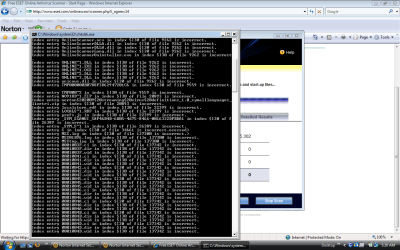
This little app I found on CNET which claimed I was hijacked, led me to the ESET online scanner.

First thing it did was a basic chkdsk. But the results (see screenshot), ARE LIKE NOTHING I have ever seen before. This index error problem looks like it has been this way for some time. I ran a chkdsk this afternoon.... There must be 4 screenshots worth of these errors. Could this have been hidden from me???
 

Attachments

  • chkdsk.png
    chkdsk.png
    38.8 KB · Views: 63

My Computer

OS
Windows 7

My Computer

Computer type
PC/Desktop
Computer Manufacturer/Model Number
Bruce ... somewhere in his 40's
OS
Windows 7 Ultimate 32bit SP1
CPU
Intel(R) Core(TM)2 Quad CPU @ 2.40GHz, 2400 MHz
Motherboard
INTEL/D975XBX2
Memory
4 GB
Graphics Card(s)
ATI Radeon HD 2600 Pro
Monitor(s) Displays
Samsung SyncMaster 914v
Screen Resolution
1280 x 1024
Hard Drives
2/500GB each ... ST3500630AS ATA Device.
One is not connected
PSU
Rocketfish 700 W
Case
G.Skill Gigabyte Chassis
Keyboard
Standard PS/2 Keyboard
Mouse
Microsoft PS/2 Mouse
Internet Speed
DSL
Antivirus
Avira Internet Security
Browser
IE 11
Other Info
ATI HDMI Audio
Jacee, et.al.

Coincidentally, I just revisited this issue about a week ago... But I agree with you. I do have a lot of services running. I first discovered what a "service" was when I trying to speed up an over-laden XP installation a few years ago and since then I always try to prune unnecessary services.

However in the case of Windows 7 -- or rather since my RNAV -- my options are limited... [which come to think of it..I can at least thank this problem for compelling my introduction to Windows 7; I downloaded Build 7000 and installed as a main OS (I know, I know) because my version of Vista at the time (late last January) had become decimated due to the RNAV and I did want to pay for the factory recovery disks to reinstall Vista...it turned out that I Windows 7 was a much more enjoyable experience, even in beta, and honestly, I would not even have Vista "retail" running now (as shown in my latest screenshots) except it is an intermediate step to get to Windows 7 with all of the software that came with this new HP notebook].

When I say my options are limited it is because--as is my mantra during this thread and ordeal--I do not have much control of what I can and cannot do when it comes to Windows (Vista or 7) since the initial infection (and my subsequent reinfection) of this monster.

I think I had mentioned about 9 or 10 pages ago (!) that several services had their options grayed out. I know that grpsvc is hardened and I am limited in what I can do with that service (which is a hack I am looking for at the moment because if I can find a way around these NTFS restrictions that are being placed on me -- as if I was an employee in a big company with an actual need for group policy -- half of this battle would be over in an hour). But several other services are off-limits to me as well. To further explain what I have experienced, I want to tell you that these services were not "off-limits" at first. Like all other Windows 7 users (I presume), I thought I could disable services if need be. And I needed to because I was not only trying to streamline the OS (this is back in February), but because I was trying to determine if in fact any of the services were related to the problem I was having (my infection). One by one, I discovered which services were vital to the RNAV's proper functioning. First, I would stop a particular service, and if it was used by the RNAV, there would be a screeen flicker or tremor, or the system would hang. At first I thought it was my fault and I should not have stopped the service because the OS needed it (however by now I know the important services -- but there were new ones to contend with in WIN 7). Upon reboot -- or, in the alternative, if a system crash had not resulted from my stopping the service, the next time I restarted my PC, the service I had disabled was now running again. A bit dismayed, I would look at it, double check the function of the service to make sure it was not OS-vital, and if it was something I didn't think I needed, I would try stopping it/disabling it one more time. But....upon my next restart, these services would be again running--and to my surprise when I looked at them this time, certain parts of the extension menus and the properties box were grayed out!

As I was just getting familiar to WIN 7, I was pretty confused, but I came to my senses and realized that even if this was a new windows version (and even if it was beta), no OS was self-protective quite like this...almost like some living entity.... which is why my mindset this whole time has been that I have been dealing with a person who is, at least part of the time, actively involved in the control of my particular PC. But then again, I am not a computer security expert, and do not know if computer viruses-- as with the variety their carbon-based creators are suceptible to--have the ability to actually evolve to survive. I imagined computer viruses might relocate themselves, or do a few other things based on their original programming, but, for a virus to restart a service twice before it decides that it does not want the "stupid human" to shut it down again and disables it...... I mean I am sure there are countless sci-fi stories (and I was thinking HAL 2000 when I typed "stupid human" above) about such occurences, but I didn't think that really happened. [Well, until I read about Conflicker anyway....with its ability to update, etc.]

So, I realize that I have a lot services running, but I just do not touch a lot of them now because my actions have rendered the following services un-alterable (or un-stoppable): PlugnPlay, RPCsvc, RPCss, DCOM Service Process Launcher, SAM, Task Scheduler, and Windows Driver Foundation -User Mode Driver Framework (Note: this is from memory, so please correct me if any of the foregoing services come "hardened" at installation time).

In addition, the Routing, Peer to Peer Grouping services were at one time off limits to me, but the evolving RNAV has found other ways to subsist without them.

Which brings me to an interesting feature I thought I would make known: one strange signature of this thing is that it picks up services that I might install temporarily if it likes them. This means that even if I uninstall the application (from where the service in question originated), the service will initially uninstall along with the application, but in 1-2 hours, that formerly uninstalled service is now running again and probably continues running to this day.

That really weirded me out because I didn't know how a virus could just grab and control a 20-50MB (or more) file and call it its own. I later realized that my WD My Book was a repository more or less for all of its necessary equipment.

But before you start calling your friends and telling them you met a very amusing, but sadly, mentally unstable individual on the sevenforums.com, I do have good circumstantial evidence to back this up. Thankfully, WD external backup drives (like Maxtor, and others) have very obvious blinking lights indicating when they are being accessed. About 3 months ago, I had been sitting in the room where I work/use the notebook, (probably reading and trying to learn Asterisk, which I still have not gotten a grip on) and peripherally saw the drive light blinking for several minutes, more than 5 at least. I had no scheduled backps or anything like that, so there really would be no reason (that I know of) that windows would need to access an external drive for 5-10 minutes. Obviously, some serious data was being accessed. I kept an eye on the drive since then it will sometimes access it for 4 or 5 minutes. I have more info to verify this, but I know I can get a bit long-winded, so I will just say that it uses external space if it is available for storage. [Unfortunately, my WD stopped working correctly (do not know if this is related to the infection or not, but if anyone knows a good site on DIY external drive repair, please let me know).

I'll end this post because it is me mostly rambling again, but I do want to ask a general, but related question.... is there a way to hide files beyond the standard windows "hidden" files? The only other method of hiding files (at least in windows) that I know is the "index.dat-type method" (which I do not understand...I only remember it took a lot of work to get to those .dat files).

P
 
Last edited:

My Computer

OS
Windows 7
If I was in your position pjvex386, I would seriously consider letting Baarod have your machine for a little bit so he can play around with it some...as per his offer. Are you geographically close to him?

Either way, your sanity will be restored and I am betting that no matter what the problem is or isn't, he will set it right.
 

My Computer

Computer Manufacturer/Model Number
self built
OS
7600.20510 x86
CPU
P4 550 3.4 GHz HT running at 3.5 GHz
Motherboard
MSI PM8M3-V (MS-7211 v1.x) Micro-ATX mainboard
Memory
OCZ 2 GB(2x1GB) DDR400mHz running @ 414 mHz
Graphics Card(s)
HIS Radeon HD 3850 IceQ 3 Turbo HDMI Dual DL-DVI AGP
Sound Card
MOTU Traveler firewire studio interface 192 kHz 24 bit
Monitor(s) Displays
22" widescreen Acer X223W LCD, 17" Compaq P75 CRT
Screen Resolution
1680x1050 and 1280x1024
Hard Drives
SATA I x2 WD, 400 GB and 120 GB, SATA 2 WD Caviar Black 1 TB
PSU
350W generic
Case
Cybertronpc, it glows blue
Cooling
stock cpu fan, Ice-Q 3 gpu and system, many case fans
Keyboard
Logitch Classical Keyboard 200
Mouse
Logitech Mediaplay cordless
Internet Speed
1792/448 kbits/sec
Other Info
SATA II PCI fake RAID adapter, 1 GB Readyboost, original ATI Remote Wonder (even works with WMC perfectly), Logitech Rumblepad 2 game controller x2
It installs applications that look legitimate (or even helpful). On just a guess, I tried to "change" not uninstall, something I never installed Cyberlink DVD Suite. I thought it might have been part of the HP apps with the notebook, but there was already a DVD player application.

Anyway, when I clicked on "Change" it said "The application you wish to modify is located on a Network Source that is unavailable right now. Please try again later."

I mentioned that media drivers are used for facillitating communication in some form.... I think it can use any driver for most media. Yesterday, along with the application I mentioned that was helpful, I downloaded Manycam, which is a interesting applicatino to use with a webcam. But before I even installed it (I was downloading several things), the RNAV installed it because it showed up in the task manager.
 

My Computer

OS
Windows 7
TorrentG:

I would be more than willing to have anyone short of a plumber take a look at my laptop. I must have missed the post you refer to. This isn't a matter of money (although I am in a crunch at the moment), but rather I do not know of anyone who will believe me, or see what I am seeing as it takes someone with experience and who can just sit and perform normal functions on it for an hour. That service/competence level doesn't comport with the "Geek Squad" employment handbook.

However, I am in Chicago, and do not drive anymore (well, I still drive, but no longer have a car). Is Baarod located near the midwest anywhere? If he is not, does he know of someone in the city? Is VPNing, Remote Assistance, SSHing not a viable (or too risky) an option?

Paul
 

My Computer

OS
Windows 7
Paul, have you read this before? Also, have you done this?

In previous versions of Windows, many users used the built-in Administrator account on a regular basis.
This account has full control over everything on the computer.

When you install Vista, you may be surprised to learn that the Administrator account is disabled by default.
That's to encourage you to follow best practices and create your own administrative account.
It also makes it a little harder for hackers; they all knew that the account named Administrator
existed and so had half of what they needed (the account name) to log on with it.
You can enable the built-in Administrator account if you really want to, by running the Command Prompt as administrator
(right click its icon and select Run as Administrator; click Continue at the UAC prompt) and typing the following:
net user administrator /active:yes
This causes the Administrator account to appear on the Welcome screen.
Note that it does not have a password set by default; the first thing you should do is
set a strong password for it.
 

My Computer

Computer type
PC/Desktop
Computer Manufacturer/Model Number
Bruce ... somewhere in his 40's
OS
Windows 7 Ultimate 32bit SP1
CPU
Intel(R) Core(TM)2 Quad CPU @ 2.40GHz, 2400 MHz
Motherboard
INTEL/D975XBX2
Memory
4 GB
Graphics Card(s)
ATI Radeon HD 2600 Pro
Monitor(s) Displays
Samsung SyncMaster 914v
Screen Resolution
1280 x 1024
Hard Drives
2/500GB each ... ST3500630AS ATA Device.
One is not connected
PSU
Rocketfish 700 W
Case
G.Skill Gigabyte Chassis
Keyboard
Standard PS/2 Keyboard
Mouse
Microsoft PS/2 Mouse
Internet Speed
DSL
Antivirus
Avira Internet Security
Browser
IE 11
Other Info
ATI HDMI Audio
Jacee:

Yes, I was one of those hacker-types who could be assigned the old "Power User" privilege level and create full administrator rights (which is why these circumstances drive me particularly crazy).

Two laptops ago I used to treat enabling the "hidden" Administrator user like it was invoking Alan Turing and Archimedes combined. Now that is my user all the time. It is worthless compared to a 2003 or 2008 server admin privilege (but I think the software in my case is, in fact, NT). But I remember that there are NTFS workarounds where the local admin can have absolute power. I just cannot find it or figure it out.

If you know this priceless bit of information, it would be extremely helpful.

Paul
 

My Computer

OS
Windows 7
Status
Not open for further replies.
Back
Top