Good morning 1, 11, 111, 1111 and 1...1 !
The Problem :
A week ago, my laptop started to "shift" in time...
I will explain myself furthermore:
The Context :
I wrote a program that automatically generates data files hourly with data added every 5 min. (hh:00, hh:05, ..., hh:55) from an external source.
Each hourly file has a name with timestamp in the form "HOURLY_DATA_yyyy-mm-dd_hh.csv"
(i.e. "HOURLY_DATA_2015-11-11_20.csv")
A daily file is merged from all the hourly files, keeping only changes, once a day at 23:58:00, whose name has the form "DAILY_DATA_yyyy-mm-dd.csv"
(i.e. "DAILY_DATA_2015-11-11.csv")
The hourly files are then deleted, the daily file moved to an archive and so on, day after day...
All this is automatically generated / merged / archived / cleared / etc.
(NOTE 1 : The laptop is powered by mains and works 365[+1]/7/24 unless short stops for maintenance / system updates / etc.)
The Facts :
All this has been working well until a few days ago...
(NOTE 2 : All times given for the laptop are given with NO accuracy at all...)
It is 20hxx when I check (as usual), from another computer, how all this is running and notice that I have no hourly file generated for the interval 19h00-19h55 on the same day.
I check the system date/time on the laptop : it is still 18hxx...
It just looks like as if ITS time was running slower than MINE...
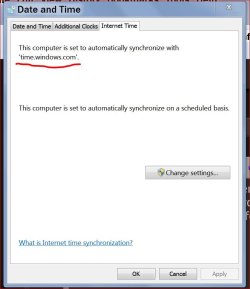
I run some kind of atomic clock sync prgm to reset the laptop system date/time to correct values and go back to what I was doing before.
Later, on the same day, I check the system date/time of the laptop again and see that it has shifted once more (can't remember the exact values, but it was a two-hour shift approx.)
The Great Interrogation :
The Acknowledgement :
ThanxxX
The Problem :
A week ago, my laptop started to "shift" in time...
I will explain myself furthermore:
The Context :
I wrote a program that automatically generates data files hourly with data added every 5 min. (hh:00, hh:05, ..., hh:55) from an external source.
Each hourly file has a name with timestamp in the form "HOURLY_DATA_yyyy-mm-dd_hh.csv"
(i.e. "HOURLY_DATA_2015-11-11_20.csv")
A daily file is merged from all the hourly files, keeping only changes, once a day at 23:58:00, whose name has the form "DAILY_DATA_yyyy-mm-dd.csv"
(i.e. "DAILY_DATA_2015-11-11.csv")
The hourly files are then deleted, the daily file moved to an archive and so on, day after day...
All this is automatically generated / merged / archived / cleared / etc.
(NOTE 1 : The laptop is powered by mains and works 365[+1]/7/24 unless short stops for maintenance / system updates / etc.)
The Facts :
All this has been working well until a few days ago...
(NOTE 2 : All times given for the laptop are given with NO accuracy at all...)
It is 20hxx when I check (as usual), from another computer, how all this is running and notice that I have no hourly file generated for the interval 19h00-19h55 on the same day.
I check the system date/time on the laptop : it is still 18hxx...
It just looks like as if ITS time was running slower than MINE...
I run some kind of atomic clock sync prgm to reset the laptop system date/time to correct values and go back to what I was doing before.
Later, on the same day, I check the system date/time of the laptop again and see that it has shifted once more (can't remember the exact values, but it was a two-hour shift approx.)
The Great Interrogation :
- Is it a local time-leak ?
- Spatiotemporal distortion due to my warp engines ?
- The 4th dimension ?
- Extra solar activity ?
- The Cat ?
- Any idea ? :shock:
The Acknowledgement :
ThanxxX
My Computer
- Computer type
- Laptop
- Computer Manufacturer/Model Number
- Asus
- OS
- Windows 7 Home Premium 64-bit SP1
- CPU
- Intel Pentium P6200 @ 2.13GHz - Arrandale 32nm Technology
- Motherboard
- ASUSTeK Computer Inc. K72JT (Socket 989)
- Memory
- 4.00*Go Single-Channel DDR3 @ 532MHz (7-7-7-20)
- Graphics Card(s)
- 1024MB ATI AMD Radeon HD 6370M (ASUStek Computer Inc)
- Sound Card
- Realtek High Definition Audio
- Monitor(s) Displays
- Generic PnP Monitor
- Screen Resolution
- 1600x900@60Hz
- Hard Drives
- 698GB Western Digital WDC WD7500BPVT-80HXZT1 (SATA)
1863GB Western Digital WD Ext HDD 1021 USB Device (USB)