
yashwanthroyal
New member
- Local time
- 8:41 AM
- Messages
- 4
i went to net cafe and copied some files.
after that iam unable to open it and getting driver not properly installed.
what to do now.
i have attached all the error reports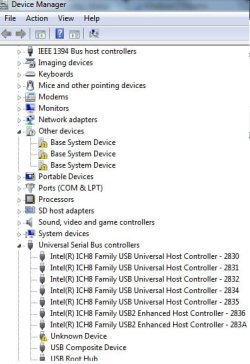
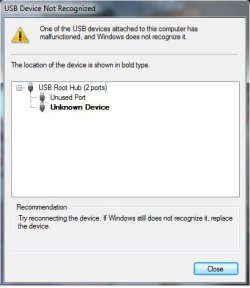
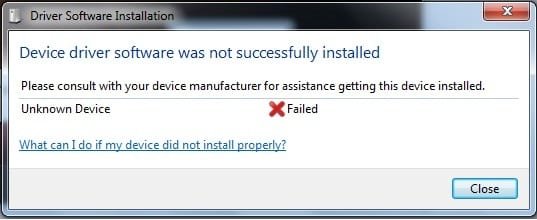
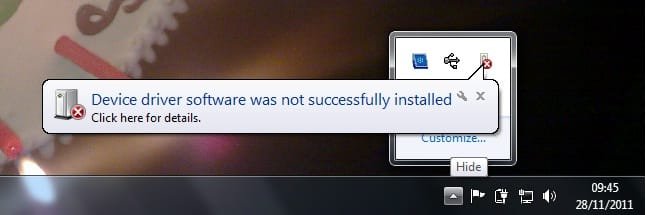
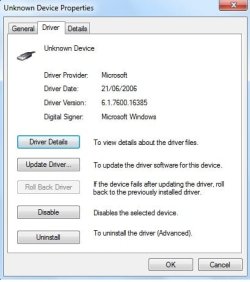
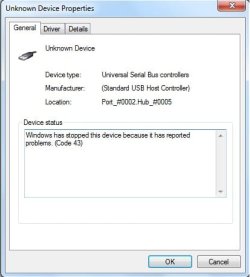
just take a look at it.
i made an attempt that to recover pendrive via online but it is unable to detect it.
i did jet flash online recovery but it is not getting detected,
iam not able to upadate it via online.
iam hopeless now.
iam having important files in it.
how to recover it.
let me know.
is it possible to recover pendrive in its previous working state.
i made all attempts even i restarted my laptop many times
iam using windows 7 ultimate 32bit
after that iam unable to open it and getting driver not properly installed.
what to do now.
i have attached all the error reports
just take a look at it.
i made an attempt that to recover pendrive via online but it is unable to detect it.
i did jet flash online recovery but it is not getting detected,
iam not able to upadate it via online.
iam hopeless now.
iam having important files in it.
how to recover it.
let me know.
is it possible to recover pendrive in its previous working state.
i made all attempts even i restarted my laptop many times
iam using windows 7 ultimate 32bit
My Computer
- Computer Manufacturer/Model Number
- dell inspiron 1525
- OS
- windows 7
- Motherboard
- intel
- Memory
- 2gb ram
- Graphics Card(s)
- 384mb chipset graphics
- Sound Card
- creative
- Hard Drives
- sata


