Transparency Project

THANK YOU THANK YOU THANK YOU THANK YOU THANK YOU!!!!! :D :D :D
Have been looking for a way to get transperant effect in win8 pro.
This is the best software!! :)
 

My Computer

OS
win8 pro 64-bit
CPU
core i5
Memory
6 GB
i instaled that program but now i cant seem to be able to uninstal it :(
 

My Computer

OS
widows 8 64bit
...

i instaled that program but now i cant seem to be able to uninstal it :(
But you did ofc remember to backup before playing with this ??:shock:

Try this. go to pc settings. then General and optimize your pc.
If that wont Work. Try restoring to facture settings. (should be below optimizing)
 

My Computer

OS
win8 pro 64-bit
CPU
core i5
Memory
6 GB

My Computer

Computer type
Laptop
Computer Manufacturer/Model Number
Sony Vaio VPCEB47GM Laptop
OS
Win 7 Pro 64-bit
CPU
Intel i5 2.4 Ghz
Memory
8GB DDR3
Graphics Card(s)
Intel HD 3000
Sound Card
IDT High Definition
Monitor(s) Displays
15.6 WGXA Anti-Glare LED
Screen Resolution
1280x800
Hard Drives
640Gb 7200rpm
Antivirus
MSE
Browser
Opera (primary) with IE9 backup
Hi Prisonner!

I am really glad you made this program. I'll use it even if, as you said in the readme file ''it is a beta and it will always be'' because, saldy, I haven't found any other similar app to recreate the aero features for basic themes. I'm so sorry I don't know programming, otherwise I'd be really glad to work on it. But there might be someone who could.

Do you know Sergey ''Happy Buldozer'' Thatchenko? He is the owner of Winaero.com (more info here) and made a lot of software programs, some of them being covered on sites like PCWorld, LifeHacker, Engadget etc. At this moment he decided to include all his programs (or as much as possible) in an all-in program called Winaero Tweaker which is availible on all versions of Windows from 7 to 10. Maybe you can show him this program and tell him to include it (or at least some of these features) inside, as a basic alternative for machines or OSes which can't support aero enabled, or move too slow. I think there could be people interested in this. What do you say?
 

My Computers

System One System Two

  • Computer type
    Laptop
    Computer Manufacturer/Model Number
    Acer Aspire ONE D260
    OS
    Windows 7 Starter 32bit
    CPU
    Intel(R)Atom(TM)CPU N450/1.66GHz
    Memory
    2 GB
    Antivirus
    ESET NOD32 Antivirus
    Browser
    Google Chrome
  • Antivirus
    Linux
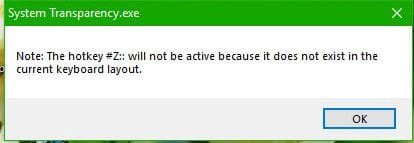
How change other hotkey an multiple keyboard layout (non latin)
 

Attachments

  • ScreenShot008.jpg
    ScreenShot008.jpg
    15.1 KB · Views: 25

My Computer

Computer type
PC/Desktop
OS
Windows 7 Ultimate x32
Does anyone have the latest source code for this, I can't seem to save it from the first post, it says something about permissions or some such and asks me to log in again.

Thanks
 

My Computer

Computer type
PC/Desktop
Computer Manufacturer/Model Number
custom
OS
64 Win 7
CPU
intel
Motherboard
asus
Memory
ripjaw
Graphics Card(s)
nvidia
Hard Drives
corsair
wd
Antivirus
avg
Browser
cyberfox
I decided to make my own version of this app for doing explorer windows only using AutoIt instead of Auto HotKey, the results were ok in my opinion, source code included, you only need the .exe, just place it in your Startup of your OS or run it manually if you want to test it out.

I am not responsible for any issues cause by using this, check the source code to see how simple the method I used was, but as stated with the original project, it may have side effects on some hardware or in some use cases, it doesn't modify any files on your computer though, so a system reboot without it running will be a clean boot.

I could extend my work to include the option to auto start this app from the system tray menu, but I wont personally need it so never added it.
 

Attachments

My Computer

Computer type
PC/Desktop
Computer Manufacturer/Model Number
custom
OS
64 Win 7
CPU
intel
Motherboard
asus
Memory
ripjaw
Graphics Card(s)
nvidia
Hard Drives
corsair
wd
Antivirus
avg
Browser
cyberfox
I've recompiled the code to my own and it looks like the .exe mechanism AutoIt uses makes the file look like malware. What version of Aut2Exe did you use? My version is 3.3.16, yet my .exe's are larger in size. Both for 32 and 64 bit.

Mine simply adds a 25% option.


View attachment Transparent Explorer v2.0.zip


SHA256: D5D0985A18E80D25B4CF243A87CA187D6B8370A07E79D2C53BAE91F01AF395AA
 

My Computer

Computer type
PC/Desktop
OS
Windows 7 Ultimate x64
I used UPX to compress mine, that would be why it's detected as malware and smaller.

I still don't have access to download from sevenforums.com, I wanted to grab your version as you must have thought more levels was the better idea, I never got used to having my desktop icons shown through :D
 

My Computer

Computer type
PC/Desktop
Computer Manufacturer/Model Number
custom
OS
64 Win 7
CPU
intel
Motherboard
asus
Memory
ripjaw
Graphics Card(s)
nvidia
Hard Drives
corsair
wd
Antivirus
avg
Browser
cyberfox
Created a new user and got it, thanks.
 

My Computers

System One System Two

  • Computer type
    PC/Desktop
    Computer Manufacturer/Model Number
    Asus
    OS
    Windows 11 Pro x64
    CPU
    Ryzen 5
    Motherboard
    Asus
    Memory
    32gb
    Graphics Card(s)
    nVidia GT 960
    Hard Drives
    2x512gb m.2
    Antivirus
    Defender
    Browser
    Chrome
  • Computer type
    PC/Desktop
Yeah, I just made it for a 25% option. Didn't want to do a 20% option as I felt 25% was right for me personally.

What syntax did you use in UPX? Because it ain't working... I'm too lazy to spend an hour or better learning it all right now. Just read what was in CMD and should have created the .exe
 
Last edited:

My Computer

Computer type
PC/Desktop
OS
Windows 7 Ultimate x64
Is true that Prisoner made a visual transparency application?

I have his app called Clear.exe, version 1.5.0.2, made 2/20/2010, SHA-256: ef4d34e632e48b7ab64d0fe196e36952e3c56815280940c1df01c95902b85733

Is it true that it's really his?
 

My Computers

System One System Two

  • OS
    Windows 11
  • Computer type
    PC/Desktop
Back
Top