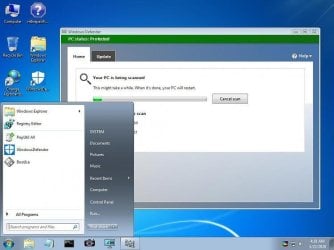
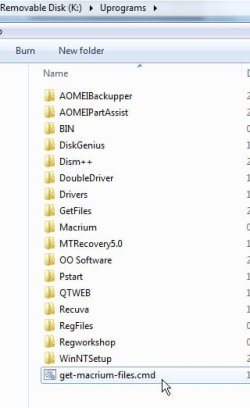
The setup I showed is to an external drive in a USB caddy, which I'd like to swap into the laptop if needed.
[...]
The "HPCompaq" partition is just a backup of Documents. I can probably find another drive for that.
Ah, okay. I had mistaken the "HPCompaq" and "ToshibaA210" labels to be backups of the OSes from those computers.
I still contend imaging is a more sensible strategy than cloning for backing up an OS, though I know others disagree so I present my rationale but don't pursue it if someone makes an informed choice. FTR, I lay out my arguments in the epilogue of my video
here, starting at about the 18:15 mark.
[Edit: Oops, wrong time marker -- that's the argument for a separate data partition. The clone-vs-image discussion is at the 15:30 mark.]
I checked the instructions for the image on your page, very helpful! But I have a couple of questions,
a) "Boot from your Macrium Reflect Rescue media (CD or USB stick)". I thought Windows 7 doesn't boot from a USB stick (inherent Windows limitation?).
b) Does "Delete existing partition" (in my case the "ToshibaA210" partition) actually format?
But to clarify, steps 11-15 need to be performed with a cloned drive in the laptop and the CD rescue disk in the CD/DVD drive. Any steps I should take now with BIOS by the way?
Win7 isn't being booted from the USB stick. It's the Macrium rescue media that's being booted. Essentially, it's a WinPE boot stick customized to boot only the Macrium program and nothing else.
Steps 11-15 make use of the "Fix Windows Boot Problems" feature in Macrium Reflect. That feature is not available from the installed program, so to make use of that option you'll need to boot from the Macrium rescue media instead.
If you haven't already done so, create the rescue media by launching the installed program and finding its menu option to "create rescue media". That can be to a CD or a USB stick. To then boot from the media, reboot your computer with the media inserted and perform whatever steps your manufacturer specifies to boot from external media.
Try booting from your rescue media and walking through the beginning steps to familiarize yourself with the process. Steps are just queued and nothing is actually committed to disk until you get to step 8 of my tutorial.
"Deleting" does nothing more than erase a partition's entry from the partition table at the front of the disk. The contents of the partition's sectors are actually still intact until overwritten by another partition. The "format" of a partition is part of the cloning (or image restore) process, so "deleting" does not "format" anything.
Steps 11-15 must be performed after the target partition(s) is restored (via cloning or image restore) and the disk is in its intended operating location -- e.g., yes, installed internally in your laptop. Macrium has to be able to analyze the boot environment (i.e., where the disk is and where its partitions are) so it can reconfigure the BCD on the clone startup partition so the clone OS will boot.
Note that can be problematic if the target disk is not in its final resting place. You'll find more about that in the earlier sections of my aforementioned video. At worst, you'd have to wait and perform steps 11-15 when you actually need the clone and have it installed in the internal bay.
Finally, as an aside, note you don't actually need the System Reserved partition if it gets in your way. If you were to clone (or image restore) just the OS partition, Macrium's "Fix Windows Boot Problems" function could rebuild the BCD on the OS partition instead of the System Reserved partition. But that's a discussion for another time.