Trying to find the neat "preview" cmd that was on my....

jagman55

New member
Member
VIP
Local time
4:33 PM
Messages
115
pull-down (context)? on Window Explorer to "view" a JPG.
When I reloaded my OS I lost this neat cmd, and others, on the context pull down.

There were others but thought would start with the preview command.
Don't know where it came from but was really handy. I assume it was registry cmds .
Anyone know how I can recover it and others?

Thanks.
 

My Computer My Computer

At a glance

windows 7 ultimate2 quads @ 2.43gb
Computer Manufacturer/Model Number
HP pavilion
OS
windows 7 ultimate
CPU
2 quads @ 2.4
Memory
3gb
Monitor(s) Displays
tv
Hard Drives
many vendors
You mean when you right click on image,you see a preview of it in the context menu?
Or you are talking about something else
 

My Computer My Computer

At a glance

Windows 7 Ultimate x64 SP1i7 4771 3.5Ghz2x8GB DDR3 GEIL EVO LEGGERAPALIT GTX 750 TI StormX Duo
Computer type
PC/Desktop
Computer Manufacturer/Model Number
Custom Build
OS
Windows 7 Ultimate x64 SP1
CPU
i7 4771 3.5Ghz
Motherboard
ASUS B85 Plus
Memory
2x8GB DDR3 GEIL EVO LEGGERA
Graphics Card(s)
PALIT GTX 750 TI StormX Duo
Monitor(s) Displays
Samsung T24D390
Screen Resolution
1920x1080
Hard Drives
Samsung SSD 840 EVO 128GB
2TB Seagate SATA 3
600GB WD Blue SATA 2
PSU
Seasonic S12II 520W Bronze
Case
Cooler Master Force 500
Antivirus
Avast Free
Browser
Firefox
pull-down (context)? on Window Explorer to "view" a JPG.
When I reloaded my OS I lost this neat cmd, and others, on the context pull down.

There were others but thought would start with the preview command.
Don't know where it came from but was really handy. I assume it was registry cmds .
Anyone know how I can recover it and others?

Thanks.

The default context menu for a "jpg" should include "Preview". If it is missing along with others, as you state, something is amiss with your recent "reload" as you call it. Did you perform a new install of the OS or was it a repair or something else, like a factory image restore?
 

My Computer My Computer

At a glance

Windows 7 Professional x64Intel i5 quad processor16 GBRadeon HD 5770
Computer type
PC/Desktop
Computer Manufacturer/Model Number
Custom Built
OS
Windows 7 Professional x64
CPU
Intel i5 quad processor
Motherboard
DP67BG
Memory
16 GB
Graphics Card(s)
Radeon HD 5770
Sound Card
Realtek High Definition Audio
Monitor(s) Displays
Samsung SyncMaster
Screen Resolution
1920X1080
Hard Drives
WD 2TB (SATA Internal)
WD 1TB (USB External)
PSU
Corsair GS800
Case
Tower (Generic)
Cooling
3 Internal Fans
Keyboard
MS Wireless
Mouse
MS Optical Wired
Internet Speed
54 mbps
Antivirus
Emsisoft
Browser
IE-Version 9, Palemoon-Version 24.2.0
Missing right click pulldown-No, it was a reload following this forum.

On both my HP PC's, When I put the cursor on a JPG file and "right click" the mouse, a popup window appears with commands. Ones like:
open
open new window
preview
Edit
print
.
Properties

those are still on my desktop which was not reloaded.

My laptop which was reloaded is missing some of those cmds now like:

EDIT

PREVIEW

Those come in real handy.

I dont know where they came from or how to bring them back.

I guess they may be tweaks as the
PREVIEW brings up "window photo viewer"
and EDIT brings up "window paint"
 

My Computer My Computer

At a glance

windows 7 ultimate2 quads @ 2.43gb
Computer Manufacturer/Model Number
HP pavilion
OS
windows 7 ultimate
CPU
2 quads @ 2.4
Memory
3gb
Monitor(s) Displays
tv
Hard Drives
many vendors
On both my HP PC's, When I put the cursor on a JPG file and "right click" the mouse, a popup window appears with commands. Ones like:
open
open new window
preview
Edit
print
.
Properties

those are still on my desktop which was not reloaded.

My laptop which was reloaded is missing some of those cmds now like:

EDIT

PREVIEW

Those come in real handy.

I dont know where they came from or how to bring them back.

I guess they may be tweaks as the
PREVIEW brings up "window photo viewer"
and EDIT brings up "window paint"

You didn't answer my question; "Did you perform a new install of the OS or was it a repair or something else, like a factory image restore?" If you prefer not to answer the question that's OK and I hope you find a solution to your problem.

"Preview" and "Edit" are not tweaks, they are part of the default context menu in Windows 7 as I have already stated.
 
Last edited:

My Computer My Computer

At a glance

Windows 7 Professional x64Intel i5 quad processor16 GBRadeon HD 5770
Computer type
PC/Desktop
Computer Manufacturer/Model Number
Custom Built
OS
Windows 7 Professional x64
CPU
Intel i5 quad processor
Motherboard
DP67BG
Memory
16 GB
Graphics Card(s)
Radeon HD 5770
Sound Card
Realtek High Definition Audio
Monitor(s) Displays
Samsung SyncMaster
Screen Resolution
1920X1080
Hard Drives
WD 2TB (SATA Internal)
WD 1TB (USB External)
PSU
Corsair GS800
Case
Tower (Generic)
Cooling
3 Internal Fans
Keyboard
MS Wireless
Mouse
MS Optical Wired
Internet Speed
54 mbps
Antivirus
Emsisoft
Browser
IE-Version 9, Palemoon-Version 24.2.0
To tell you the truth, I dont know but what I did was..

Used this site to find a OS, created a boot flash drive that loaded the OS to it.
Booted to the flash drive and it said it would WIPE out my OS and it did.

On the flash there was a SETUP so instead of formatting the partition, I bootted to the flash, used SETUP and it appeared to wipe out my partition but it did save some of my programs and put them in a folder called "Old Windows" but I had a clean desktop and no programs that would work.

I tried to us the programs in the OLD WINDOWS but had issues so I deleted that folder and reloaded all programs new. These old programs may have come from the OS I used but the versions were old and did not look like mine from the load I just wiped.

I don't think it was a REPAIR as I had done a repair once and if I remember, it did not wipe anything out but did work better.

It was not a factory image as this site said "factory loads or images of the factory was "bloatware" and get rid of all the HP stuff" so in the previous load, I formatted the partition but this time did not.
The flash had a SETUP on it and I used that.

Sorry I can not answer what you want but in the old days, one would FORMAT and load a new OS absolutely but now, they get fancy with repairs, etc and I am not sure what it did.

But it did, wipe our the registry with the handle right click stuff.
 

My Computer My Computer

At a glance

windows 7 ultimate2 quads @ 2.43gb
Computer Manufacturer/Model Number
HP pavilion
OS
windows 7 ultimate
CPU
2 quads @ 2.4
Memory
3gb
Monitor(s) Displays
tv
Hard Drives
many vendors
Used this site to find a OS, created a boot flash drive that loaded the OS to it.
Booted to the flash drive and it said it would WIPE out my OS and it did.

On the flash there was a SETUP so instead of formatting the partition, I bootted to the flash, used SETUP and it appeared to wipe out my partition but it did save some of my programs and put them in a folder called "Old Windows" but I had a clean desktop and no programs that would work.

I tried to us the programs in the OLD WINDOWS but had issues so I deleted that folder and reloaded all programs new. These old programs may have come from the OS I used but the versions were old and did not look like mine from the load I just wiped.

I don't think it was a REPAIR as I had done a repair once and if I remember, it did not wipe anything out but did work better.

It was not a factory image as this site said "factory loads or images of the factory was "bloatware" and get rid of all the HP stuff" so in the previous load, I formatted the partition but this time did not.
The flash had a SETUP on it and I used that.

Sorry I can not answer what you want but in the old days, one would FORMAT and load a new OS absolutely but now, they get fancy with repairs, etc and I am not sure what it did.

But it did, wipe our the registry with the handle right click stuff.

Since there is a problem with the context menu not showing the default entries, I suggest doing a clean install as described at;

http://www.sevenforums.com/tutorials/1649-clean-install-windows-7-a.html

Whenever there are obvious issues with a new OS install it is best to start over because there may well be other problems down the road that haven't been discovered, yet.
 

My Computer My Computer

At a glance

Windows 7 Professional x64Intel i5 quad processor16 GBRadeon HD 5770
Computer type
PC/Desktop
Computer Manufacturer/Model Number
Custom Built
OS
Windows 7 Professional x64
CPU
Intel i5 quad processor
Motherboard
DP67BG
Memory
16 GB
Graphics Card(s)
Radeon HD 5770
Sound Card
Realtek High Definition Audio
Monitor(s) Displays
Samsung SyncMaster
Screen Resolution
1920X1080
Hard Drives
WD 2TB (SATA Internal)
WD 1TB (USB External)
PSU
Corsair GS800
Case
Tower (Generic)
Cooling
3 Internal Fans
Keyboard
MS Wireless
Mouse
MS Optical Wired
Internet Speed
54 mbps
Antivirus
Emsisoft
Browser
IE-Version 9, Palemoon-Version 24.2.0
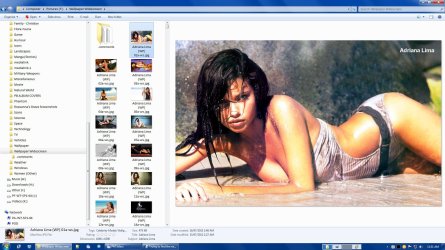
This Preview?

This Preview?
Image Preview.jpg

You can also activate a Preview pane in Windows Explorer.
Image Preview 02.jpg
 
Last edited:

My Computer My Computer

At a glance

W7 Ultimate SP1, LM19.2 MATE, W10 Home 1703, ...AMD Phenom II x6 1100T, 3.3 GHz12GB DDR3 1333 G-Skill (4GB x 2), G-Skill (2G...NVIDIA GeForce GTX 660
Computer type
PC/Desktop
Computer Manufacturer/Model Number
n/a
OS
W7 Ultimate SP1, LM19.2 MATE, W10 Home 1703, W10 Pro 1703 VM, #All 64 bit
CPU
AMD Phenom II x6 1100T, 3.3 GHz
Motherboard
ASUS M4A88T-M/USB3 (AM3)
Memory
12GB DDR3 1333 G-Skill (4GB x 2), G-Skill (2GB x 2)
Graphics Card(s)
NVIDIA GeForce GTX 660
Sound Card
Realtek?
Monitor(s) Displays
Samsung S23B350
Screen Resolution
1920x1080
Hard Drives
WD Green 2TB (SATA), WD Green 3TB (SATA), WD Blue 4TB (SATA), WD Blue 6TB (SATA)
PSU
Cooler Master
Case
Antec GX300 Tower
Cooling
3x Antec TRICOOL 120mm Fans
Mouse
Wired Optical
Internet Speed
DSL
Antivirus
Avast
Browser
Pale Moon (64 bit)
Other Info
2018-12-27 Upgraded HDDs
2015-12-10 Upgraded case, graphics card, storage
2015-08-15 Upgraded motherboard & RAM
2015-07-15 Upgraded LM17.1 to LM17.2
Back
Top