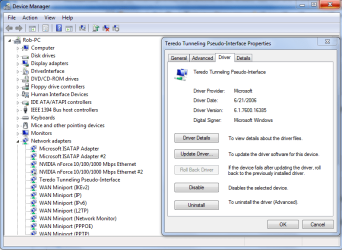
Hi, I recently deactivated teredo on my comp via command prompt. Today I wanted to reactivate it and I was told to entered these commands ito command promt to do so -
netsh ( press enter and wait a few seconds)
interface ( when the prompt netsh:\ comes up type in interface and press enter)
teredo ( type and press enter )
set state enabled
However, after I do this It says "the parameter is incorrect" any ideas on how I should reactivate this?
Also, when I type - "netsh interface teredo show state" it says this
type : disabled
Server name : teredo .ipv6.microsoft.com.
Client port : unspeficied
State : offline
Error : None
Also, will it cause any problems for teredo to be turned off?
Thanks
netsh ( press enter and wait a few seconds)
interface ( when the prompt netsh:\ comes up type in interface and press enter)
teredo ( type and press enter )
set state enabled
However, after I do this It says "the parameter is incorrect" any ideas on how I should reactivate this?
Also, when I type - "netsh interface teredo show state" it says this
type : disabled
Server name : teredo .ipv6.microsoft.com.
Client port : unspeficied
State : offline
Error : None
Also, will it cause any problems for teredo to be turned off?
Thanks
Last edited:
My Computer
- OS
- windows 7