Tylermc226
New member
- Local time
- 10:41 PM
- Messages
- 19
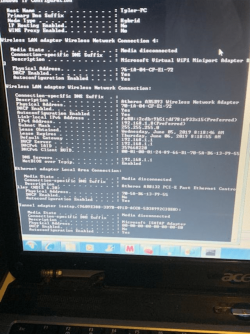
Hello, there. I'm on my old laptop I recently got running again, I just factory resetted it because the performance was extremely slow before hand. However, the internet was working on it then. For some reason, I am able to connect to it now, but it still displays the internet explorer cannot display the webpage page. I've tried the resetting ip, re-enabling the adapters, uninstalling the driver, and even updating the driver. I tried unchecking the IPv6 option on the Network tab, and none of these has worked thus far.
My Computer
At a glance
Windows 10 edition 64-bitN3700 @ 1.60GHZ 1.60GHZ4.00GBIntel HD Graphics
- Computer type
- Laptop
- Computer Manufacturer/Model Number
- Asus/X540SA
- OS
- Windows 10 edition 64-bit
- CPU
- N3700 @ 1.60GHZ 1.60GHZ
- Motherboard
- ASUSTeK COMPUTER INC. X540SA 1.0
- Memory
- 4.00GB
- Graphics Card(s)
- Intel HD Graphics
- Sound Card
- Intel(R) Display Audio, Realtek High Definition Audio
- Monitor(s) Displays
- Generic PnP Monitor
- Screen Resolution
- 1366 x 768
- Hard Drives
- hgst hts54505a7e680
- Keyboard
- PC/AT Enhanced PS/2 Keyboard (101/102 Key)
- Mouse
- Asus Touchpad
- Internet Speed
- 50mbps
- Browser
- Chrome