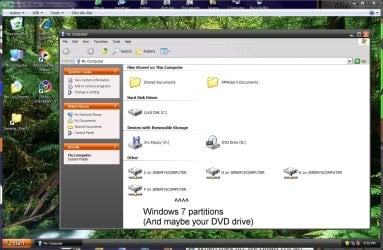
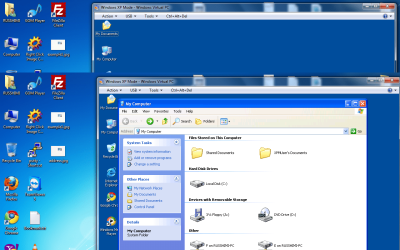
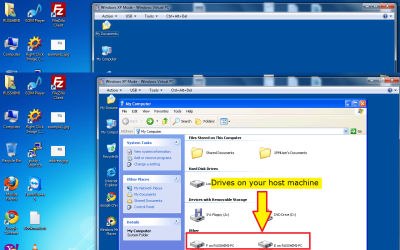
Are you using the one that has Windows XP Mode? If you are, you can't drag files from your desktop to virtual machine. Drag-and-drop file sharing between your desktop and virtual machine was removed. If you are using this version, look at the screenshot. You have to browse your HDD in the virtual machine. If you're using an older version, I can't help you.
Attachments
Virtual pc capture.JPG
149.1 KB
· Views: 202
My Computer
Computer Manufacturer/Model Number
HP G72 Notebook
OS
Windows 7 Professional 64-Bit
CPU
Intel Penitum inside 2.3 GHZ
Motherboard
Not sure
Memory
4 GB
Graphics Card(s)
Intel Mobile Express 400 Chipset (Unfortunately)
Screen Resolution
1600x900
Internet Speed
between 100 bytes/second (Not kidding! BYTES!!!) and 512 k
In this video, I open my host machine's D: drive, where I have the user folders. I then open my own documents folder (D:\Users\Kari\Documents), drag a file from there to XP Mode's desktop, and open it then on XP Mode.
Couldn't be easier.
Kari
My Computer
Computer type
Laptop
Computer Manufacturer/Model Number
HP ENVY 17-1150eg
OS
Windows 10 Pro x64 EN-GB
CPU
1.6 GHz Intel Core i7-720QM Processor
Memory
6 GB
Graphics Card(s)
ATI Mobility Radeon HD 5850 Graphics
Sound Card
Beats sound system with integrated subwoofer
Monitor(s) Displays
17" laptop display, 22" LED and 32" Full HD TV through HDMI
Screen Resolution
1600*900 (1), 1920*1080 (2&3)
Hard Drives
Internal: 2 x 500 GB SATA Hard Disk Drive 7200 rpm
External: 2TB for backups, 3TB USB3 network drive for media
Cooling
As Envy runs a bit warm, I have it on a Cooler Master pad