

- Local time
- 11:34 AM
- Messages
- 394
I had a folder on my Desktop that just won't delete. I tried deleting it and moving it to another location. It deleted everything within the folder, yet the folder still remained.
I've been having the problem of my Desktop not updating when files/folders are deleted, so I have to manually refresh after a delete to show it gone. Well, the folder decided to stick around. I tried Renaming, Deleting, changing Folder Permissions, Reboot of the Computer.....Nothing seems to help.
If I try to open the folder, I get a "Location is Not Available" along with the "Access Is Denied" error. Going to Properties>Security prompts me that I don't have permission to view or edit permission settings. Under Advanced says the same thing and for Owner it says "Unable to Display Current Owner."
I'm running Windows 7
I have tried looking as some of my questions seem silly most of the time - I looked at the link - http://www.sevenforums.com/tutorials/1911-take-ownership-shortcut.html
I hope that I have done it correctly.
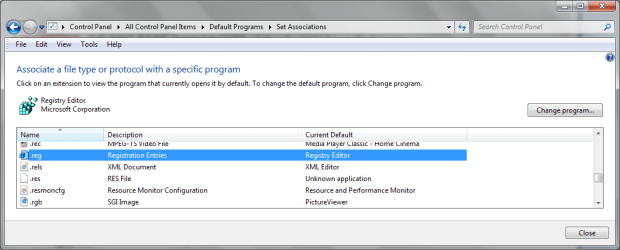
I have trialled it on my desktop and it comes up with a CMD screen and then moves the file. When I extracted the .reg it warned me that it would alter some .tmp files - I read the tutorial and I thought that what I did was fine. I know not to take ownership of Windows 7.
I hope the following information assists and I just want assurance that I did it correctly or if I should have tried another means.
I would rather know that I have done something or I will try extracting to remove the .reg.
Thanks people
I was reading this, but way too hard Runas
I've been having the problem of my Desktop not updating when files/folders are deleted, so I have to manually refresh after a delete to show it gone. Well, the folder decided to stick around. I tried Renaming, Deleting, changing Folder Permissions, Reboot of the Computer.....Nothing seems to help.
If I try to open the folder, I get a "Location is Not Available" along with the "Access Is Denied" error. Going to Properties>Security prompts me that I don't have permission to view or edit permission settings. Under Advanced says the same thing and for Owner it says "Unable to Display Current Owner."
I'm running Windows 7
I have tried looking as some of my questions seem silly most of the time - I looked at the link - http://www.sevenforums.com/tutorials/1911-take-ownership-shortcut.html
I hope that I have done it correctly.
I have trialled it on my desktop and it comes up with a CMD screen and then moves the file. When I extracted the .reg it warned me that it would alter some .tmp files - I read the tutorial and I thought that what I did was fine. I know not to take ownership of Windows 7.
I hope the following information assists and I just want assurance that I did it correctly or if I should have tried another means.
I would rather know that I have done something or I will try extracting to remove the .reg.
Thanks people
I was reading this, but way too hard Runas
Attachments

My Computer
At a glance
Windows 7 Home Premium 64bitWindows 7 Service Pack 1 x86 NTFS4 GB
- Computer type
- Laptop
- Computer Manufacturer/Model Number
- Sony VAIO / E Series VPCEB46FG
- OS
- Windows 7 Home Premium 64bit
- CPU
- Windows 7 Service Pack 1 x86 NTFS
- Motherboard
- AMD E-350 Processor
- Memory
- 4 GB
- Hard Drives
- 500GB
- Other Info
- 1.6GHz

